EasyManua.ls Logo

Grizzly T33959 - User Manual

Grizzly T33959
72 pages
Print Icon
To Next Page IconTo Next Page
Loading...
COPYRIGHT © OCTOBER, 2023 BY GRIZZLY INDUSTRIAL, INC.
WARNING: NO PORTION OF THIS MANUAL MAY BE REPRODUCED IN ANY SHAPE
OR FORM WITHOUT THE WRITTEN APPROVAL OF GRIZZLY INDUSTRIAL, INC.
#CS22893 PRINTED IN CHINA
V1.10.23
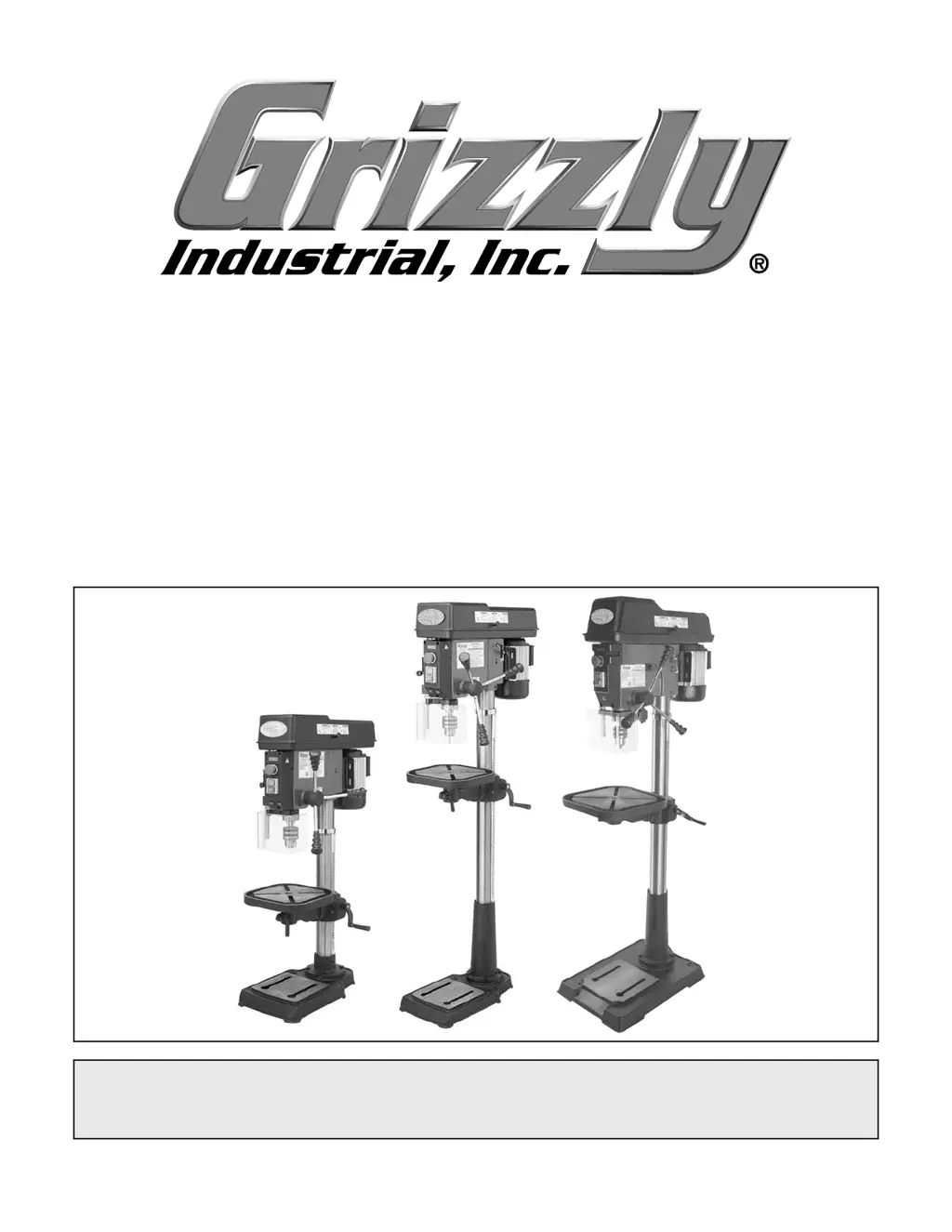
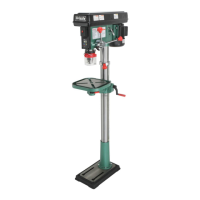
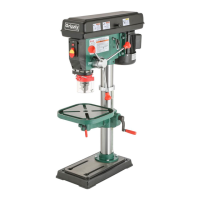
MODEL T33959/T33960/T33961
15" & 17" VARIABLE-SPEED
DRILL PRESSES
OWNER'S MANUAL
(For models manufactured since 08/23)
***Keep for Future Reference***

Questions and Answers

  • W
    Wanda BennettSep 4, 2025
    Why doesn't the laser guide illuminate on my Grizzly Power Tool?
    • K
      Kelly Burnett MDSep 4, 2025
      If the laser guide on your Grizzly Power Tool does not illuminate, it could be due to: * The lens being covered with dust. Clean the lens. * Broken, disconnected, or corroded wiring. Fix the broken wires or disconnected/corroded connections. * Damaged or faulty laser module(s). Replace the laser module(s). * A damaged or faulty spindle speed digital readout circuit board. Replace the spindle speed digital readout. * A damaged or faulty laser LED driver. Replace the driver. * A faulty laser switch. Replace the laser switch.
  • P
    Peter BarrSep 18, 2025
    How to prevent splintering with Grizzly Power Tool?
    • S
      Steven CookeSep 18, 2025
      To prevent the backside of the workpiece from splintering when using your Grizzly Power Tool, install a scrap board between the table and the workpiece.
  • D
    deborah51Sep 16, 2025
    Why does the spindle overheat on my Grizzly T33959 Power Tool?
    • P
      Patrick AndersonSep 16, 2025
      If the spindle overheats on your Grizzly Power Tool, it may be because the machine was operated at high speeds for an extended period. Allow the drill to cool.
  • J
    John RichardSep 14, 2025
    Why doesn't the spindle fully retract on my Grizzly T33959 Power Tool?
    • M
      Melissa ParkerSep 14, 2025
      If the spindle does not fully retract on your Grizzly Power Tool, it could be due to: * A poorly adjusted return spring. Increase the return spring tension. * Debris on the spindle or quill rack. Clean and lubricate the spindle/quill rack. * A worn return spring. Replace the return spring.
  • G
    georgekeithSep 13, 2025
    Why is my workpiece thrown from the Grizzly T33959 Power Tool table?
    • L
      Luis BrownSep 13, 2025
      If the workpiece is thrown from the table of your Grizzly Power Tool, it could be due to: * The workpiece not being secure. Properly clamp the workpiece on the table or in a vise. * The tool or bit being too large for the feed speed. Use a smaller tool or bit or decrease the feed speed.
  • A
    Alexander DavisSep 12, 2025
    Why does my Grizzly T33959 Power Tool drill bit drift?
    • B
      brandon76Sep 12, 2025
      If the drill bit or cutting tool drifts while using your Grizzly Power Tool, consider the following: * The drill bit or cutting tool may be dull or incorrectly sharpened. Correctly sharpen the drill bit or cutting tool. * The tool, bit, or chuck may be incorrectly installed. Correctly reinstall the tool, bit, or chuck.
  • L
    Lori HoldenSep 9, 2025
    Why is the Grizzly T33959 Power Tool table hard to move?
    • H
      Henry DunnSep 9, 2025
      If the table on your Grizzly Power Tool is hard to move, check the following: * The table might be locked. Disengage the table locks. * The rack and pinion might be dirty or dry. Clean away any chips or debris and lubricate the rack and pinion.
  • M
    marksmatthewSep 7, 2025
    What to do if Grizzly T33959 chuck falls out?
    • B
      Bethany CraigSep 7, 2025
      If the chuck and arbor fall out or are loose in the spindle of your Grizzly Power Tool, it might be because: * There is debris on the chuck, arbor, or in the spindle taper. Remove the chuck and arbor, clean all these parts, and then reinstall. Deburr mating surfaces if necessary. * There is excessive feed pressure. Decrease the feed pressure and allow chips to clear.
  • A
    arthur84Sep 6, 2025
    Why is the LED not illuminating on my Grizzly T33959 Power Tool?
    • A
      Anna HernandezSep 6, 2025
      If the LED on your Grizzly Power Tool is not illuminating, it could be due to: * The lens being covered with dust. Clean the lens. * Broken, disconnected, or corroded wiring. Fix the broken wires or disconnected/corroded connections. * A damaged or faulty LED. Replace the LED. * A damaged or faulty spindle speed digital readout circuit board (T33959/T33960 only). Replace the spindle speed digital readout. * A damaged or faulty LED driver (T33961 only). Replace the driver. * A faulty LED switch. Replace the LED switch.
  • S
    Stephanie SanchezAug 21, 2025
    Why are my Grizzly T33959 Power Tool cutters breaking?
    • T
      Taylor MurrayAug 21, 2025
      There are several reasons why your Grizzly Power Tool cutters might be breaking: * The spindle speed or feed rate may be too fast, so reduce them. * You might be taking too big of a cut at one time, so decrease feed pressure and allow chips to clear. * The cutting tool may be too small, so use a larger cutting tool and slower feed rate. * The cutting tool may be getting too hot, so use coolant or oil or reduce cutting speed. * You may be using the wrong cutting technique, tool, or machine for the job, so use the right ones. * The spindle may be extended too far down, so fully retract the spindle and raise the table to increase rigidity.

Summary

Introduction to Your Drill Press Manual

Contact Information for Support

How to contact Grizzly for technical support and manual feedback.

Manual Accuracy and Update Information

Information on manual accuracy, potential machine differences, and obtaining updates.

Machine Identification and Controls

Component Identification Guide

Familiarization with the names and locations of controls and features.

Control Panel Overview

Description of power controls and switches for T33959/T33960 models.

Headstock Controls and Components

Identification of controls and components on the headstock of the drill press.

Power Transfer and Table Controls

Details on power transfer mechanisms and table adjustment controls.

Machine Specifications and Data

Machine Data Sheet Details

Comprehensive data with dimensions, electrical, and motor specifications.

Operation Information and Capacities

Key operational specs like speeds, taper, and drilling capacity.

Safety Precautions

General Machinery Safety

Critical safety instructions for operating machinery safely.

Drill Press Specific Safety

Additional safety warnings and advice specific to drill press operation.

Power Supply Requirements

Power Circuit and Availability

Requirements for power supply availability and circuit specifications.

Grounding and Extension Cords

Proper grounding requirements and guidelines for using extension cords.

Setup and Installation Procedures

Setup Checklist and Unpacking

Items needed for setup and instructions for unpacking the machine.

Inventory and Hardware Identification

Listing shipped items and a chart to identify hardware.

Machine Cleanup Procedures

Procedures for cleaning the machine, removing rust preventative.

Site Considerations and Clearances

Factors for machine placement and working clearances.

Mounting and Anchoring Methods

Instructions for bench mounting and floor anchoring.

Assembly and Initial Operations

Machine Assembly Steps

Step-by-step guide for assembling the drill press components.

Joining Drill Chuck and Arbor

Procedure for correctly joining the drill chuck and arbor.

Test Run Procedure

Steps to perform a test run to ensure proper functionality.

Spindle Break-In Procedure

Procedure for breaking in spindle bearings for T33960/T33961 models.

Operating the Drill Press

Operation Overview

Basic understanding of how to use the machine for typical operations.

Installing and Removing Bits;Arbors

Procedures for installing and removing drill bits and arbors.

Selecting Spindle Speeds

Guidance on choosing appropriate spindle speeds using a speed chart.

Changing Spindle Speed and Range

How to adjust spindle speed and speed ranges on different models.

Adjusting Depth Stop

Steps for setting and calibrating the depth stop for precise drilling.

Positioning the Drill Press Table

Instructions for rotating, raising, lowering, and tilting the table.

Adjusting Laser Guide

How to check and adjust the laser guide for accurate alignment.

Adjusting LED Worklight

Guide to using and repositioning the LED worklight.

Maintenance and Lubrication

Maintenance Schedule

Recommended schedule for ongoing, weekly, and monthly maintenance.

Cleaning and Surface Protection

Methods for cleaning the machine and protecting its surfaces.

Lubrication Procedures

Essential lubrication tasks for maintaining smooth operation.

Quill and Column Maintenance

Cleaning and lubricating quill, column, rack, and pinion.

Service and Troubleshooting

Troubleshooting Guide

Common symptoms, possible causes, and solutions for machine issues.

Adjusting Return Spring Tension

How to adjust the spring tension for the quill recoil.

V-Belt Replacement Procedures

Steps for replacing spindle and drive belts on the machine.

Calibrating Depth Stop

Procedure to calibrate the depth stop scale if it becomes inaccurate.

Component Replacement Procedures

Laser Module and LED Replacement (T33959;T33960)

Instructions for replacing laser modules and LEDs on specific models.

Laser Module and LED Replacement (T33961)

Instructions for replacing laser modules and LEDs on the T33961 model.

Wiring and Electrical Systems

Wiring Safety Instructions

Critical safety precautions when working with electrical wiring.

Wiring Diagrams

Electrical wiring diagrams for T33959/T33960 and T33961 models.

Electrical Component Identification

Visual guide to electrical components for T33959/T33960 models.

Parts Identification and Lists

T33959 Main Parts List

Illustrated parts list and reference numbers for the T33959 model.

T33960 Main Parts List

Illustrated parts list and reference numbers for the T33960 model.

T33961 Main Parts List

Illustrated parts list and reference numbers for the T33961 model.

Labels and Cosmetics

Labels for T33959;T33960

Identification and location of labels for T33959/T33960 models.

Labels for T33961

Identification and location of labels for the T33961 model.

Warranty and Support Information

Warranty Information and Terms

Details on the product warranty period, terms, and exclusions.

Obtaining Support and Warranty Registration

How to contact for support and register the product warranty.

Grizzly T33959 Specifications

General IconGeneral
BrandGrizzly
ModelT33959
CategoryPower Tool
LanguageEnglish

Related product manuals