EasyManua.ls Logo

Grizzly G0855 - User Manual

Grizzly G0855
68 pages
Print Icon
To Next Page IconTo Next Page
Loading...
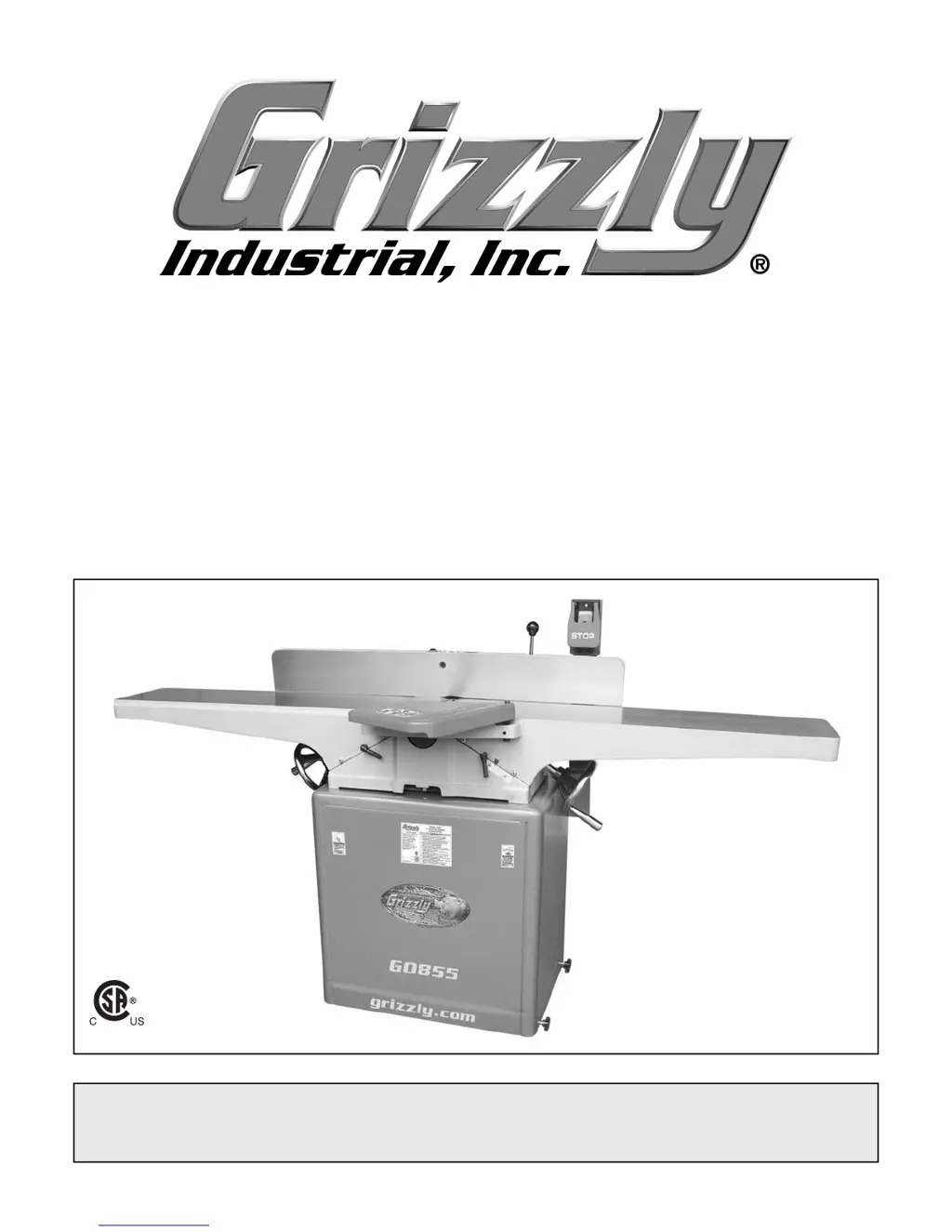
MODEL G0855/G0856
8" DOVETAIL JOINTER
w/MOBILE BASE
OWNER'S MANUAL
(For models manufactured since 02/19)
COPYRIGHT © OCTOBER, 2018 BY GRIZZLY INDUSTRIAL, INC. REVISED JANUARY, 2019 (ES)
WARNING: NO PORTION OF THIS MANUAL MAY BE REPRODUCED IN ANY SHAPE
OR FORM WITHOUT THE WRITTEN APPROVAL OF GRIZZLY INDUSTRIAL, INC.
#ES19680 PRINTED IN TAIWAN
V2.01.19
175370

Questions and Answers

  • E
    Elizabeth ThompsonAug 18, 2025
    Why Grizzly G0855 won't start or trips breaker?
    • M
      Mrs. Samantha WilliamsAug 19, 2025
      If your Grizzly Power Tool doesn't start or trips the breaker, it could be due to several reasons. Check the following: * Ensure you have the correct power supply voltage and circuit size. * Verify the circuit is correctly sized and free of shorts. Reset the circuit breaker or replace the fuse. * Inspect the motor wiring connections. * Check for broken, disconnected, or corroded wires and fix them. * Test or replace the ON button. * Test or replace the start capacitor. * Adjust or replace the centrifugal switch if available. * Test, repair, or replace the motor.
  • J
    Jacob HernandezAug 23, 2025
    How to reduce vibration and noise in Grizzly G0855 Power Tool?
    • I
      irwinchristineAug 23, 2025
      To reduce vibration or noise in your Grizzly Power Tool, check the following: * Tighten mobile base lock knobs or adjust stand feet to stabilize the machine. * Replace missing bolts/nuts, or tighten if loose. * Inspect, tension, or replace the belt if worn or loose. * Fix or replace the fan cover; replace loose or damaged fan if the motor fan is rubbing on the fan cover. * Secure the pulley on the shaft or realign if the pulley is loose or misaligned. * Sharpen or replace knives; rotate or replace inserts if they are dull. * Replace the cutterhead bearings if they are at fault. * Adjust or replace the centrifugal switch if available. * Test, repair, or replace the motor bearings.
  • E
    Eric HayesAug 26, 2025
    Why Grizzly G0855 Power Tool causes chipping or rough cuts?
    • M
      Margaret ObrienAug 26, 2025
      If your Grizzly Power Tool is causing chipping, tear-out, indentations, or overall rough cuts, consider the following: * Ensure the workpiece is suitable for jointing. * Turn the workpiece 180° before feeding again if the operator is not feeding the workpiece to cut "with" the grain. * Reduce the feed rate if it is too fast. * Reduce the depth of cut if it is excessive. * Sharpen or replace the knives, or rotate or replace the inserts if they are dull. * Clear blockages, seal leaks, move the machine closer to the dust collector, or upgrade the dust collector if there are dust collection problems.
  • K
    Kristina MartinezAug 27, 2025
    Why Grizzly G0855 Power Tool produces tapered cuts?
    • S
      Sara BrockAug 28, 2025
      If your Grizzly Power Tool produces tapered cuts or workpiece edges are not square, check these potential causes: * Square the fence to the table(s) and lock the fence if it is not square to the table(s) or the fence tilt is unlocked. * Tighten or torque all inserts consistently when rotating or replacing if the inserts are not consistently tightened or torqued. * Regrind or replace the table if the infeed or outfeed table is warped.
  • B
    Brandon CrossAug 30, 2025
    What causes uneven cutter marks on Grizzly G0855?
    • H
      Heather WalshAug 30, 2025
      If you're seeing uneven cutter marks, a wavy surface, or chatter marks on your workpiece when using the Grizzly Power Tool, here's what might be happening: * The workpiece might be feeding too fast, so reduce the feed rate. * The knives might not be properly adjusted. * There might be dirt or debris under the inserts. Remove the inserts, properly clean the mounting pocket, and reinstall.
  • C
    Cassandra BrownSep 1, 2025
    What to do if Grizzly G0855 table is hard to adjust?
    • T
      tara84Sep 1, 2025
      If the table on your Grizzly Power Tool is hard to adjust, consider the following: * Completely loosen the table lock if it is engaged or partially engaged. * Loosen or reset the table stop if it is blocking movement. * Adjust the table gibs if they are out of adjustment.
  • B
    Brian BishopSep 3, 2025
    Why Grizzly Power Tool leaves long lines on workpiece?
    • R
      roberto71Sep 3, 2025
      If your Grizzly Power Tool is leaving long lines or ridges along the length of the workpiece, it could be due to: * Nicked or chipped knives/inserts, so replace the knives or rotate/replace the inserts. * Inserts not consistently tightened/torqued, so tighten/torque all inserts consistently when rotating/replacing. * Dirt or debris under inserts, so remove inserts, properly clean mounting pocket and re-install.
  • E
    ereyesSep 6, 2025
    How to prevent snipe with Grizzly Power Tool?
    • L
      Lori JamesSep 6, 2025
      To prevent excessive snipe (a gouge in the end of the board that is uneven with the rest of the cut) when using your Grizzly Power Tool: * Align the outfeed table with the cutterhead knife/insert at top dead center if the outfeed table is set too low. * Adjust the height of knives evenly with the outfeed table if the knives are set too high. * Reduce or eliminate downward pressure on the trailing end of the workpiece as it leaves the cutterhead if the operator is pushing down on it.
  • D
    Darrell WareSep 8, 2025
    How to avoid fuzzy grain with Grizzly G0855?
    • C
      crobbinsSep 8, 2025
      To avoid fuzzy grain being left in the workpiece when using your Grizzly Power Tool: * Ensure the wood moisture content is less than 20%. Allow it to dry if necessary, if the wood has high moisture content. * Sharpen or replace the knives, or rotate or replace the inserts if they are dull.
  • D
    Daniel RobinsonSep 12, 2025
    Why Grizzly G0855 leaves burn marks?
    • D
      Denise JacksonSep 12, 2025
      If your Grizzly Power Tool is leaving a glossy surface or scorching/burn marks on the workpiece: * Increase the feed rate if it's too slow. * Sharpen/replace knives or rotate/replace inserts if they are dull.

Summary

Grizzly 8 Dovetail Jointer Overview

Machine Data Sheets

Detailed technical specifications for both jointer models.

Essential Safety Guidelines

General Safety Warnings

Critical safety instructions for machine operation, owner responsibility, and chemical hazards.

Machinery Operation Safety

Detailed safety protocols for operating machinery, electrical risks, and PPE.

Specific Jointer Safety

Safety advice for jointer operations, including kickback and guard usage.

Power Supply and Grounding Safety

Precautions for power supply, grounding, and electrical connections.

Setting Up Your Jointer

Jointer Assembly Steps

Comprehensive step-by-step instructions for assembling the jointer.

Operating the Jointer

Maintaining and Troubleshooting Your Jointer

Troubleshooting Common Issues

Solutions for diagnosing and resolving operational problems.

Cutterhead Maintenance

Procedures for setting/replacing knives and spiral inserts.

Parts, Accessories, and Wiring Information

Wiring Diagram and Safety

Electrical system information and safety precautions.

Grizzly G0855 Specifications

General IconGeneral
BrandGrizzly
ModelG0855
CategoryPower Tool
LanguageEnglish

Related product manuals