EasyManua.ls Logo

Grizzly T32540 - User Manual

Grizzly T32540
32 pages
Print Icon
To Next Page IconTo Next Page
Loading...
COPYRIGHT © DECEMBER, 2020 BY GRIZZLY INDUSTRIAL, INC.
WARNING: NO PORTION OF THIS MANUAL MAY BE REPRODUCED IN ANY SHAPE
OR FORM WITHOUT THE WRITTEN APPROVAL OF GRIZZLY INDUSTRIAL, INC.
#KS21481 PRINTED IN CHINA
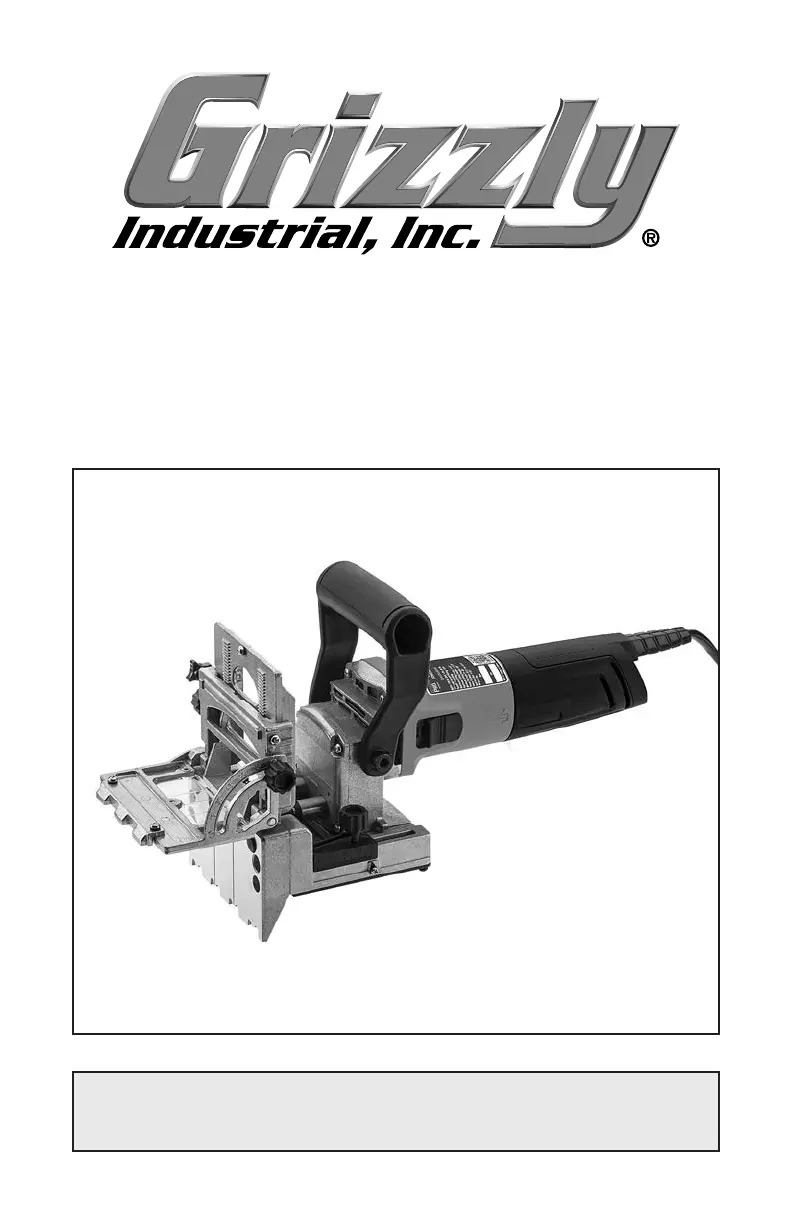
MODEL T32540
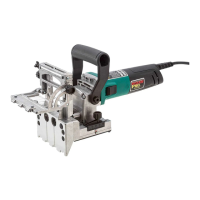
DUAL-SPINDLE DOWELING JOINTER
OWNER'S MANUAL
(For models manufactured since 10/20)
V1.12.20

Questions and Answers

  • D
    Donna PayneJul 28, 2025
    Why Grizzly T32540 does not start?
    • G
      Gary BassJul 28, 2025
      If your Grizzly Power Tool doesn't start, or the power-supply fuse/breaker trips immediately after startup, the issue could stem from several causes. First, check that the power supply voltage is correct and the circuit size is adequate. If the circuit breaker has tripped or a fuse has blown, ensure the circuit is free of shorts and then reset the breaker or replace the fuse. Inspect the wiring for any breaks, disconnections, or corrosion and fix them as needed. Other potential causes include worn-out motor brushes (remove or replace them), a faulty ON/OFF switch (replace it), or a problem with the motor or motor bearings (replace the motor).
  • K
    karensmithAug 5, 2025
    What to do if my Grizzly T32540 Power Tool stalls?
    • C
      Cynthia WatsonAug 5, 2025
      If your Grizzly Power Tool stalls or is underpowered, it could be due to several reasons. The workpiece material may not be suitable for the tool; ensure you are only drilling into wood and that its moisture content is below 20%. The tool might be undersized for the task, so reduce the feed rate or drilling depth and use a sharp drill bit. Check for a clogged dust port and clear it. Other possible causes include dull or faulty drill bits (remove or replace them), worn-out motor brushes (remove or replace them), an extension cord with too small a gauge or that is too long (use a shorter extension cord of the proper gauge), an overheated motor (clean the motor, let it cool, and reduce the workload), or a faulty motor or motor bearings (replace the motor).
  • R
    Ronald FieldsAug 13, 2025
    How to fix vibration in Grizzly T32540?
    • C
      choibrittneyAug 13, 2025
      If your Grizzly Power Tool is vibrating or operating noisily, several factors could be responsible. Start by checking if the motor, bits, or any components are loose; tighten them if necessary and replace any damaged or missing bolts or nuts. Faulty or loose drill bits can also cause this issue, so remove or replace them. Ensure the workpiece is securely held in place with the correct holding fixture or re-clamp it. If the motor fan is rubbing on the fan cover, fix or replace the fan cover, and replace any loose or damaged fan. Finally, faulty motor bearings can cause vibration and noise; test them by rotating the shaft, and if you notice rotational grinding or a loose shaft, replace the bearings.
  • M
    moorethomasAug 19, 2025
    Why are drill bits burning workpiece with Grizzly Power Tool?
    • B
      brauntammyAug 20, 2025
      If your drill bits are burning the workpiece when using your Grizzly Power Tool, it is likely due to dull, faulty, or loose drill bits. Remove and replace the drill bits.

Summary

General Safety Warnings

Critical Safety Instructions

Emphasizes reading and following manual instructions for safe operation and to prevent injury.

SECTION 1: SAFETY

Safety Symbols and Signal Words

Defines DANGER, WARNING, CAUTION, and NOTICE symbols used in the manual for hazard communication.

Power Tool Operational Safety

Provides essential safety instructions for operating power tools, covering mental alertness and protection.

Specific Safety Precautions

Electrical, Apparel, and Hearing Safety

Covers electrical connections, proper apparel, hearing protection, and safe handling.

Additional Doweling Jointer Safety

Drill Bit and Workpiece Handling

Guidelines for drill bit maintenance, avoiding entanglement, and securing workpieces.

Tool Control and Cautionary Notes

Emphasizes proper tool control, alignment, and general shop safety cautions.

Controls & Components Overview

SECTION 3: POWER SUPPLY

Power Supply Requirements and Safety

Outlines voltage, phase, circuit requirements, and electrical safety precautions.

Electrical Connection Guidance

SECTION 4: SETUP

Crucial Pre-Operation Safety Reminder

A critical warning to read the entire manual before operating the tool.

Inventory and Parts Check

Dust Collection System Setup

Test Run and Pre-Operation Checks

Understanding Controls Before Use

Emphasizes understanding controls and safety before operating the tool.

SECTION 5: OPERATIONS

Drill Bit Installation and Safety

Step-by-step guide for installing drill bits and related safety precautions.

Calibrating Drilling Depth Settings

Adjusting Fence Angle

Adjusting Drilling Depth Setting

Adjusting Drilling Height

Aligning Viewer with Workpiece

Workpiece Preparation and Securing

Tool Positioning and Drilling Process

Performing Dowel Hole Drilling

Step-by-step guide to drilling dowel holes using the jointer.

Gluing Dowels and Using Jigs

SECTION 7: MAINTENANCE

Replacing Motor Brushes

SECTION 8: SERVICE

Troubleshooting Common Issues

Provides solutions for common problems like tool not starting or stalling.

Grizzly T32540 Specifications

General IconGeneral
BrandGrizzly
ModelT32540
CategoryPower Tool
LanguageEnglish

Related product manuals