Need help?
Do you have a question about the Grouw! 17941 and is the answer not in the manual?
Provides guidance for optimal use of the robot lawnmower.
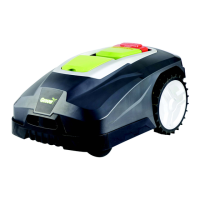
Identifies and lists the key parts of the robot lawnmower.
Explains the function of each button on the control panel.
Accesses date, time, rain mowing, language, and information settings.
Configures work time and boundary cut options.
Allows modification of the robot lawnmower's PIN code.
Displays the remaining battery capacity and charging status graphically.
Step-by-step guide to configure the lawnmower's date and time.
Adjusts the lawnmower's behavior during rainy conditions.
Instructions for changing the display language.
Configures the daily operating schedule for the lawnmower.
Enables or disables cutting along the boundary cable.
Accesses error logs and total operating time information.
Detailed steps to change the security PIN.
Initiates the lawnmower operation after programming.
Describes the process for the lawnmower to return to its charging station.
Details errors related to mower position, power, and overload conditions.
Instructions for manually charging the robot lawnmower's battery.
Explains issues with the boundary cable and indicator lights.
Covers errors related to battery, PCB temperature, and charging.
Addresses skirt sensor errors, blank display, and boundary obstructions.
Troubleshooting steps for not switching on or reaching the charging station.
Describes lawnmower behavior near the boundary cable.
Diagnosing and resolving excessive noise from the lawnmower.
Contact information and procedures for service inquiries.
Explains what is covered and excluded by the product guarantee.
 General
| Brand | Grouw! |
|---|---|
| Model | 17941 |
| Category | Lawn Mower |
| Language | English |

 To Next Page