EasyManua.ls Logo

Growatt SPF 8000T DVM-MPV - User Manual

Growatt SPF 8000T DVM-MPV
33 pages
Print Icon
To Next Page IconTo Next Page
Loading...
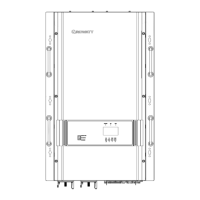
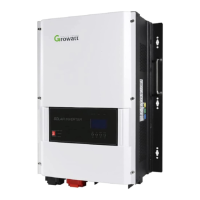
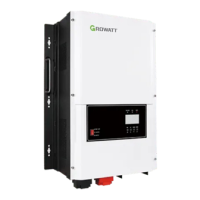
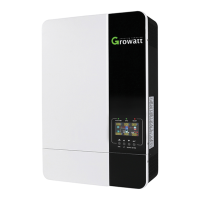
Off Grid Solar Inverter
Split Phase 4KW-12KW
Version: 1.1
User Manual

Questions and Answers

  • E
    Emily PalmerAug 19, 2025
    What to do if my Growatt SPF 8000T DVM-MPV Inverter has no response after power on?
    • E
      Elizabeth KingAug 19, 2025
      The Growatt Inverter might not respond after powering on if the battery voltage is far too low (less than 1.4V/Cell) or if the battery polarity is reversed. To resolve this, check if the batteries and the wiring are connected well. You may also need to re-charge or replace the battery.
  • W
    William RuizAug 29, 2025
    How to fix a Growatt SPF 8000T DVM-MPV Inverter that shuts down automatically during startup?
    • M
      Michael FieldsAug 29, 2025
      If your Growatt Inverter shuts down automatically during the startup process, it might be because the battery voltage is too low (less than 1.91V/Cell). In this case, re-charge the battery. If that doesn't work, consider replacing the battery.
  • C
    charlene79Nov 8, 2025
    Why does my Growatt SPF 8000T DVM-MPV beep continuously with a red LED on?
    • L
      Lisa MitchellNov 8, 2025
      If the Growatt Inverter buzzer beeps continuously and the red LED is on, it could be due to several reasons. First, check if the air flow of the unit is blocked or if the ambient temperature is too high, as the internal temperature of the component might be over 90°C. You should also reduce the connected load by switching off some equipment if the inverter is overloaded. Also check the BMS communication wire to see if it’s well connected. Another reason could be an output short circuit, so check if the wiring is connected well and remove any abnormal load. In case of an output abnormality (Inverter voltage below 180Vac or higher than 290Vac), reduce the connected load. If the issue persists after restarting the unit due to over current or surge, it is recommended to return it to a repair c...

Summary

Manual Information Overview

Safety Instructions

Provides crucial safety and operating guidelines.

Installation Guide

Unit Mounting Guidelines

Guidelines for selecting an installation location and mounting.

Battery Connection Setup

Recommended Battery Cable and Terminal Specs

Specifies cable gauge and torque for battery connections.

Battery Connection Steps

Step-by-step guide for connecting batteries to the inverter.

Battery Connection Safety Precautions

Crucial safety precautions for battery wiring.

AC Wiring Connections

Recommended AC Wire Gauge and Torque

Specifies cable gauge and torque for AC connections.

AC Wiring Diagrams (240 Vac;120 Vac)

Visual guides for 240Vac and 120Vac AC wiring.

AC Connection Step-by-Step Guide

Step-by-step guide for making AC input/output connections.

AC Wiring Details and Cautions

AC Wire Polarity and Connection Guide

Details wire color mapping and connection polarity.

Critical AC Connection Safety Warnings

Warnings about polarity and appliance restart delays.

PV Module Connection Guide

Recommended PV Cable Gauge and Torque

Specifies cable size and torque for PV connections.

PV Module Selection Criteria

Criteria for selecting PV modules based on voltage.

PV Module Connection Steps

Step-by-step guide for connecting PV modules.

PV Wiring Diagrams by Model

Visual guide for PV wiring for different models.

System Features and Performance

Inverter Overload Capacity and Soft Start

Details overload behavior and soft start for AC loads.

Battery Charging Operations

Battery Equalization Process

Inverter Operation Interface

LCD Display Icons and Information

LCD Display: Load and Mode Indicators

LCD Settings: Output and Charging

Configuring Output Source Priority

How to set priority for Solar, Utility, or SBU.

Setting Maximum Charging Current

How to set the total charging current limit.

LCD Settings: Voltage and Battery

Battery Type Selection

Setting battery types like AGM, Flood, User-Defined, Lithium.

LCD Settings: Charging Priority

LCD Settings: Equalization Details

Display Info: Input and PV Data

Display Info: Load and Frequency Data

Display Info: Wattage and Status

Operating Mode Descriptions

Fault and Warning Code Reference

Fault Reference Codes and Events

Lists fault codes, events, and corresponding icons.

Warning Indicator Codes and Events

Lists warning codes, events, audible alarms, and flashing icons.

Troubleshooting Common Issues

Startup Shutdown Troubleshooting

Troubleshooting for automatic shutdown during startup.

No Power Response Troubleshooting

Troubleshooting steps for no indication after power on.

Buzzer and Red LED Troubleshooting

Troubleshooting for continuous buzzing and red LED.

Technical Specifications: Core Data

Inverter Output Specifications

Details rated power, surge rating, voltage, frequency, efficiency.

Solar Charger Specifications

Details PV charge current, array power, MPPT voltage.

DC Input Specifications

Details DC voltage, cut-off/warning levels, SOC.

AC Input Specifications

Details AC voltage range and frequency.

Technical Specifications: Environment and Protection

Bypass and Protection Specifications

Details transfer time, overload, short circuit protection.

Growatt SPF 8000T DVM-MPV Specifications

General IconGeneral
BrandGrowatt
ModelSPF 8000T DVM-MPV
CategoryInverter
LanguageEnglish

Related product manuals