EasyManua.ls Logo

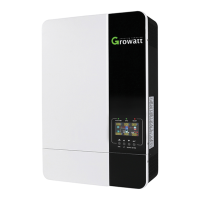
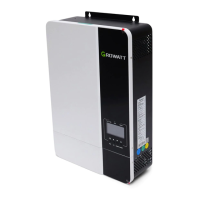
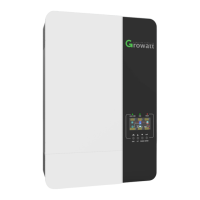
Growatt SPF 6000 ES PLUS - User Manual

Growatt SPF 6000 ES PLUS
44 pages
Print Icon
To Next Page IconTo Next Page
Loading...
Off Grid Solar Inverter
SPF 6000 ES PLUS
Version: 1.0
User Manual

Questions and Answers

  • M
    Matthew PowellAug 3, 2025
    Why is my Growatt SPF 6000 ES PLUS Inverter working in battery mode when mains exist?
    • C
      Cynthia GardnerAug 3, 2025
      Your Growatt Inverter might be working in battery mode even when mains are available due to several reasons: * The input protector may be tripped. Check if the AC breaker is tripped and the AC wiring is connected well. * The quality of AC power from the shore or generator might be insufficient. Check if the AC wires are too thin or too long. If using a generator, verify it's working correctly and the input voltage range setting is correct. * The output source priority may not be set correctly. Change the output source priority to Utility first.
  • G
    Gregory TannerAug 13, 2025
    Why does my Growatt Inverter shut down automatically during startup?
    • W
      William ChurchAug 13, 2025
      The Growatt Inverter might shut down automatically during startup because the battery voltage is too low (less than 1.91V/Cell). To resolve this, you can try to re-charge or replace the battery.
  • J
    Jessica OconnellAug 18, 2025
    What to do if Growatt Inverter has no response after power on?
    • N
      Nicole EdwardsAug 18, 2025
      If your Growatt Inverter shows no response after powering on, it could be due to: * The battery voltage being far too low (less than 1.4V/Cell). * The battery polarity being connected in reverse. To fix this, check if the batteries and wiring are connected well, re-charge the battery, or replace the battery.
  • T
    Thomas ReyesAug 22, 2025
    What to do if internal relay is switching on and off repeatedly when Growatt SPF 6000 ES PLUS Inverter is turned on?
    • K
      Kevin BishopAug 22, 2025
      If the internal relay is switching on and off repeatedly when your Growatt Inverter is turned on, it could be because the battery is disconnected. Check if the battery wires are connected well.
  • L
    Luis HowardOct 28, 2025
    What to do if Growatt SPF 6000 ES PLUS beeps and the red LED is on?
    • J
      Joshua WilsonOct 28, 2025
      If your Growatt Inverter is beeping continuously and the red LED is on (fault code), or beeping once every second and the red LED is flashing (warning code), there could be several reasons: * **Fan fault:** Check if all fans are working properly and replace the fan if necessary. * **High internal temperature:** Ensure the unit's airflow isn't blocked and the ambient temperature isn't too high. Also, check the thermistor plug for looseness. * **Battery issues:** It could be over-charged or the voltage is too high or too low. Check if the battery specifications and quantity meet the requirements. Measure the battery voltage and check the battery's state of charge (SOC) in the LCD when using a Li battery. Recharge the battery if the voltage/SOC is too low. * **Output problems:** Ther...
  • A
    Andrew MartinezNov 7, 2025
    What to do if Growatt Inverter beeps continuously and the red LED is on?
    • P
      paul11Nov 7, 2025
      If your Growatt Inverter is beeping continuously and the red LED is on (fault code), or beeping once every second and the red LED is flashing (warning code), it could be due to: * **Bus voltage issues:** If connected to a lithium battery without communication, check if the voltage points of the program 19 and 21 are too high for the lithium battery. * **Internal component failure:** Restart the unit. If the error happens again, please return to repair center. * **Parallel system issues:** Check if AC input wires of all inverters are connected well. Ensure the input phase is correct by changing the input phase S and T wiring. For parallel systems, make sure the parallel settings are the same (single or parallel; 3P1, 3P2, 3P3) and all phase inverters are powered on. * **Lithium bat...

Summary

Installation

Battery Connection

Lead-acid Battery Connection

Details for connecting lead-acid batteries, including cable size and torque values.

Lithium Battery Connection

Instructions for connecting lithium batteries, including BMS communication setup.

Lithium battery communication and setting

Steps to establish communication between the lithium battery BMS and the inverter.

LCD setting

Battery type setting (Program 05)

Options for setting the battery type (AGM, Flooded, Lithium, User-Defined).

RS485;CAN Communication protocol (Program 36)

Procedure for selecting RS485 or CAN communication protocols.

Communicating with battery BMS in parallel system

Connecting the BMS communication cable in a parallel inverter system.

AC Input;GEN;Output Connection

AC input;GEN;AC output connection steps

Detailed steps for making AC input, GEN, and AC output connections.

AC output connection steps

Steps for connecting the AC output wires to the inverter.

Important AC wiring cautions

Critical warnings regarding AC wire polarity and appliance restart times.

PV Connection

PV Module Selection

Parameters to consider when selecting PV modules for the system.

PV module connection steps

Step-by-step instructions for connecting PV modules to the inverter.

Operation

Operation and Display Panel

Overview of the front panel, including indicators, buttons, and LCD display.

LCD Display Icons

LCD Setting

Output source priority (Program 01)

Configuring the priority for load power source (Solar, Utility, SBU, SUB).

Battery type (Program 05)

Selecting the type of battery connected to the inverter.

Charger source priority (Program 14)

Configuring the priority for charging sources (Solar, Utility, or both).

Low DC cut-off voltage (Program 21)

Setting the voltage level at which DC power cut-off occurs.

Display Information

Operating Mode Description

Parallel Installation Guide

Parallel Operation in Single Phase

Parallel Operation in Three Phase

LCD Setting and Display

Fault Reference Code

Warning Indicator

Battery Equalization

Specifications

Trouble Shooting

Unit shuts down during startup process

Troubleshooting steps for low battery voltage causing startup shutdown.

No response after power on

Troubleshooting steps when the inverter shows no indication after power on.

Mains exist but unit works in battery mode

Troubleshooting issues with AC power availability and battery mode operation.

Fault code 01-07

Solutions for specific fault codes from 01 to 07.

Fault code 08-81

Solutions for specific fault codes from 08 to 81.

Warning code 15-20

Solutions for specific warning codes from 15 to 20.

Growatt SPF 6000 ES PLUS Specifications

General IconGeneral
ModelSPF 6000 ES PLUS
CategoryInverter
Rated Power6000 W
Input Voltage230 V AC
Output Voltage230 V AC
Battery Voltage48 V
Max. PV Array Power8000 W
Max. DC Voltage450 V
Max. Charging Current120 A
Output Frequency50 Hz/60 Hz
Max. PV Input Power8000 W
Max. PV Input Voltage450 V
Number of MPPTs2
Max. AC Charging Current60A
Dimensions330 x 485 x 135 mm
Communication InterfaceUSB
MPPT Voltage Range120V-430V
MPPT Range120V-430V
Efficiency93% (Peak)

Related product manuals