3 Setting the ZigBee ID and Channel of
the Data Logger
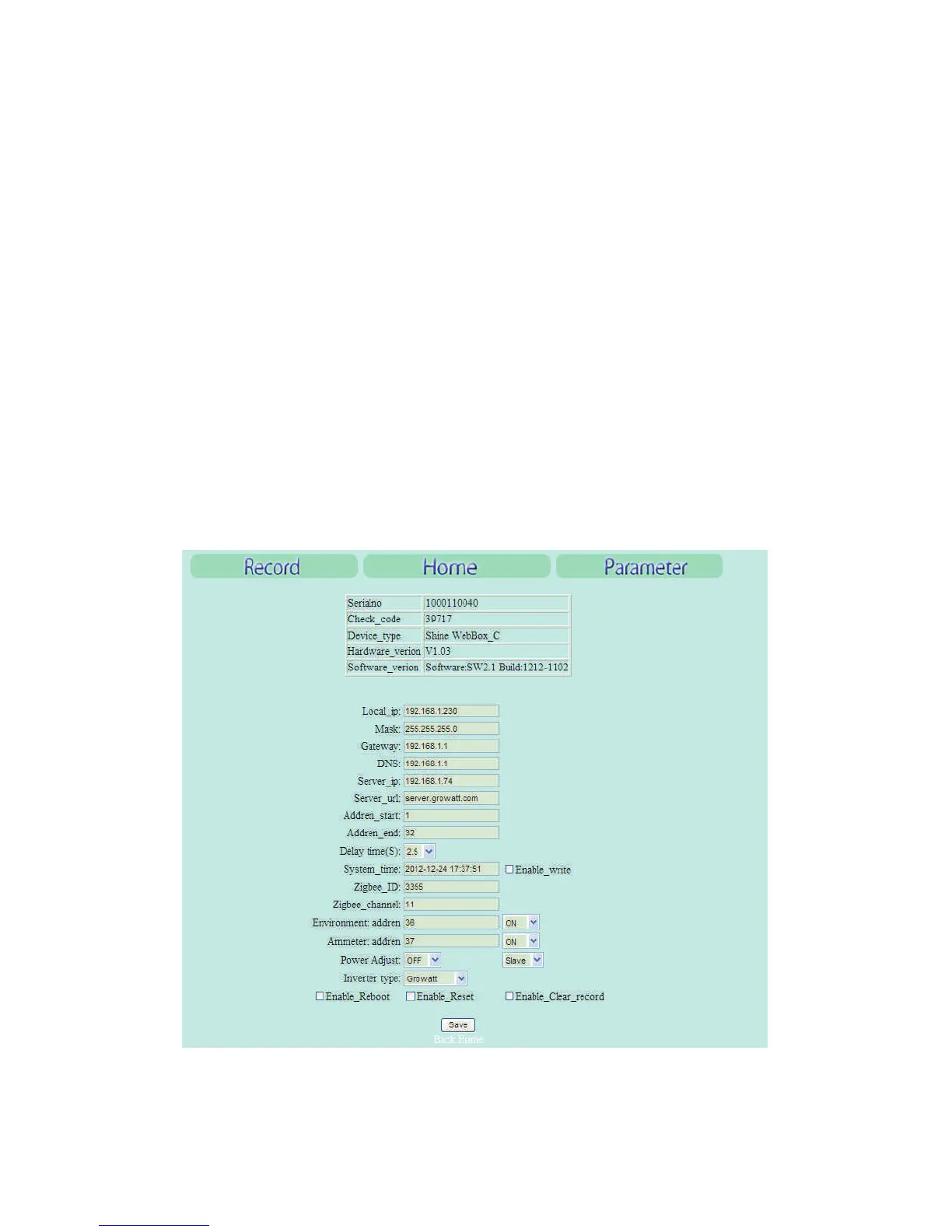
In order to adopt the ZigBee wireless communication method, the ZigBee ID and
Channel of the data logger should be configured first. Start the web browser and
enter 192.168.1.230 in the address bar, then you can set the ZigBee ID and Channel
via the integrated server of the data logger.
4
Note:
network segment, then it is available to get access into the integrated server of the
data logger. As to more details, please refer to the user manual of data logger e.g.
Shine Webbox User Manual.
Only the IP address of the data logger and the accessing PC are in the same


 To Next Page