4 Setting the ZigBee Module
6
1. Copy the folder “V53E Setup” from the CD to personal computer. Double click
“V53E Setup” → “Support” “ZConfigureV53E.exe”.
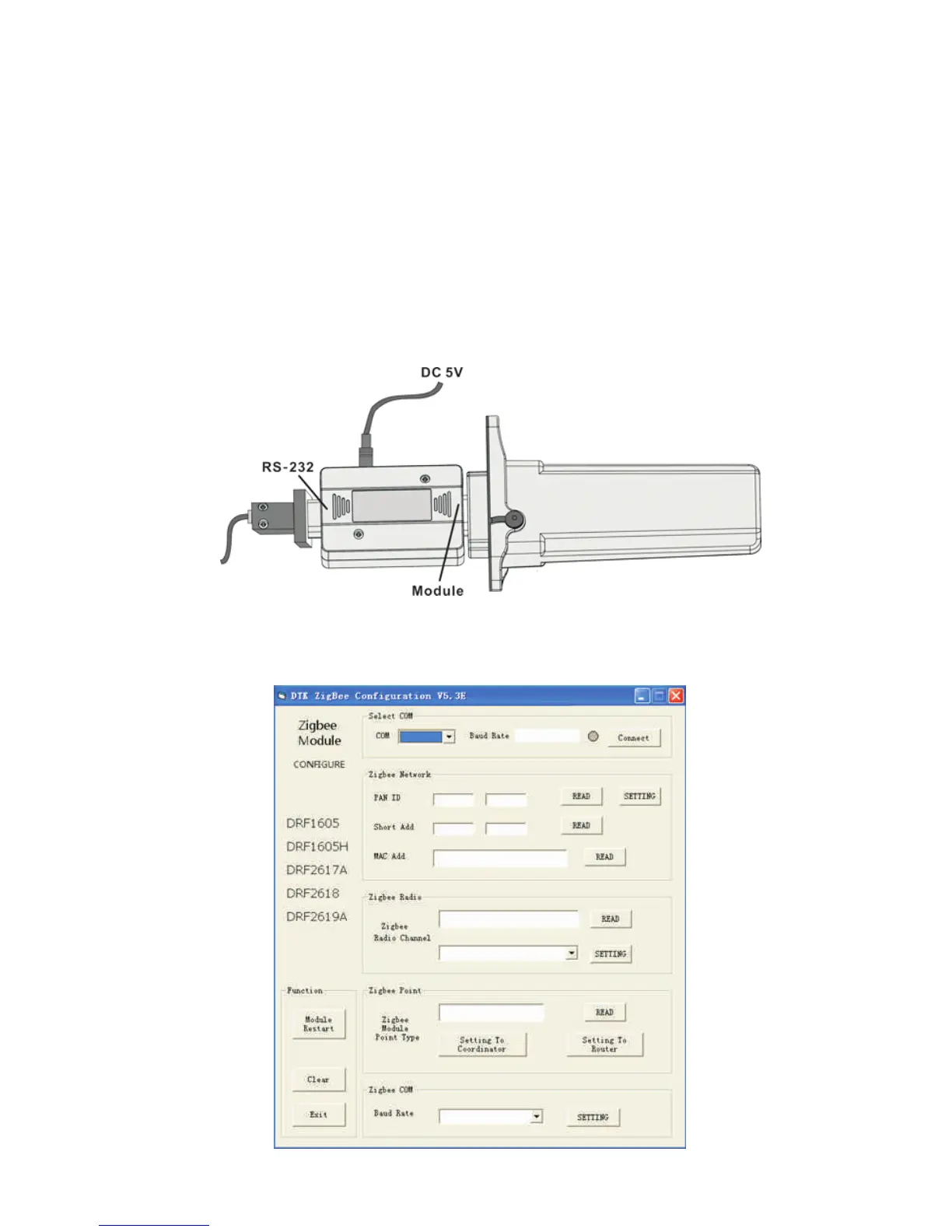
2. Connect the ZigBee Module with PC via the configuration Box. ZigBee Module
corresponds to the side of Configuration Box printed with “Module”, and the RS232
port corresponds to another side of Configuration Box printed with “RS-232”.
→
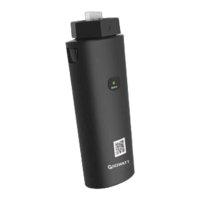
3. Operate the “ZConfigureV53E.exe”, as following figure.


 To Next Page