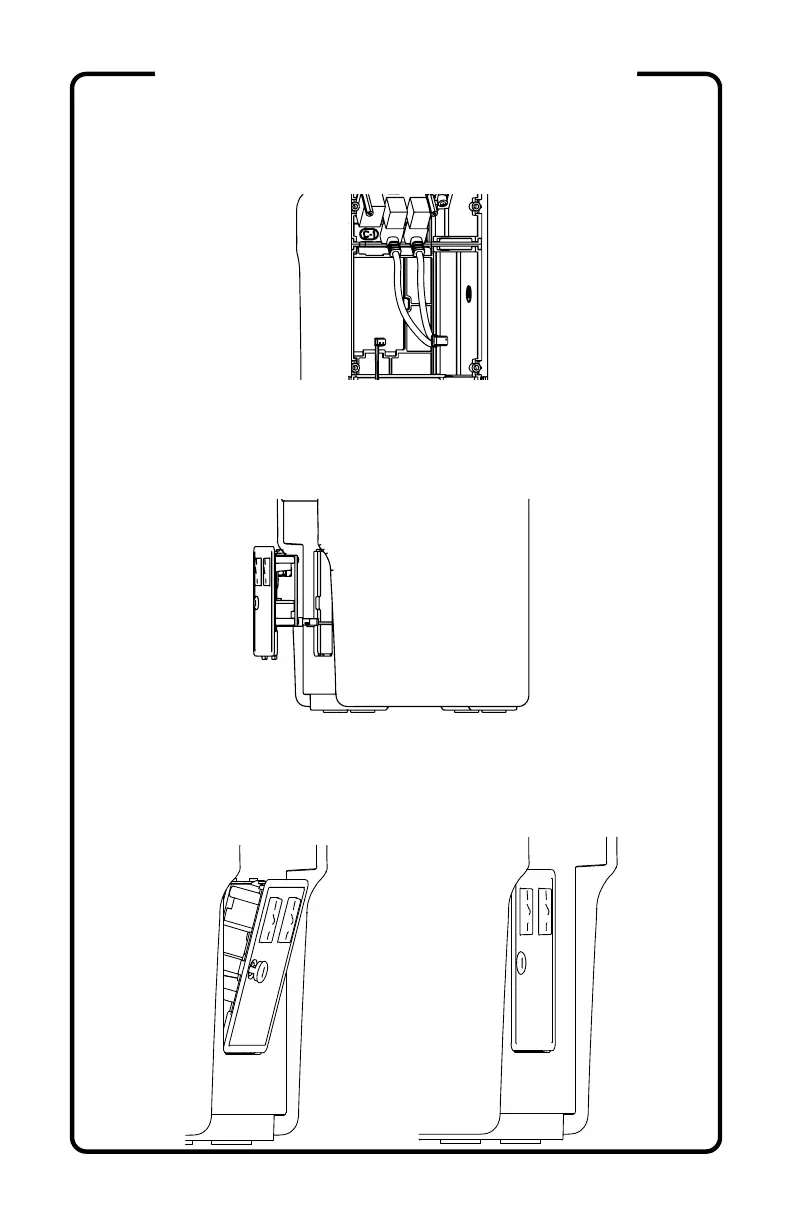
23) Insert the USB EXTENSION (W4) into the USB
port(s) on your Raspberry Pi™.
24) Attach the 8-pin connector from the WIRING
HARNESS (W1) to the COIN DOOR (C2) by first running
the wire through the front opening of the cabinet.
25) Pull the headphone jack cover out and set the COIN
DOOR (C2) into the FRONT (C1), bottom first, then press
the top into place while keeping the rubber jack cover
from being pinched.
(continued)
ASSEMBLY INSTRUCTIONS


 To Next Page