28.04.2003
GB
12 / 24
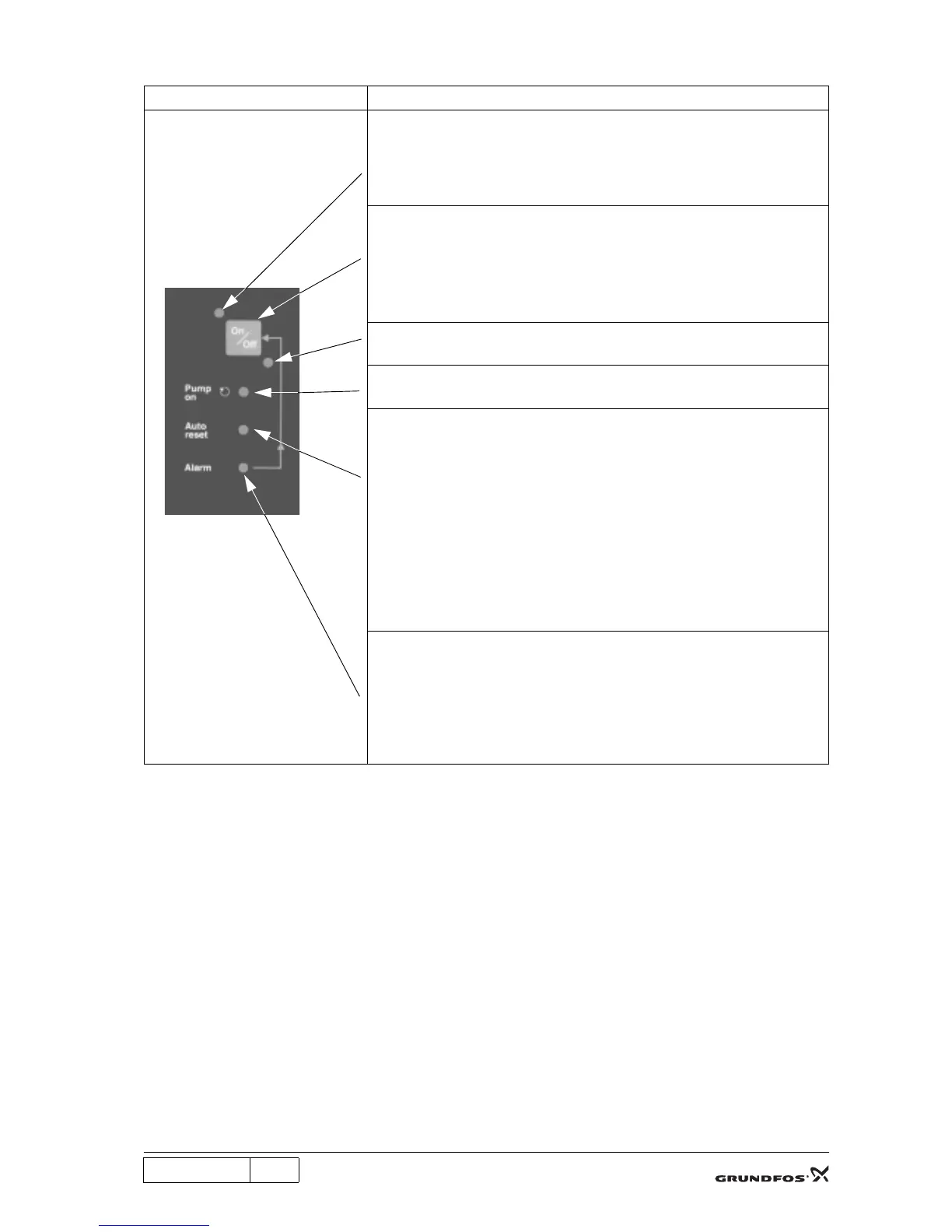
4.7 Control panel
Note: The pump settings are stored. After supply failure, the pump will automatically revert to its operating
condition when the electricity supply is connected again.
Illustration Description
Indicator light (green):
Indicates that the pump is ready for operation.
When the indicator light is on, the pump will start automatically when water is
consumed. The pump will stop a few seconds after the water consumption has
ceases.
On/off button:
The pump is started/stopped by means of the on/off button.
The on/off button can also be used for manual resetting in case of an alarm
condition:
- press once for resetting and
- press once more for starting.
Indicator light (red):
When the indicator light is on, the pump is on standby.
Pump on (green):
The indicator light is on when the pump is running.
Auto-reset (green):
As standard, this function is activated on delivery.
When the indicator light is
• on, the Auto-reset function is activated. The pump will automatically
attempt to restart every 30 minutes after an alarm/fault over a period of 24
hours. After this period, the pump will remain in the alarm condition.
• off, the Auto-reset function is deactivated. The pump will not restart after an
alarm/fault.
The Auto-reset function can be activated/deactivated by pressing the on/off
button for 5 seconds.
Note: When water is consumed, the pump will start and stop automatically,
whether the Auto-reset light is on or off.
Alarm (red):
The indicator light is on when the pump is in alarm condition.
The alarm condition may have been caused by:
- dry running,
- overtemperature,
- overloaded motor or
- seized-up motor/pump.


 To Next Page
 Loading...