26
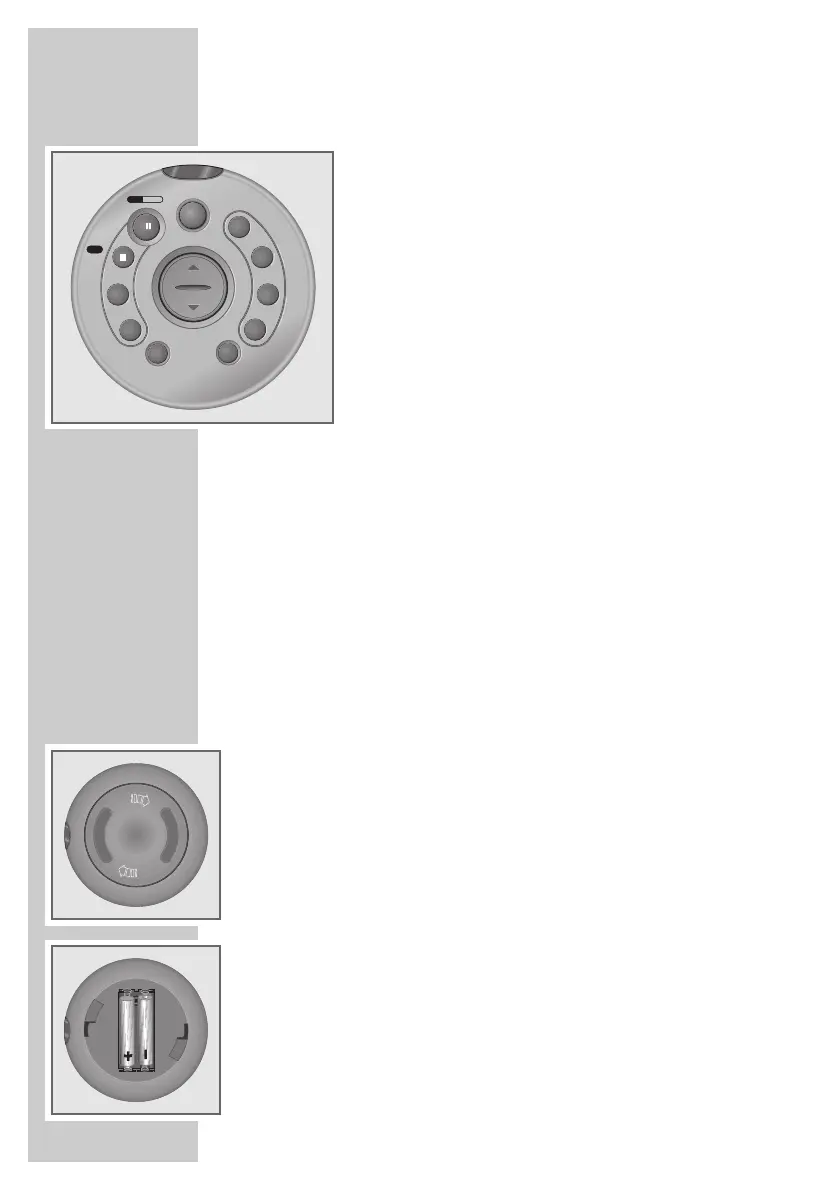
The remote control
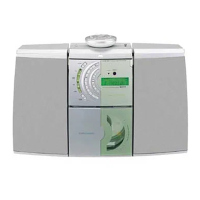
The remote control has a magnet with which it can be attached
to the top of the device.
However, please note that the magnet can damage data on
disks, tape recordings etc.
STANDBY
88
Switches the device on and off.
In battery mode the »STANDBY
88
«
button can only be used to switch off
the device.
PLAY/PAUSE Starts CD playback.
e II Pauses playback.
STOP ■ Ends CD playback.
UBS For ”boosting” the bass.
DSC Selects the sound settings »FLAT«, »ROCK«,
»POP«, »JAZZ«, »DISCO«.
pVOLUME o Adjusts the volume.
R-SKIP F-SKIP In Tuner mode: calls up the previous or
DOWN PRESET UP next preset station.
In CD mode: selects the next or previous track.
Hold down to search for a particular passage.
SLEEP Activates the sleep timer function.
MODE/TIMER Switches Timer mode on and off.
TUNER/BAND Selects the input source »TUNER«.
Selects the frequency bands »FM« or »MW«.
CD Selects the input source »CD«.
Inserting the batteries in the remote control
1 Open the battery compartment by twisting off the lid.
2 When inserting the batteries (micro type, for example, AAA UM4 R03)
observe the polarity marked on the base of the battery compartment.
Note:
If the device no longer reacts properly to remote control commands, the
batteries may be flat. Always remove flat batteries. No liability is
accepted for damage resulting from leaking batteries.
Environmental note:
Batteries, including those which are heavy metal-free, may not be
disposed of with household waste. Please dispose of used batteries in
and environmentally sound way, for example at public collection points.
Find out about the legal regulations which apply in your area.
OVERVIEW
____________________________________________






 To Next Page