20
ENGLISH
C
Adjusts the volume.
SET
7
Activates and confirms several set-
tings.
HOUR
In Stand-by mode: For setting the
clock (hours).
In Radio mode: For setting the radio
stations.
R
In Stand-by mode: Adjusts the bright-
ness of the display (high, medium,
low, off).
MIN
In Stand-by mode: For setting the
clock (minutes).
In Radio mode: For setting the radio
stations.
Select the alarm signal (signal or
radio station).
A
Display
Displays information about the current
time, the frequency and the alarm time.
O
Rotating swivel, for setting the alarm
time.
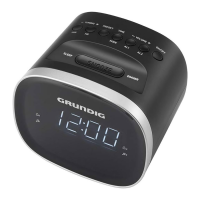
OVERVIEW (SC 220)
_____________________________
See the illustration on page 3.
Activates and deactivates the alarm
time.
ON/OFF
Switches the device in and out of
standby mode.
SNOOZE
Interrupts the alarm function for 6
minutes.
1 ... 4
Preset buttons for storing and selecting
radio stations.
WAKE UP LIGHT
Optical alarm signal and night light.
SLEEP
Sets the sleep timer;
switches the sleep timer off.
DC 5V
>
0.5 A
For connecting the power supply unit
(5 V
>
0.5 A).
ANTENNA
Wire antenna for FM reception. It´s
possible to wrap up the antenna on
the rear.
BATTERY
For inserting the back-up battery. (2 x
1,5 V LR 03/AM 4/AAA).




 To Next Page