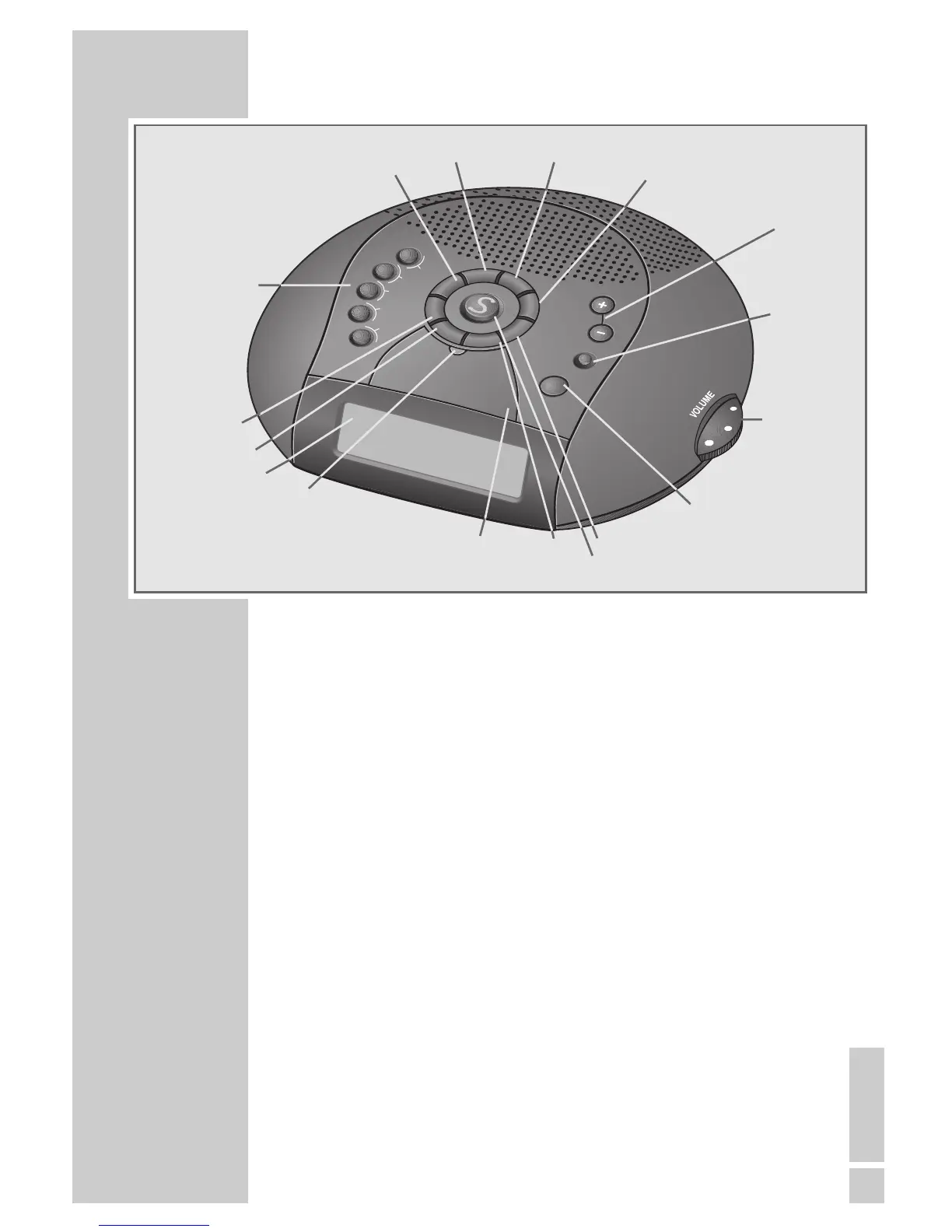
1... 5
6 ...10
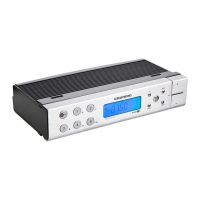
Display
DISPLAY
PTY
MEM
ALARM 1
ALARM 2
TRAFFIC/
WEC SLEEP
NAP
SNOOZE
Light
indicator
TXT
+ TUNING –
TIME
ON/OFF
VOLUME
1... 5 and Channel positions, press once for channel position
6 ...10 1 ... 5, press twice for channel position 6 ... 10.
Display Displays various information such as station names,
time, day, alarm setting.
DISPLAY Device activated: switches the display from station
names (for RDS stations) to the station frequency and
the time.
Device switched off: switches the display from time to
alarm time 1 and alarm time 2.
PTY Pressed once, shows the programme type of the selec-
ted radio station.
Pressed repeatedly, selects the programme type. To
search for programme type, press »– « or »+ «.
TXT Switches radio text on/off.
MEM In manual setting, saves a radio station on a channel
position.
ALARM 1 Select the desired alarm type:
ALARM 2 (e1 or e2) = wake with signal tone, (
¤ 1 or ¤ 2)
= wake with radio station.
To set the alarm time, press and hold down
»ALARM 1« or »ALARM 2« and set the alarm time
with »+« or »–«.




 To Next Page