11
If the meter is left idle for 30 seconds during the setting mode, it
will switch off automatically.
NOTE
1. Although the thermometer works when “ ” appears, we still
recommend that you change the batteries to obtain an accurate
result.
2. Remove the batteries if stored for a long period of time.
3. The batteries should be kept out of children’s reach. If they are
swallowed, promptly see a doctor for help.
NOTE
The thermometer comes with two 1.5 V AA alkaline batteries. The
meter will display “ ” to alert you when the meter power is getting
low. If “ ” and appear both, please follow the steps below to
replace new batteries immediately.
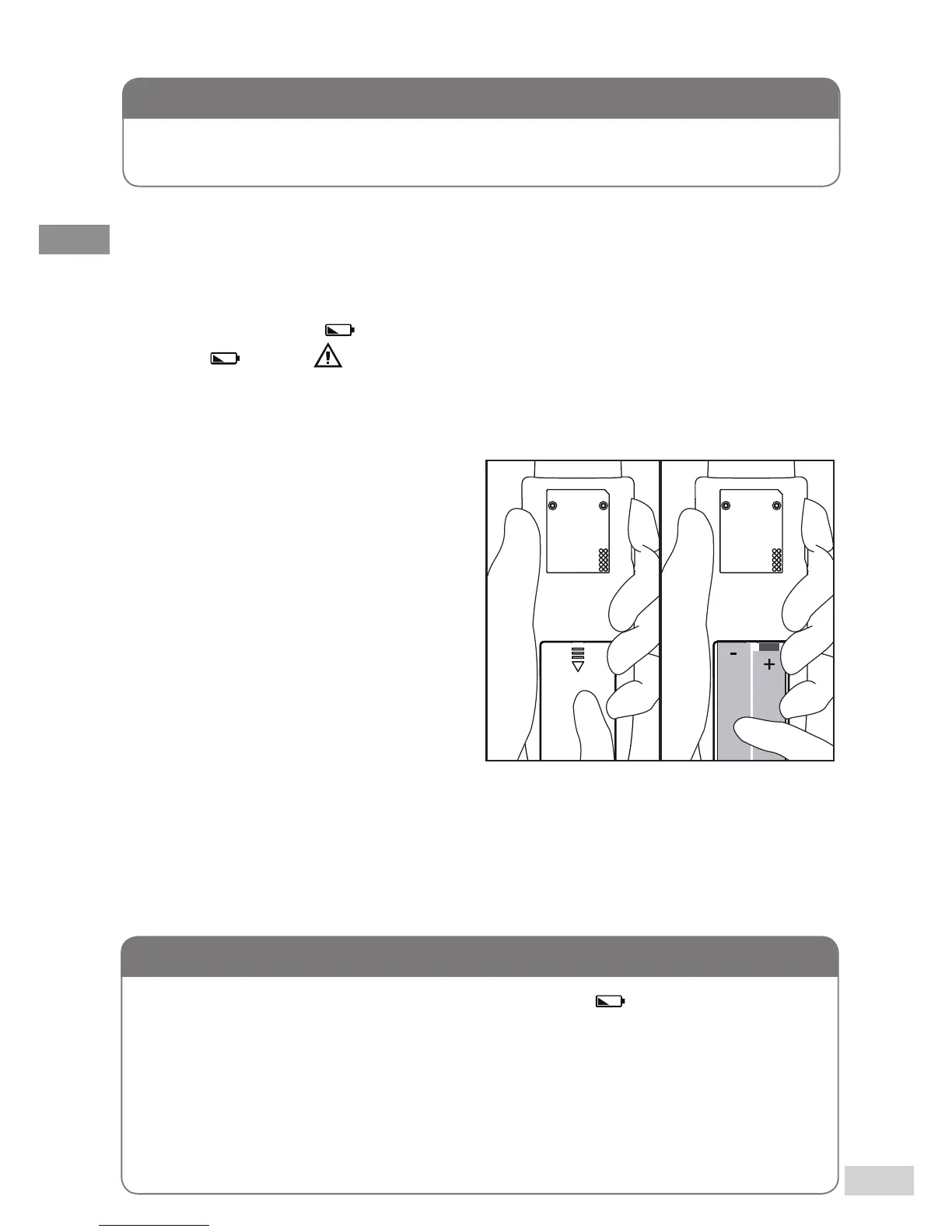
REPLACING THE BATTERIES
Step 1
Remove the battery cover
according to arrow direction.
(Figure 1)
Step 2
Remove the old batteries and
replace with two new 1.5V AA
size alkaline batteries. (Figure 2)
Step 3
Close the battery cover. If the batteries are inserted correctly, you will
hear a “ beep ” afterwards.
(Figure 1) (Figure 2)



 To Next Page