21
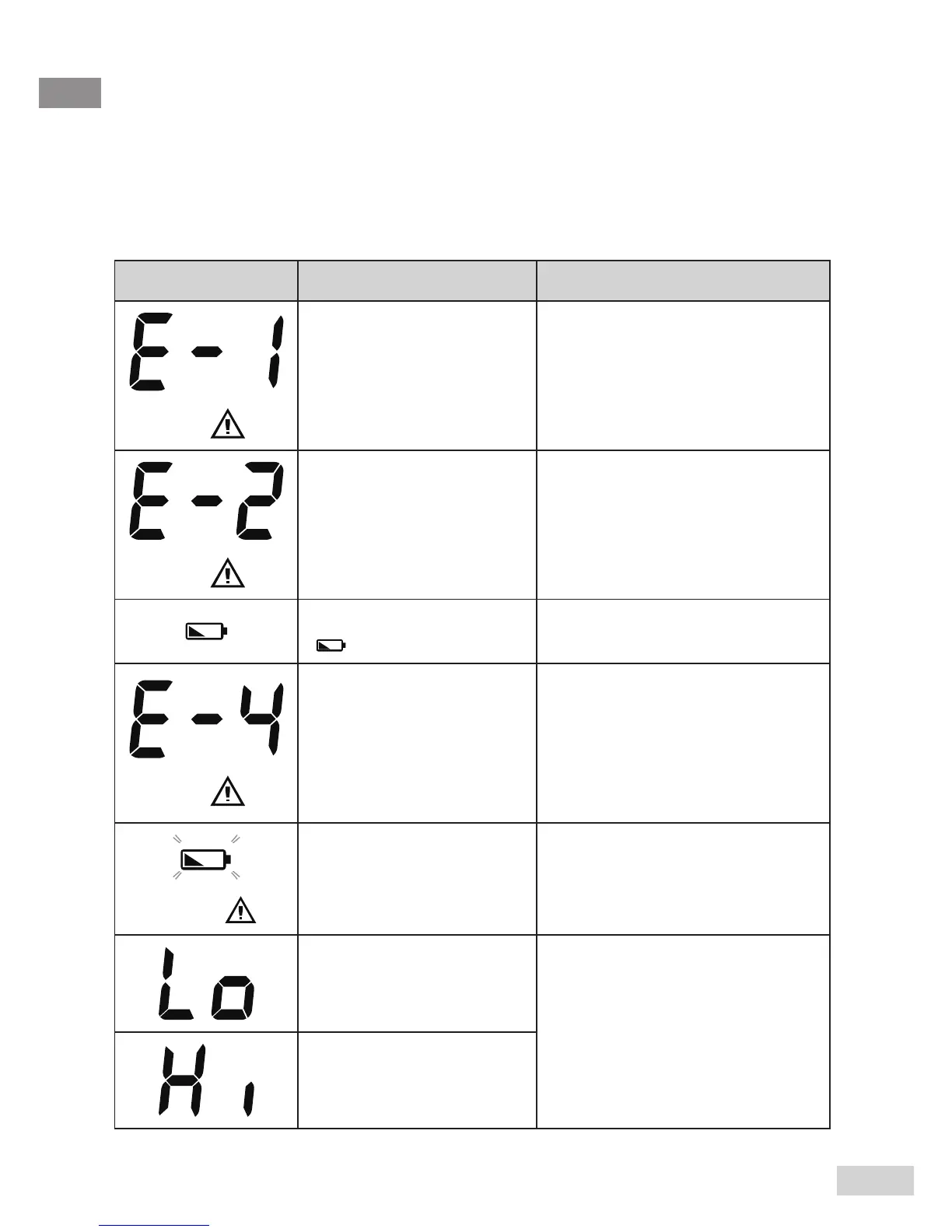
The table below shows problems you may encounter. All error
messages below would be shown together with a backlight. Please
follow “What to do” to resolve problems. If the problem still exists,
please contact GRx Diagnostics for help.
Message What it means What to do
Appears when
environmental
temperature is below
system operation
range.
Put the thermometer under
operating temperature range
of 10°C to 40°C (50°F to
104°F).
Appears when
environmental
temperature is below
system operation
range.
Put the thermometer under
operating temperature range
of 10°C to 40°C (50°F to
104°F).
Battery is low and
“ ” appears on LCD.
Please replace batteries as
soon as possible.
Problem with the
thermometer.
Please put the thermometer
under operating temperature
range of 10°C to 40°C (50°F
to 104°F). If the problem
persists, please contact GRx
Diagnostics.
Battery is very low. Please replace batteries prior
to further use.
Body mode
temperature is
below 22°C (71.6°F)
Please follow the instructions
in this manual to take a
reading again.
Body mode
temperature is above
44°C (111.2°F)
TROUBLESHOOTING



 To Next Page