20
Instruction GS 1010
GS Engineering B.V.
manufacturer hydraulic sweepers
If the brush jams, move the machine back. If the brush continues
to be jammed, turn off the machine and have it checked by a
mechanic. Do never check the brush when the machine is
running.
3.3.2 Configurations
The GS 1010 has two different settings. The right setting will result in an optimum
sweeping result.
First of all, the distance between the brush and the surface to be swept can be
adjusted: the brush height-setting.
Secondly, it is possible to place in an angled position in relation to the direction of
movement. When no collection hopper is used, a larger surface can be cleaned.
3.3.3 Height adjustment of the brush
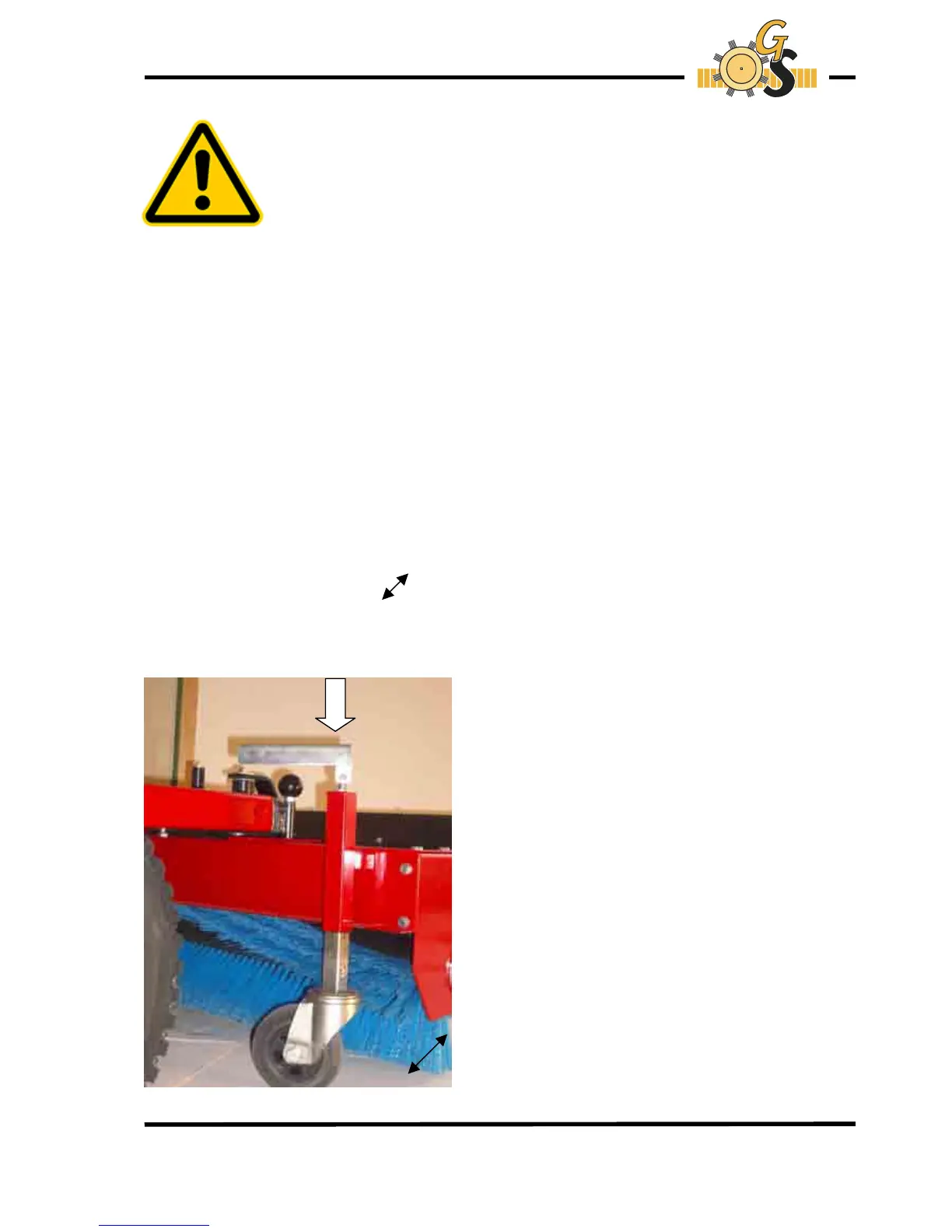
The height can be adjusted by using the turning handles. (see Illustration 1)
With these turning handles it is possible to adjust the height of the support wheels.
With an optimum setting, the sweeping surface of the brush has a width of approx. 40
mm.
Indicated by the black arrow ( Illustration 1).
The turning handles must be turned on both sides to equally adjust the height of the
brush.
Illustration 1


 To Next Page