Basic input settings
Tap Application Drawer > APPS > Settings >
Language & input.
1. Language settings:
Select language
Personal dictionary
2. Keyboard & input settings:
Android keyboard
TouchPal keyboard
Google voice typing
3. Speech settings:
Voice Search
Text-to-speech output
4. Mouse/Trackpad
Pointer speed
Personal dictionary
On the personal dictionary screen, tap to add
the self-defined words in the personal dictionary.
When you compose, you can use them. Tap the
self-defined word in the personal dictionary to edit
and tap to delete.
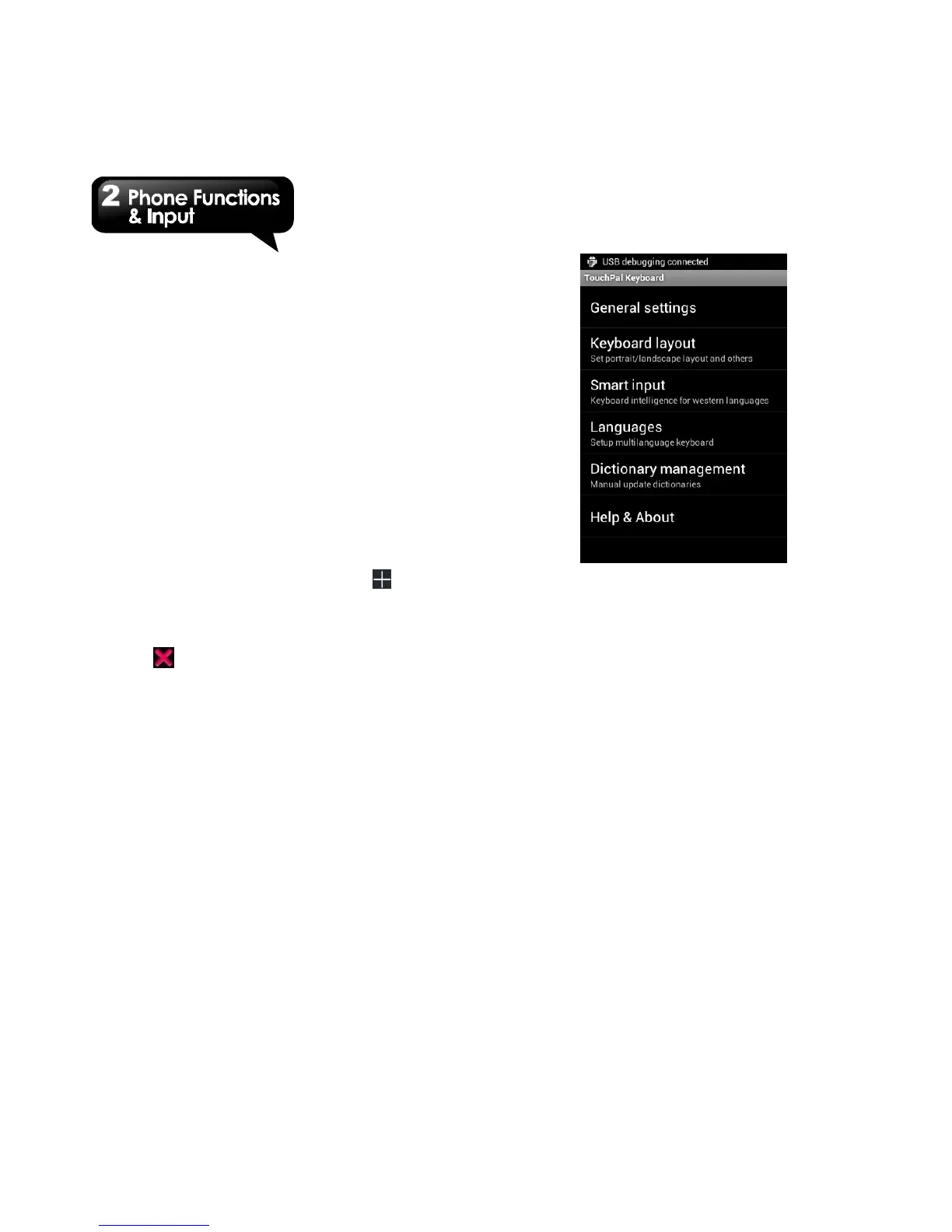
TouchPal Input Method
General settings
• Keypress sound:
You can adjust keypress sound here.
• Keypress vibration:
You can adjust keypress vibration here.
• Resize keyboard height:
You could adjust keyboard height here.
• Keypress popup:
Enable or disable popup effect for keypress.
• Alternative symbols:
Show alternative symbol on buttons. You
could slide-down or long-press the keyboard
to input these symbols.
• Skin:
Customize your own skin.
Keyboard layout:
Set portrait or landscape layout and some other
functions.
Smart input:
Keyboard intelligence for western languages.
Languages
Set up Multilanguage keyboard.



 To Next Page