EasyManua.ls Logo

GTO 4000XLS - User Manual

GTO 4000XLS
44 pages
Print Icon
To Next Page IconTo Next Page
Loading...
WARNING!
This equipment is similar to other gate or door equipment and meets or exceeds
Underwriters Laboratory Standard 325 (UL 325). However, gate equipment has
hazards associated with its use and therefore by installing this product the installer
and user accept full responsibility for following and noting the installation and
safety instructions. Failure to follow installation and safety instructions can result
in hazards developing due to improper assembly. You agree to properly install this
product and that if you fail to do so Gates That Open, LLC, (“GTO”) shall in no event
be liable for direct, indirect, incidental, special or consequential damages or loss of
prots whether based in contract tort or any other legal theory during the course
of the warranty or at any time thereafter. The installer and/or user agree to assume
responsibility for all liability and use of this product releasing Gates That Open, LLC,
from any and all liability. If you are not in agreement with this disclaimer or do not
feel capable of properly following all installation and safety instructions you may
return this product for full replacement value.
READ ALL INSTRUCTIONS CAREFULLY AND COMPLETELY before attempting to
install and use this automatic gate operator. This gate operator produces a high level
of force. Stay clear of the unit while it is operating and exercise caution at all times.
All automatic gate operators are intended for use on vehicular gates only.
This product meets and exceeds the requirements of UL 325, the standard which
regulates gate operator safety, as established and made eective March 1, 2000, by
Underwriters Laboratories Inc.
For more information on the GTO/ACCESS SYSTEMS full line of automatic gate
operators and access controls visit our website at www.gtoaccess.com.
©2011 Gates That Open, LLC Printed in China for Gates That Open, LLC. R4857 01.10.12
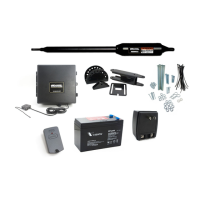
DUAL Gate Operator SystemDUAL Gate Operator System
Installation Manual
4000XLS
4000XLS
PROFESSIONAL RESIDENTIAL
ACCESS
SYSTEMS
4200XLS
4200XLS
PROFESSIONAL RESIDENTIAL
ACCESS
SYSTEMS
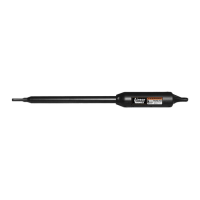
In a DUAL gate system the 4000XLS is the MASTER gate operator
and the 4200XLS is the SECOND gate operator.
PROFESSIONAL INSTALLATION RECOMMENDED!

Questions and Answers

  • J
    Joshua PhillipsAug 20, 2025
    How to fix RF (yellow) OFF on GTO 4000XLS Gate Opener?
    • S
      Shannon BrownAug 20, 2025
      If the RF (yellow) light is off on your GTO Gate Opener, it indicates that no 318 MHz RF is being received. To resolve this, check the battery in the remote, ensure the remote is programmed, verify the antenna receiver connections, and inspect the antenna receiver itself.
  • M
    Micheal PerezAug 22, 2025
    What to do if Status (clear) 1 blink on GTO 4000XLS?
    • R
      Rebecca GarciaAug 22, 2025
      If your GTO Gate Opener status light blinks once, it indicates a shorted cycle terminal. Disconnect any accessories wired to this terminal, such as a push button, keypad, or intercom. Then, try the remote. If the remote works, the issue lies with the disconnected accessory.
  • T
    tsmithAug 25, 2025
    What does Status (clear) 2 blinks mean on GTO Gate Opener?
    • T
      Tara WhitakerAug 25, 2025
      If your GTO Gate Opener's status light blinks twice, it means the safety terminal is shorted. Disconnect any accessories wired to this terminal, such as a loop detector or photo beam, and then try the remote. If the remote works, the problem is with the accessory you disconnected.
  • C
    Cameron MaxwellAug 26, 2025
    What does Status (clear) 3 blinks indicate on GTO 4000XLS Gate Opener?
    • K
      Kevin BoydAug 26, 2025
      If the status light on your GTO Gate Opener blinks three times, it means the exit terminal is shorted. Disconnect any accessories connected to this terminal, such as an exit wand, loop detector, or photo beam. Then, try the remote. If the remote works, the accessory is the source of the problem.
  • E
    Erin GarciaAug 28, 2025
    What does Status (clear) 4 blinks mean on GTO Gate Opener?
    • D
      Deborah MyersAug 28, 2025
      If your GTO Gate Opener status light blinks 4 times, it indicates that the shadow terminal is shorted. Disconnect the loop detector, photo beam, or any other accessory wired to this terminal. Try the remote. If the remote works, then the problem is the accessory.
  • X
    xsmithAug 30, 2025
    What does Status (clear) 5 blinks mean for GTO 4000XLS Gate Opener?
    • A
      Albert AndersonAug 30, 2025
      If your GTO Gate Opener status light blinks five times, it means the close edge terminal is shorted. Disconnect the edge sensor, photo beam, or any other accessory wired to this terminal. Try the remote. If the remote works, the problem is the accessory.
  • M
    Melissa WellsSep 1, 2025
    What does Status (clear) 6 blinks mean on GTO 4000XLS Gate Opener?
    • D
      Daniel WrightSep 1, 2025
      If your GTO Gate Opener status light blinks six times, it means the open edge terminal is shorted. Disconnect the edge sensor, photo beam, or any other accessory wired to this terminal. Try the remote. If the remote works, the problem lies with the accessory.
  • T
    Tiffany SimsSep 3, 2025
    Why does my GTO Gate Opener make 1 short beep upon activation?
    • S
      Stacy LewisSep 3, 2025
      A single short beep upon activation of your GTO Gate Opener suggests a blown fuse, a low or bad battery, or a loose battery connection. Check the fuse, test the battery under load, and inspect the battery harness connections.
  • J
    jennifer74Sep 5, 2025
    What does 1 beep with 10 seconds off mean on GTO 4000XLS?
    • A
      Ashley DaltonSep 5, 2025
      If your GTO Gate Opener beeps once with 10 seconds off, it indicates a low battery condition. Check the fuses, battery harness connections, and test the battery under load.
  • M
    Mr. Jorge HarrellSep 7, 2025
    What does 1 beep then 2 beeps mean on GTO 4000XLS?
    • K
      kaylaperrySep 7, 2025
      If your GTO Gate Opener beeps once, then twice, it indicates the master motor terminals are shorted. Check the connections to the master inputs, the master arm power cable, the motor, and the circuit board.

Summary

Professional Installation Recommended

Important Safety Instructions

Before Installation

During Installation

After Installation

Required Safety Precautions for Gates

Secondary Means of Protection Against Entrapment

Technical Specifications

Before You Begin...

Determine Charging Option for Battery: Transformer OR Solar

Guidance on selecting between transformer and solar power for battery charging.

Prepare the Gates

Gate Grounding

4000 XLS Parts List

4200 XLS Parts List

Installation Overview

Install the Master Gate Operator (4000 XLS)

Instructions for installing the primary gate operator on the master gate.

Check Clearance

Install Gate Bracket

Attach Operator

Install the Second Gate Operator (4200 XLS)

Install the Closed Position Stops

Procedure for installing positive stops to secure gates in the closed position.

Mount the Control Box and Receiver

Connect Operator Power Cables

Connecting MASTER Operator

Connecting SECOND Operator

Connect the Power Input

Connect Battery

Control Board Settings

Set Closed Position Limit (for Pull-To-Open Applications)

Procedure to set the closed position limit for pull-to-open gate configurations.

Adjust the Stall Force Setting

Set Auto Close Time

Program Your Personal Transmitter Setting

DIP Switch Settings

Connecting Accessories

Push-To-Open Installation Information

Install the Operator

Steps for installing the operator for a push-to-open gate configuration.

Set Control Board for Push-To-Open

Column Installation

Troubleshooting Guide

Repair Service

GTO 4000XLS Specifications

General IconGeneral
BrandGTO
Model4000XLS
CategoryGate Opener
LanguageEnglish

Related product manuals