21
Controls Operation
Push Button (Indoor)
Press and hold the Push Button until the door starts to move, and controls as follows:
- Open or close the door.
- Reverse the door while it is closing
- Stops the door while it is opening.
- Close the door when the Photo Eye Safety System is not installed, misaligned or
obstructed INTENTIONALLY.
Remote Control
Same functions* as the Push Button with remote distance up to 100ft. in open field.
*For safety concerns, the Hand-Held Remote Control WON’T work if the Photo Eye
Safety System is not properly installed and aligned.
Wireless Keyless
Entry Keypad*
Program the Wireless Keyless Entry Keypad accordingly and access the door using the
PIN code.
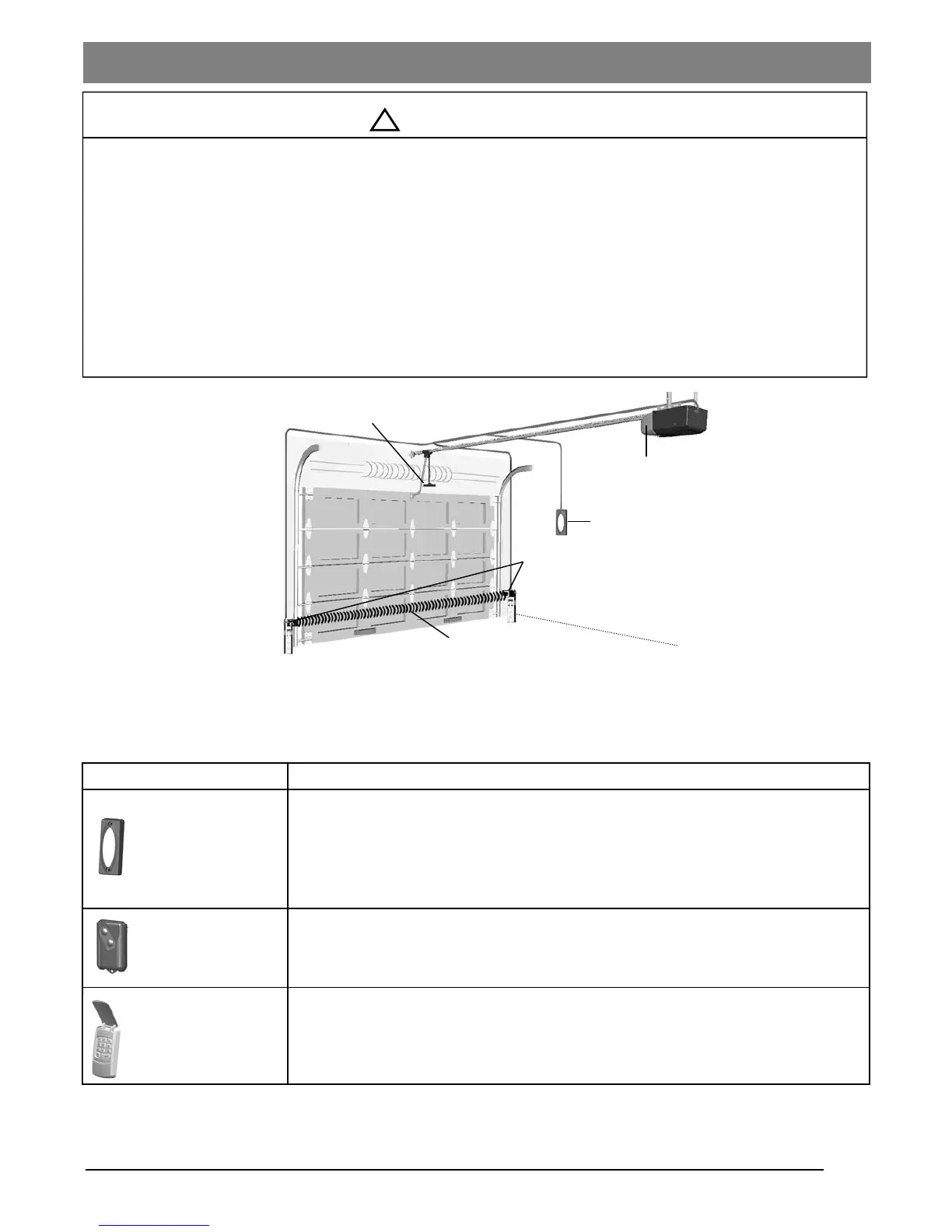
Emergency Release Handle
Photo Eye Safety System
Invisible Light Beam
Push Button
Courtesy Light
Activating the Opener
To Prevent SERIOUS INJURY or DEATH:
- READ AND FOLLOW ALL INSTRUCTIONS AND
WARNINGS IN THE OWNER’S MANUAL AND
LABELS
- Keep Remote Control and battery out of reach of children.
- NEVER permit children to access the Push Button Remote Controls.
- Operate the door ONLY when it is properly adjusted, and there are no obstructions and is in clear sight.
- ALWAYS keep a moving door in sight until completely closed. NEVER cross the path of a moving door.
- If Travel limit adjustment is made, Force Adjustment may also needed.
- After ANY adjustments, the Safety Reverse Test MUST be performed to ensure the door reverses on contact
with a 1-1/2” thick object (2x4 laid flat).
- ALWAYS ensure that your door is balanced and in good working condition.
Actual Operating Scenario
Operating the Opener
!
WARNING
*Optional


 To Next Page