PLANEBOOK
TM
OWNER’S MANUAL
PlaneBook™ Owner’s Manual 2 © Gulfstream 2008
PlaneBook™ Mode
When in PlaneBook™ mode, the FG-1620G functions
as an electronic document management (EDM) tool for
flight crews who desire to operate in a paperless cock-
pit environment in accordance with FAA Advisory Cir-
cular No. 91-78, Use of Class 1 or Class 2 Electronic
Flight Bag (EFB), dated 07/20/07, or later approved
version. In addition to providing service as an EDM,
PlaneBook™ also may be loaded with additional data
and/or convenience programs, such as weight and
balance calculators, navigation charts, and aircraft
performance planning software.
3. Hardware Modifications Made for
PlaneBook™
(Refer to Fujitsu’s “User’s Guide” for the Lifebook
®
P1620 Notebook, page 21, USING THE LIFEBOOK
APPLICATION PANEL.)
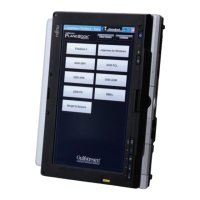
(See illustration on next page.) Two of the five applica-
tion buttons (bottom left corner of the display screen)
have been modified for use when in the PlaneBook™
mode. Buttons 1 and 2 have been modified to serve as
BRIGHTNESS control buttons. Pushing button 2 (↑) in-
creases the screen brightness. Pushing button 1 (↓)
decreases the screen brightness. Whenever either
button is pushed, the Brightness Min. / Max. scale is
displayed. The Min. / Max. scale automatically hides a
few seconds after the button is released.
In Windows
®
mode, buttons 1 and 2 serve primarily as
Page Up [button 2 (↑)] and Page Down [button 1 (↓)].
Secondary functions for these buttons can be assigned
at the discretion of the owner when in Windows
®
mode.


 To Next Page