26
1.1 Symbols used in safety instructions
This user manual contains safety instructions with symbols drawing your attention to possible dangers and residual
risks. They indicate the following:
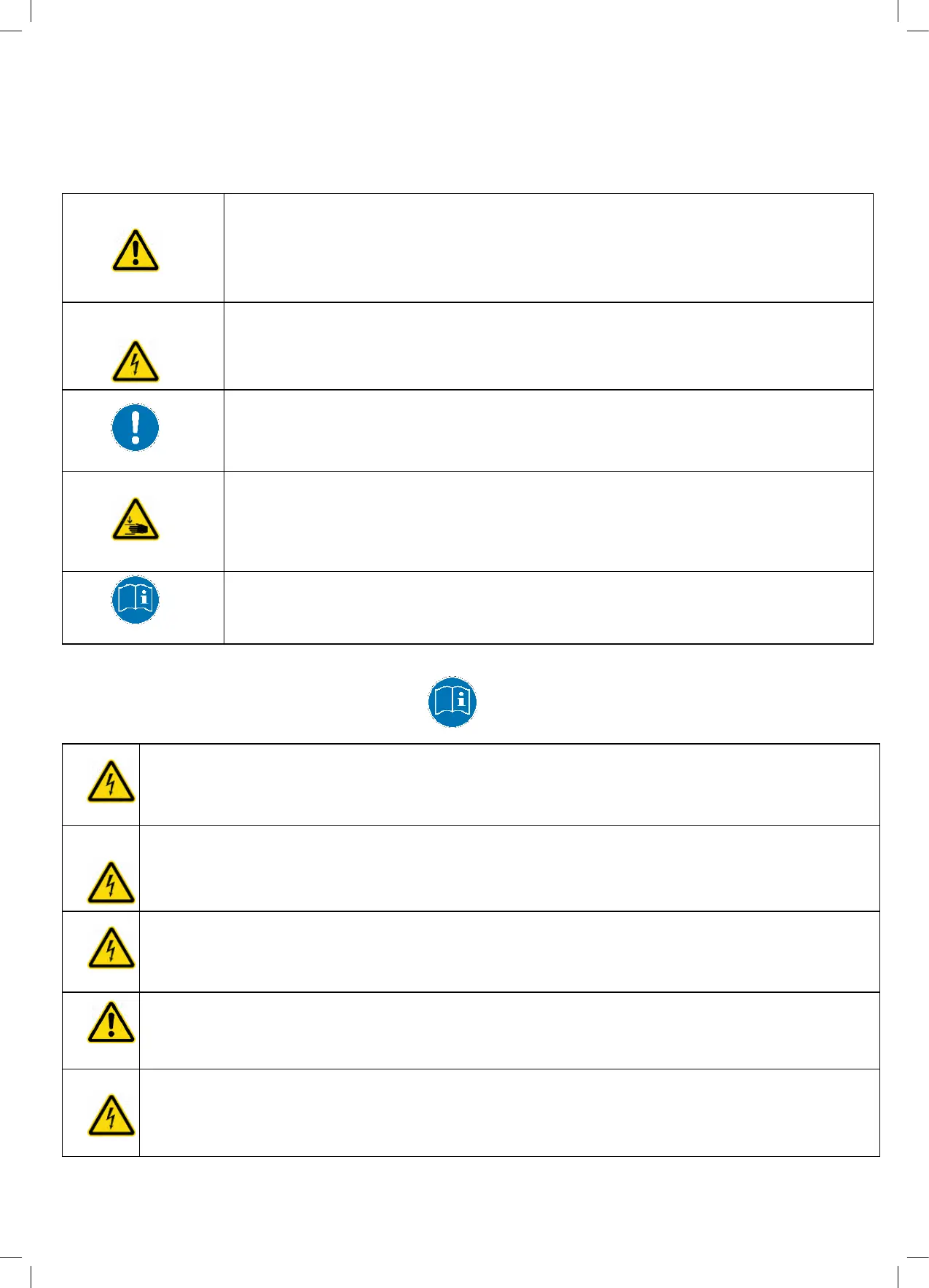
Danger: This warning symbol advises you of imminent danger to people’s lives and health.
Failure to observe this warning may result in health problems, serious injuries and damage to
property.
Caution: This warning advises you of possible dangers from electric current.
Failure to observe this warning may cause injuries and damage to property.
Note: This symbol advises you of important information that must be noted for operating the
unit safely.
Danger: This symbol advises you of a possible risk of body parts being trapped or pinched in
exceptional cases.
Failure to observe this warning may result in health problems, life-threatening injuries and
damage to property.
Note: You must read the user manual.
1.2 General safety instructions
Caution: The system may only be operated with mains voltage as specified on the type plate. The system
is in operation as soon as the mains supply is connected.
Caution: Ensure that the mains cable is not damaged. Electric supply cables may not be exposed to
danger of pinching, or bending or pulling stresses.
The cable connectors on the control unit must not be detached.
Caution: In the event of a malfunction (e.g. if the control unit keeps adjusting the desk because a
movement key has jammed), please unplug the unit immediately from the mains supply.
Danger: Do not expose the electrical components to moisture, drips or splashes.
Caution: In the event of malfunction, as for example the development of smoke, smells, unusual
noises, or visible external damage, the equipment must be switched off. Disconnect the unit
immediately from the mains supply.
7. Declaration of conformity
EC Declaration of Conformity
We hereby declare that the following device, brought to market by us, meets the requirements of the EC directives
listed below.
This declaration becomes invalid in the case of unauthorised alteration or incorrect operation.
Description: Standing or seated desk system, with motor for electric desk height adjustment
Type:
Contec plus
Applied EC-Directives:
Directive on Machinery 2006/42/EC
Low Voltage Directive 2006/95/EC
EMC-Directive 2004/108/EC
Applied harmonised European standards:
Office desks DIN EN 527-1/2/3
Safety of household and similar electrical appliances DIN EN 60335-1
Applied national standards:
Requirements and tests of office furniture DIN-report 147 (2006)
Person authorised to compile the relevant technical documentation: Mrs. Martina Geiger
Date of issue: 17
th
November 2014
Walter Waibel
Managing Director
gumpo GmbH Gobener Weg 27 D-84130 Dingolfing
Court of Registration Landshut, HRB 3079, Managing Directors: Sebastian Waibel and Walter Waibel
Telephone +49(0)8731/706-000, Fax +49(0)8731/706-099, www.gumpo.de, E-Mail: kontakt@gumpo.de
5.3 Click-Codes
As soon as the desk system is supplied with electricity, the control unit uses the in-built relays to audibly inform the
user about the status of the system. The following table shows the number of audible clicks and their corresponding
status information.
Normal operation:
The system is working without any problems.
Emergency mode:
The system is in emergency mode and the drives cannot be
used. Check the error code on the display of the hand switch.
Reset mode:
The system is in reset mode.
This signal will always sound, when an inadmissible key is
pressed in reset mode.
Collision protection inactive:
Due to a fault the collision protection is inactive.
Duty cycle limit reached:
The control unit cannot be used in order to allow it to cool down.
Last shutdown incomplete / Forced reset:
Check the error code on the display of the hand switch.
6. Ergonomics
Desk systems which enable easy and quick switching between sitting and standing promote health and
well-being to a considerable degree and have a positive effect on the cognitive performance of office
workers. Alternate sitting and standing positions help avoid painful muscle and joint conditions while at
the same time influencing the cardiovascular system in a positive way.
An ergonomic working posture is attained, if the working height is adapted to the body measurements of
the individual user. The working height, both in the sitting position and standing, should be at around
elbow height, with the upper arms in a relaxed hanging posture.
For more detailed information about ergonomics in the office contact your professional association and
your health insurance company, or you can simply contact us.
gumpo GmbH
Gobener Weg 27 D-84130 Dingolfing Telephone +49(0)8731/706-000,
Fax +49(0)8731/706-099 www.gumpo.de E-Mail: kontakt@gumpo.de
As of: 17
th
November 2014
Caution: Do not allow any liquids to penetrate into the unit or the hand switch, as this could lead to an
electric shock or a short circuit.
Danger: When changing the desktop position, there is a risk of pinching. You must therefore ensure
that no people or objects are located in the hazardous area or can reach into it.
Danger: When changing the desktop position, there is a risk of pinching in exceptional cases (despite
using pinch protection). You must therefore always ensure that no people or objects are located in the
hazardous area or can reach into it.
Danger: Do not modify or make any changes to the control unit, the controls themselves or the hand
switches, otherwise the guarantee and any claims for damages shall be null and void.
Danger: Do not operate the desk system in a potentially explosive atmosphere.
Danger: In the event of a fault (motor or component), whenever the desktop attempts to adjust the
height, it may move slightly before the safety cut-out is triggered. Please note that there is a potential
risk of pinching in this case.
Danger: This desk system is not intended for use by individuals (including children) with limited
physical, sensory or mental abilities or with a lack of experience and/or lack of expertise, unless they
are supervised by a person responsible for their safety or have received instructions from that person
on how to use the control unit.
Danger: Children must be supervised at all times to ensure that they do not play with the control unit.
Caution: Keep children away from electric height-adjustable desks, control units and hand switches.
There is a risk of injury and electric shock.
Caution: Unplug the mains cable during a thunderstorm or if you do not intend to use the desk for a
longer period. The control unit might otherwise be damaged by power surges.
Danger: If the control unit’s mains cable is damaged, it must be replaced by the manufacturer or
customer service or similarly qualified person in order to prevent any risks.
Note: The lifting columns have a special dry guiding. Do not grease or clean them with solvents.
Only clean the control unit with a dry or slightly moist cloth. Before cleaning, you must always unplug
the mains cable.
Note: A manual reset may be necessary, if during height-adjustment a power outage occurs or the
mains cable is unplugged.



 To Next Page
 Loading...