13 of 41
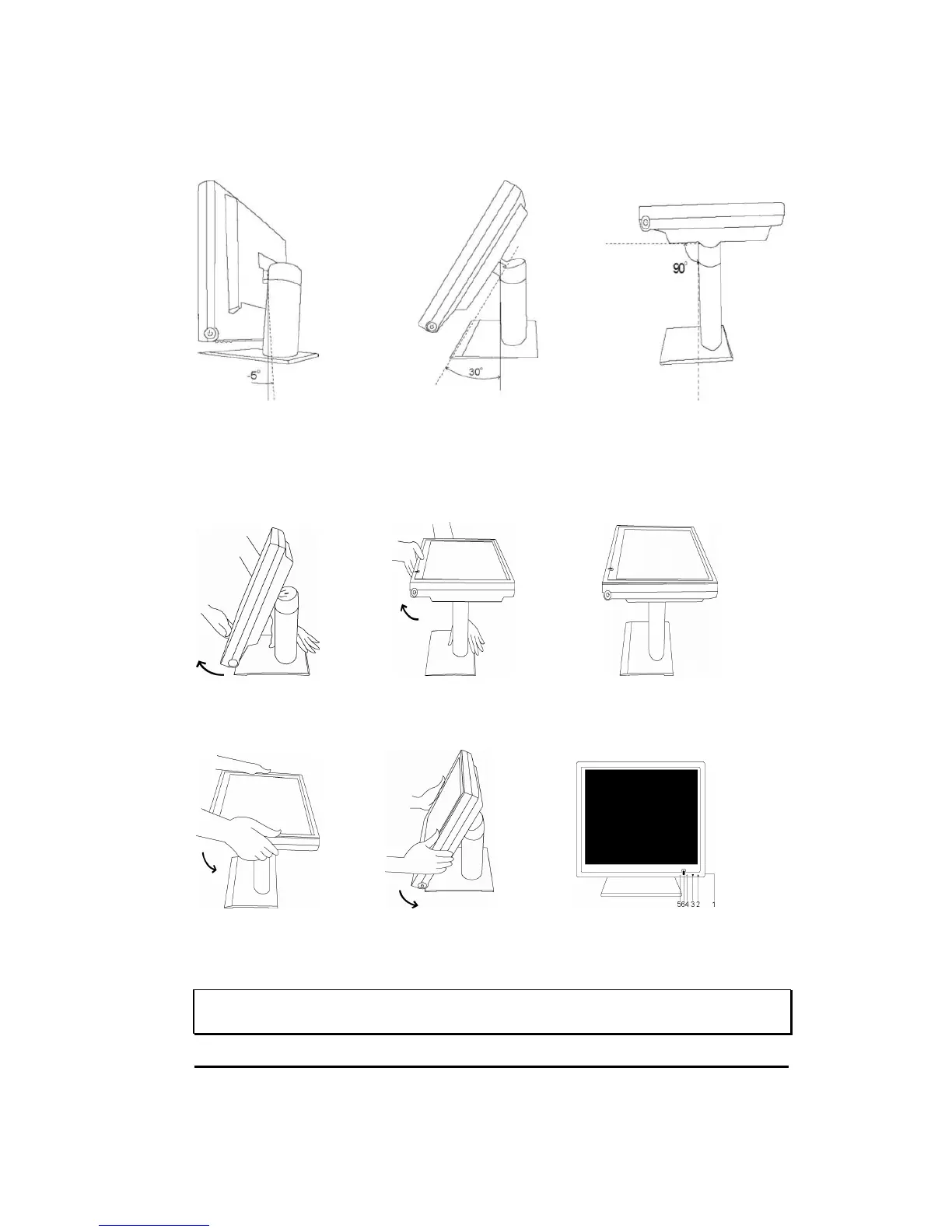
7-3. Display Angle
Tilting
For viewing clarity, you can tilt the LCD backward . (up to 90 degrees).
CAUTION : In order to protect the LCD, be sure to hold the base whenever you adjust it.
7-4. Stand setting up
Step 1 Step 2 Step 3
Step 4 Step 5 Step 6
WARNING : DO NOT USE falls short of the specifications of screw for VESA mounting.
Strongly recommend use the 4 screws we provided.
Hold the stand tight and
pull monitor out upward.
Continuing step , then out down
the entire monitor downward.
upright position.


 To Next Page