6 of 41
2-2. 17” / 19” LCD Monitor VESA Mounting
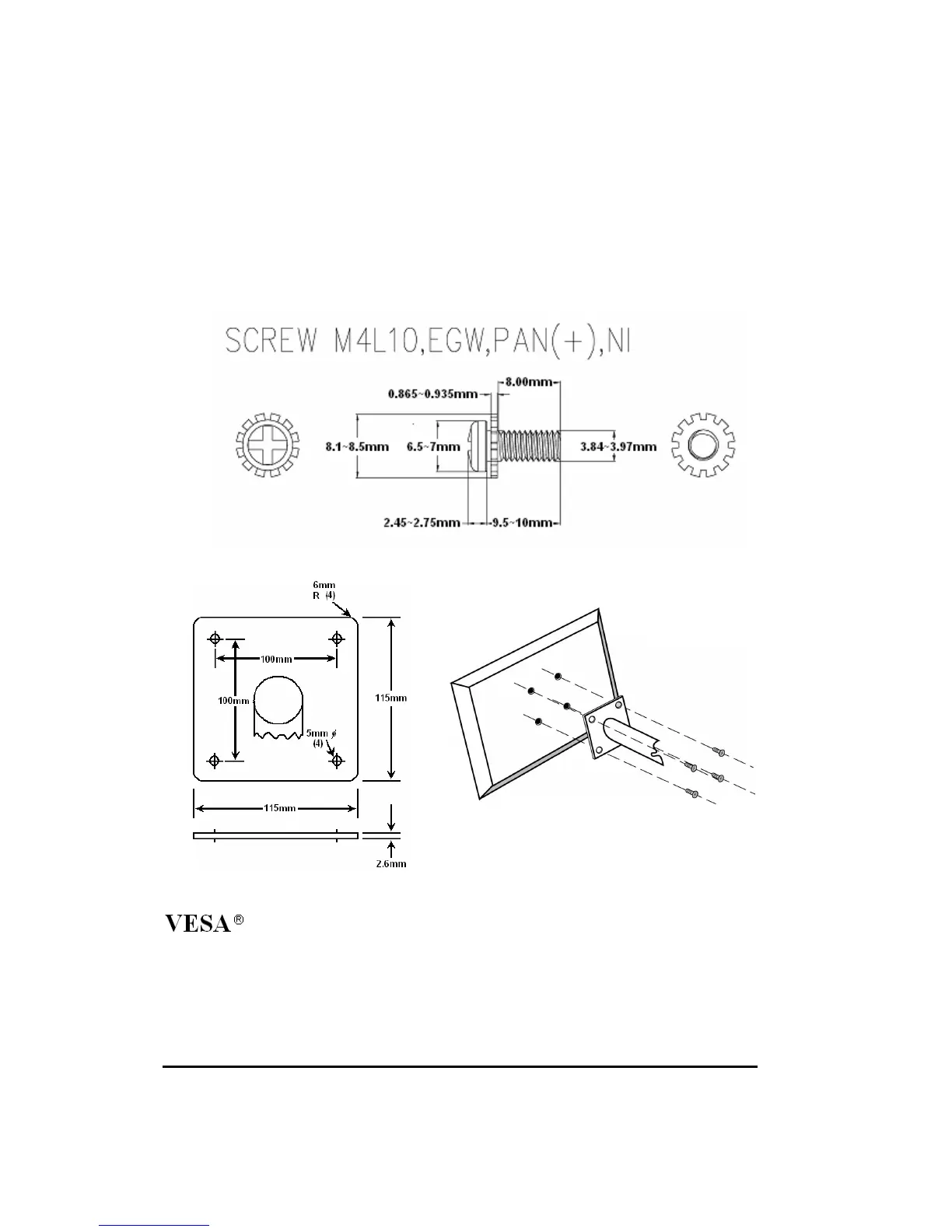
Fix UL listed wall mount bracket on the back of the monitor with screws, the specification of
screw (ref. image 1) , to prevent electric damage to ensure user’s safety. The dimension of
interface pad of wall mount bracket has to follow VESA standard (ref. Image 2)
Installation: Please aim UL listed wall mount bracket at the 4 screw holes on the back of
monitor and screw tightly (ref. Image 3) .
Please refer to user’s manual of UL listed wall mount bracket for wall mount installation.
Image 1
Standard Interface Pad Configurations
Image 2 Image 3


 To Next Page