12
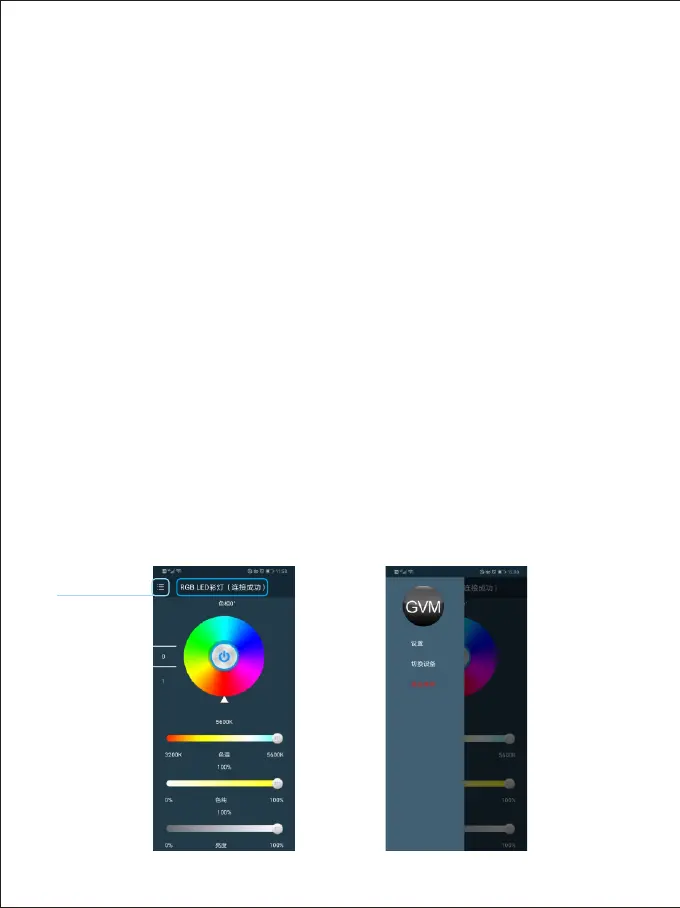
main menu
Switch the photography lamp to the host mode ( the default host mode when the
phone is turned on
). The mobile phone opens the "GVM Easily" app software
(
at the same time, turn on the WiFi function of the mobile phone ). In the main menu
of the app interface - switch device - - Select the device type as "single and
double color photography lamp". Then in the main menu of the app interface
- Settings - select "switch WiFi". In the WiFi list, select connect RGB Lantern
WiFi (
WiFi initial user name: GVM - LED, password: GVM - admin ), after the mobile
phone displays "connected GVM - LED", return to the APP main interface,
when the APP main interface displays "RGB LED light (
successfully
connected
)", you can control the brightness,Hue,saturation, color
temperature, channel, on / off and other control keys on the APP to control
the brightness, ,Hue,saturation, color temperature, channel value and
switch of the host. If there is a slave, the slave and the host are controlled by
t
he APP synchronously The master / slave online mode is the same as "page
9, 6. Online control (
joint control between lamps and lanterns )”
Cara Menggunakan Aplikasi



 To Next Page