23
GYSPOT ARCPULL 200
EN
DRAWN ARC WELDING WITH THE ARCPULL 200
• Clean and remove grease from the welding zone.
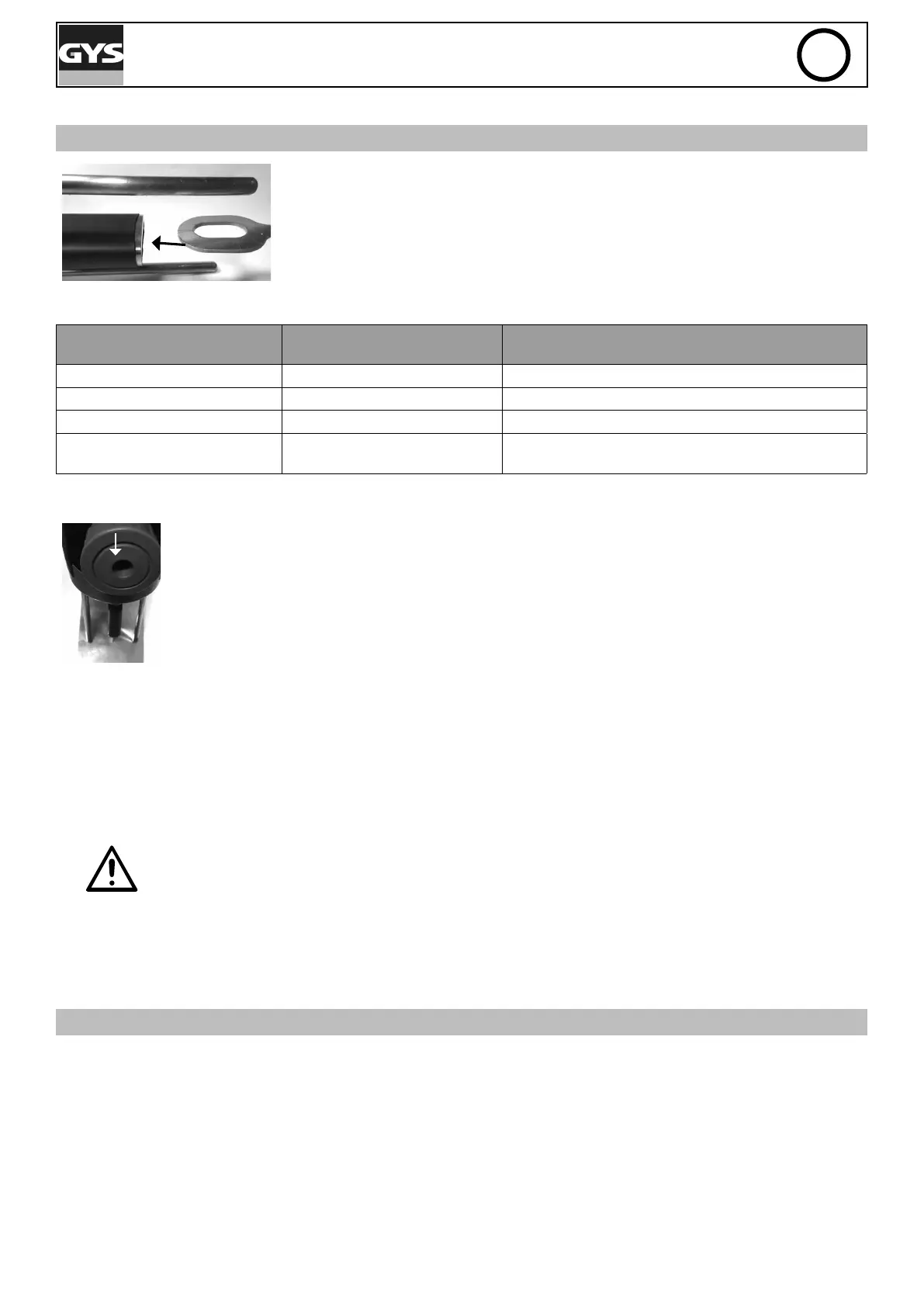
• Mount the appropriate tool on the gun (ring holder, threaded stud holder, etc.)..
If necessary, mount the pad and its protective cap at the end of the rods, as well
as the barrel and its nozzle.
• Place an insert (pulling ring, threaded studs, etc.) in the gun tool.
Check the polarity of the gun dinse cables:
Insert to be welded
Connection of the positive cable
(red)
Negative dinse cable
Alu pulling ring Negative dinse connector (-) Positive dinse connector (+)
Steel pulling ring Positive dinse connector (+) Negative dinse connector (-)
Stud, steel insulation nail, etc. Positive dinse connector (+) Negative dinse connector (-)
Threaded stud, alu insulation nail,
etc.
Positive dinse connector (+) Negative dinse connector (-)
Locking scrollwheel for earth
rods:
• Modify the welding settings if necessary (synergic mode or manual mode)
• Unlock the earth rods using the scrollwheel.
• Place the gun on the sheet.
• Create a contact between the insert and the sheet metal. As soon as the gun creates a «beep»
or that the LED contact (blue) is switched on, lock the earth rods using the scrollwheel.
• Press the trigger.
• Once the welding is complete, raise the gun to release the electrode (ring or threaded stud).
Note 1: It is imperative that the ring weld be carried out with new rings.
Note 2: To ensure the correct positioning of the weld, draw a perpendicular cross on the support sheet metal and make
it coincide with the external markings of the pad.
Note 3: Stud welding must be done horizontally.
Do not over-tighten the gun studs locking scrollwheel of the gun.
PRODUCT OPERATION
When the product is switched on, it always starts in synergistic mode.
Changing the mode (Manual or Synergic) is done via the Main Menu.
WELDING IN MANUAL MODE
In Synergic Mode, the arc height, times and currents for the different phases are selected automatically by the machine.
The type of gas to be used is displayed on the screen. If the polarity of the gun is wrong, a message appears on the
display and the fault LED (red) of the gun ashes.
The different welding parameters are established for the inserts sold by GYS.
These synergies remain valid for longer inserts (≤45mm) as long as they are of the same type and material as those
sold by GYS.




 To Next Page