EasyManua.ls Logo

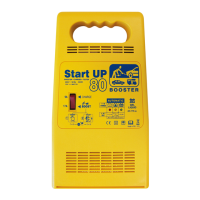
GYS Start UP 80 - User Manual

GYS Start UP 80
11 pages
Print Icon
To Next Page IconTo Next Page
Loading...
In store "130" you
can find and buy almost all necessary goods for your auto
in
Kyiv and other cities, delivery by ground and postal services. Our experienced
consultants will provide you with exhaustive information and help you to chose
the very particular thing. We are waiting for you at the address
http://130.ua
PHONES
0 (800) 755-130
(044) 355-0-130
(050) 462-0-130
(063) 462-0-130
(067) 462-0-130
Internet store of
autogoods
CAR RECEIVERS Receivers Media receivers and stations Native receivers CD/DVD changers FM-modulators/USB adapters Flash memory Facia plates and adapters Antennas Accessories |
CAR AUDIO Car audio speakers Amplifiers Subwoofers Processors Crossovers Headphones Accessories | TRIP COMPUTERS Universal computers Model computers Accessories |
GPS NAVIGATORS Portable GPS Built-in GPS GPS modules GPS trackers Antennas for GPS navigators Accessories | VIDEO DVR TV sets and monitors Car TV tuners Cameras Videomodules
Transcoders Car TV antennas Accessories | SECURITY SYSTEMS Car alarms Bike alarms Mechanical blockers Immobilizers Sensors Accessories | OPTIC AND LIGHT Xenon Bixenon Lamps
LED Stroboscopes Optic and Headlights Washers Light, rain sensors Accessories | PARKTRONICS AND MIRRORS Rear parktronics Front parktronics Combined parktronics Rear-view mirrors
Accessories | HEATING AND COOLING Seat heaters Mirrors heaters Screen-wipers heaters Engine heaters Auto-refrigerators Air conditioning units Accessories | TUNING Vibro-isolation
Noise-isolation Tint films Accessories | ACCESSORIES Radar-detectors Handsfree, Bluetooth Windowlifters Compressors Beeps, loudspeakers Measuring instruments Cleaners Carsits
Miscellaneous | MOUNTING Installation kits Upholstery Grilles Tubes Cable and wire Tools Miscellaneous | POWER Batteries Converters Start-charging equipment Capacitors
Accessories | MARINE AUDIO AND ELECTRONICS Marine receivers Marine audio speakers Marine subwoofers Marine amplifiers Accessories | CAR CARE PRODUCTS Additives Washer fluid
Care accessories Car polish Flavors Adhesives and sealants | LIQUID AND OIL Motor oil Transmission oil Brake fluid Antifreeze Technical lubricant
SKYPE
km-130

Questions and Answers

  • G
    gordonjonathanAug 17, 2025
    What to do if GYS Start UP 80 is connected but not charging?
    • S
      Steven BartlettAug 17, 2025
      If the GYS Remote Starter is properly connected but isn't charging the battery, there might be a few reasons. First, ensure that the terminals and clamps are clean and in good condition. Also, the selected voltage must match the battery voltage. Finally, if the device has been used extensively, it may have entered thermal protection mode; allow it to cool down for about 15 minutes.
  • F
    fhouseAug 22, 2025
    What to do if GYS Start UP 80 end of charge indicator doesn't switch on after a day?
    • P
      Paul StewartAug 22, 2025
      If the end of charge indicator on your GYS Remote Starter doesn't switch on after charging for a whole day, it's likely that the battery is damaged and needs to be replaced.
  • D
    Desiree TorresAug 25, 2025
    Why are none of the indicators on my GYS Remote Starter turning on?
    • A
      Amber HamiltonAug 26, 2025
      If none of the indicators on your GYS Remote Starter are switching on, there could be a couple of issues. First, make sure the power cord is properly plugged into a 230V 50/60Hz socket and that the power supply network is working. Also, check that the clamps are not in short circuit or with reversed polarity. If they are, remove the clamps and inspect the fuses and circuit breaker.
  • J
    Joshua DominguezAug 27, 2025
    What to do if my GYS Accessories charger is connected but not charging?
    • J
      Jo SheltonAug 27, 2025
      If the GYS Accessories charger is properly connected but doesn't charge the battery, start by cleaning the terminals and clamps to ensure good connections. Inspect the cables and clamps for any damage. Make sure that the selected voltage matches the battery voltage. Also, if the device has been used intensively, it may have entered thermal protection mode; wait 15 minutes for it to cool down.
  • C
    Christine WoodardAug 30, 2025
    Why are the indicators not switching on for my GYS Accessories?
    • M
      Mark MayAug 30, 2025
      If none of the indicators are switching on, first ensure the power cord of your GYS Accessories is plugged into a working 230V 50/60Hz socket and check the power supply. Then, remove the clamps and check the fuses and circuit breaker to ensure they haven't been tripped due to a short circuit or polarity reversal.
  • J
    Joseph CarterSep 2, 2025
    What to do if the fuse keeps blowing on my GYS Accessories?
    • O
      Oscar WilsonSep 2, 2025
      If the fuse blows every time it is replaced on your GYS Accessories, ensure that you're connecting the + clamp to the battery's (+) and the - clamp to the battery's (-). Verify that the selected voltage matches the battery voltage. Also, avoid drawing any current from the battery during charging.
  • J
    Julia VazquezSep 5, 2025
    Why doesn't the end of charge indicator switch on after charging my GYS Accessories for a day?
    • J
      joshua91Sep 5, 2025
      If the end of charge indicator on your GYS Accessories does not switch on after charging for a whole day, it is likely that the battery is damaged and needs to be replaced.
  • A
    Ashley Mckinney PhDSep 7, 2025
    Why does the fuse blow every time I replace it on my GYS Start UP 80 Remote Starter?
    • D
      Drew HillSep 7, 2025
      If the fuse blows each time you replace it on your GYS Remote Starter, consider these potential causes: * **Polarity Reversal:** Ensure the positive (+) clamp is connected to the battery's (+) terminal and the negative (-) clamp to the battery's (-) terminal. * **Wrong Charge Settings:** Verify that the selected voltage on the charger matches the battery's voltage. * **Current Overconsumption:** Avoid drawing any current from the battery while it's being charged.
  • D
    duaneroblesSep 10, 2025
    How to fix GYS Remote Starter when no indicators are on?
    • B
      Brenda RiveraSep 10, 2025
      If none of the charge indicators are lighting up on your GYS Remote Starter, here's what to check: * **No Mains Voltage:** Verify the power cord is properly plugged into a functioning 230V 50/60Hz socket. Also, check your power supply network. * **Clamps in Short Circuit or Polarity Reversal:** Disconnect the clamps and inspect the fuses to see if they've melted. Also, check if the circuit breaker has tripped.
  • S
    sheilahoffmanSep 10, 2025
    Why does the GYS Start UP 80 fuse blow repeatedly?
    • R
      Ronald MckeeSep 12, 2025
      If the GYS Remote Starter's fuse blows every time it's replaced, it could be due to a few reasons. Check that the + clamp is connected to the battery's (+) and the - clamp to the battery's (-). Also, verify that the selected voltage matches the battery voltage. Finally, avoid drawing any current from the battery while it's charging.

Summary

Safety Instructions

Connection and Disconnection Safety

Guidelines for safely connecting and disconnecting the device, including precautions against hazards like explosion and acid projection.

Device Maintenance and Handling

Procedures for device maintenance, cable replacement, and safe handling by qualified persons.

Regulatory Compliance and Disposal

Information regarding regulatory compliance, conformity marks, and proper product disposal procedures.

Charger Function Operation

Preliminary Precautions

Essential checks and preparations before connecting the device for charging.

Charger Connection and Disconnection

Step-by-step guide for connecting and disconnecting the charger to the mains and battery.

Automatic Charge Process

Explanation of the automatic charging process, including status indicators and automatic stop.

Starter Mode (Boost) Operation

Starter Mode Precautions

Safety measures and conditions to observe before using the boost function.

Boost Connection and Disconnection

Instructions for connecting and disconnecting the device for the boost function.

Pre-charge for Engine Start

Details on the 10-minute pre-charge to facilitate engine starting.

Protections and Troubleshooting

Device Protections

Overview of the built-in protections for the device, including polarity inversion and thermal protection.

Sulfated Batteries

Information regarding the device's limitations with sulfated batteries and potential damage indicators.

Troubleshooting Common Issues

Guidance on diagnosing and resolving common issues with the charger's indicators, charging, and fuse.

Electrical Diagram and Components

Circuit Diagram

Schematic representation of the device's electrical layout.

Component List

Identification and part numbers for the various components used in the device.

Icons and Specifications

Battery Icons Explanation

Explanation of various icons related to batteries and their meanings.

Product Specifications and Symbols

Details on product specifications, environmental symbols, and noise level.

GYS Start UP 80 Specifications

General IconGeneral
Charging sourceAC
Battery capacity- mAh
Battery technology-
Number of simultaneously connected devices (max)1
Built-in displayNo
Weight and Dimensions IconWeight and Dimensions
Depth180 mm
Width120 mm
Height320 mm
Weight4400 g

Related product manuals