EasyManua.ls Logo

Hach HQ14d - User Manual

Hach HQ14d
36 pages
Print Icon
To Next Page IconTo Next Page
Loading...
DOC022.53.80017
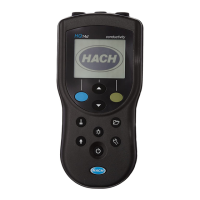
HQd Portable Meter
10/2017, Edition 6
User Manual

Table of Contents

Other manuals for Hach HQ14d

Questions and Answers

  • E
    Elizabeth BrownAug 6, 2025
    What to do if Hach HQ14d Measuring Instruments meter will not power on?
    • R
      Robert DixonAug 6, 2025
      If the Hach Measuring Instrument meter won't power on, first ensure the batteries are correctly installed, paying attention to the polarity markings. If that doesn't work, try cleaning the battery terminals and installing new batteries. You can also connect an AC power adapter to test the device.
  • W
    wclarkAug 22, 2025
    What to do if Hach HQ14d Measuring Instruments says probe not supported?
    • V
      veronicamcclainAug 22, 2025
      If your Hach Measuring Instruments display a 'Probe Not Supported' error, first ensure the probe is properly connected by tightening the locking nut on the probe connector. If the issue persists, try disconnecting and reconnecting the probe. Also, try connecting a different IntelliCAL probe to the meter to verify if the problem is with the meter or the probe.

Summary

Product Specifications and Safety

Safety Information

Outlines important safety notices and precautions for using the meter.

Use of Hazard Information

Explains the meaning of danger, warning, and caution symbols used in the manual.

Installation and Setup

Install the Batteries

Step-by-step guide on how to correctly install batteries in the meter.

Connect to AC Power

Instructions for connecting the meter to an AC power source via the adapter.

Startup Procedures

Connect a Probe

Instructions for connecting a probe to the meter for measurements.

Standard Operation

About Calibration

Information on probe calibration frequency and the meaning of the calibration icon.

Data Transfer and Reporting

Advanced Operation

Security Options

How to use security features to protect meter setup and method settings.

Update Meter Software

Instructions for updating the meter's firmware using a USB storage device.

About Meter Configuration

Steps to configure the meter for PC communication using a virtual serial port.

Maintenance

Replace the Batteries

Instructions for safely replacing the meter's batteries.

Troubleshooting

Troubleshooting Common Errors

A guide to common error messages, their causes, and corrective actions.

Meter Will Not Power On

Solutions for issues where the meter does not power on or powers on intermittently.

Hach HQ14d Specifications

General IconGeneral
BrandHach
ModelHQ14d
CategoryMeasuring Instruments
LanguageEnglish

Related product manuals