Eclipse Installation, Commissioning & Operating Manual Approved Document Ref: UI-ECL-01 Issue 8.0
20
SETUP & PROGRAMMING
3 1 2 1
Zone Function Settings
There are 4 functional settings available for each zone. These are as follows:
Fire latching
Normally a zone latches a re input signal. This setting allows the panel to clear automatically when a re
signal is removed. This is useful for interfacing purposes.
Short circuit as alarm (EN54!)
For Older non EN54 or BS5839 compliant systems. This allows a short circuit to activate a re rather than
a fault condition.
Intrinsically safe operation
This option changes the zone alarm and short circuit thresholds to allow for an MTL 5061 type intrinsically
safe barrier to be used in the circuit.
Note: Twin Wire mode is not compatible with intrinsically safe operation.
Detector removal monitoring (EN54!)
The detector removal monitoring can be turned off. For use with older, non compliant detectors.
Enter the above code and press the ENTER button.
The zone 1 re LED will light. This indicates setting the above attributes
for zone 1.
The amber, fault / disabled / test LEDs will show the current settings for
that zone.
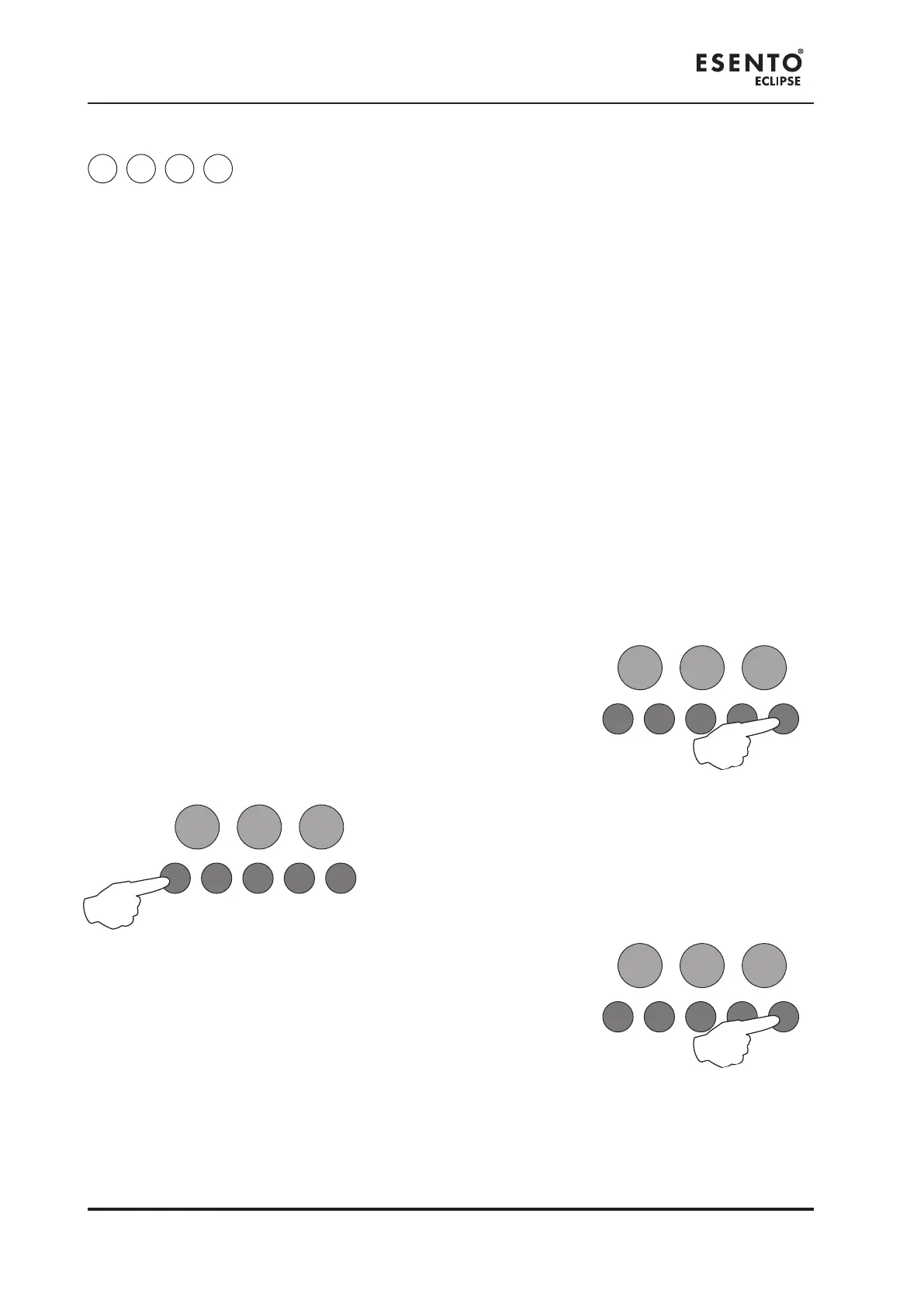
Use button 1 to move to the zone that requires editing.
With the required zone for editing LED lit, press the ENTER button to
enter ‘editing mode’.
The re zone 1 LED will now pulse to indicate the editing of attribute 1 (re latching) for the selected zone.
RESOUND SILENCE RESET
ENTER
1 2 3 4
Disable
Mode
Test
Mode
Mute
Buzzer
Test
Lamps
RESOUND SILENCE RESET
ENTER
1 2 3 4
Disable
Mode
Test
Mode
Mute
Buzzer
Test
Lamps
RESOUND SILENCE RESET
ENTER
1 2 3 4
Disable
Test
Mute
Test



 To Next Page