6
Lock operation
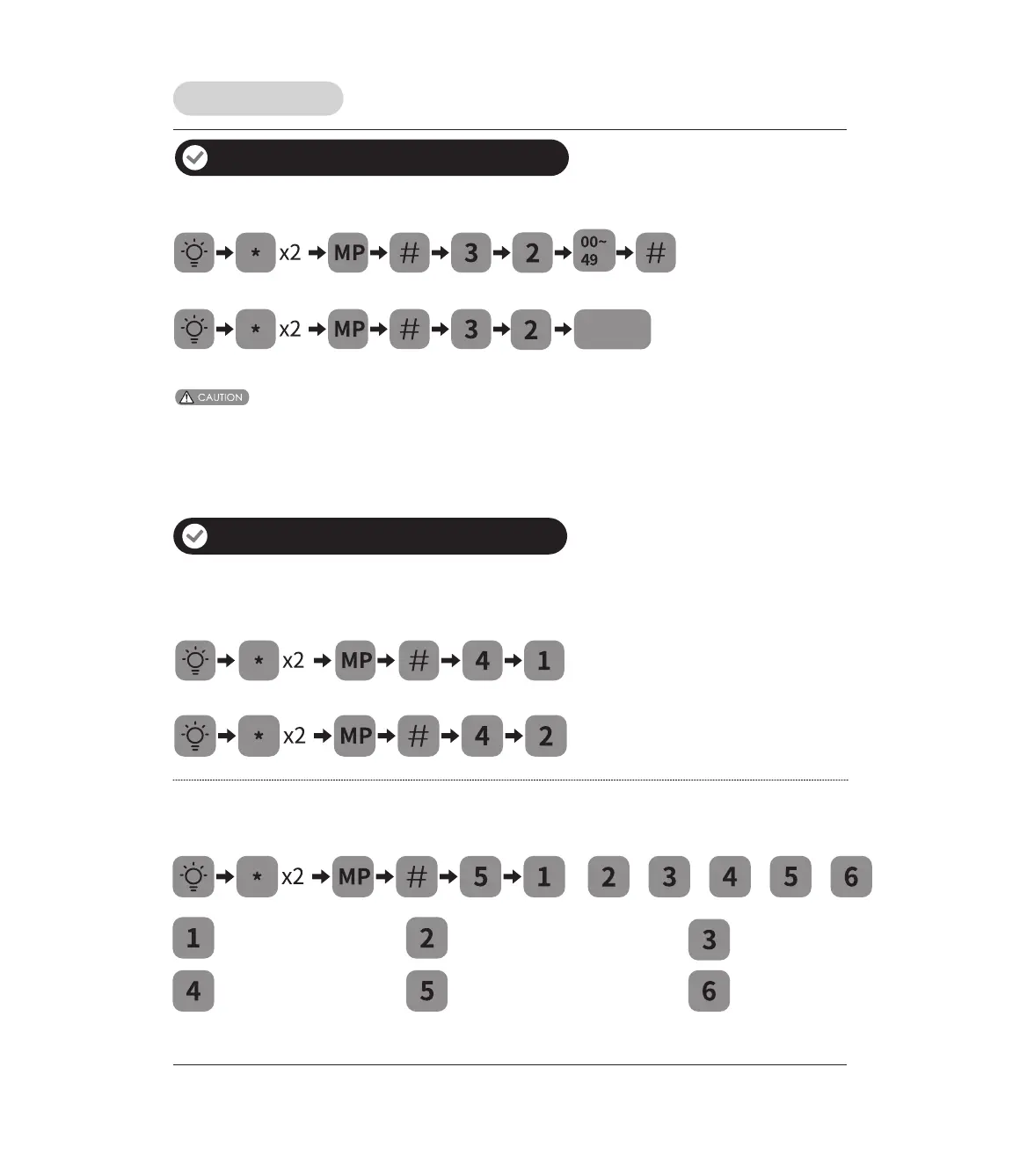
How to delete key card
1. When deleting user card, the card must be entered within 10 seconds.
2. At any time you can return to the previous menu by pressing the
“
*
” key.
3. Deleting all user card can only be done by resetting the lock to factory default settings
.
(4–10 digits)
(4–10 digits)
or
Key card
to be deleted
Language & Silent mode settings
English Spanish Portuguese
or or
French Chinese Silent Mode
or or or
Locking mode
Auto mode
Manual mode
Delete access data
Additional lock features



 To Next Page