HLS100 - USER MANUAL
8
3.2 SINGLE USER MODE
3.2.1 MODE INTRODUCTION
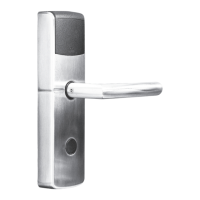
Lock remains locked under single user mode. Input the user code to unlock, 5 seconds
later, motor reverse and lock will prompt with a “beep” to close. Turn the knob to the
locked position. No need input user code again.
Important: Manager code and user code should be set rst.
1. Input the user code, turn the knob to the unlocked position.
2. Take out/put in the belongings.
3. No need to input the code again, Just turn the knob to the locked position.
3.2.2 SET LOCK INTO SINGLE USER MODE
*#2# > manager code # > 0#
INPUT *#2#,
GREEN LIGHT
WILL BLINK
INPUT MANAGER
CODE #, LIGHT WILL
BLINK SLOWLY
INPUT 0#,
MOTOR REVERSE
AND GREEN LIGHT
WILL BLINK FOR 1S
SET TO SINGLE
USER MODE
SUCCESSFULLY


 To Next Page