PREAMP /TUNER REMOTE CONTROL
1. VOLUME
-press left volume button for decreased volume.
-press right volume button for increased volume.
-pressing either volume button defeats MUTE.
2. TUNE
-press left button to change tuner down in frequency.
-press right button to change tuner up in frequency.
-operation depends on status of AUTO/MAN on front panel.
3. NEXT
-press to increment PRESET to next higher preset number.
4. ‘1’
-press to select PRESET
1.
5. ‘11’
press to select PRESET 11.
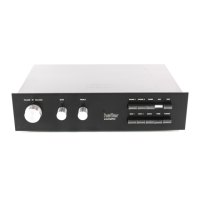
6. INPUT SELECTORS
-press to select CD, TUNER,
A/V
1,
A/V
2, or AN 3. Button on
front panel lights green to indicate selected function.
7. TAPE SELECTORS
-press to select TAPE 1 or TAPE 2/EPL. Button on front panel
lights red to indicate selected function. (See text for important
operating details.)
8. POWER
-press to change between READY and ON mode. Power
switch on front panel lights amber when in READY mode, green
when in ON mode.
9. AM/FM
-press to change between AM and FM.
10. TONE IN/OUT
-press to change between tone controls ON and OFF. Button on
front panel lights green when tone controls are active.
11. MUTE
-press to change between mute ON and OFF. Volume Control
Indicator flashes when mute is ON.
12. INFRARED EMlTTER
-aim at Front Panel to send remote commands.
-10-


 To Next Page
 Loading...