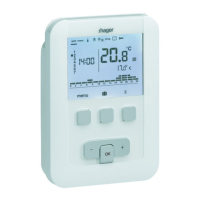
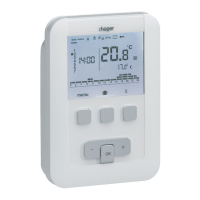
Automatic mode (auto)
In automatic mode, the thermostat adapts itself
to the rhythm of your life by applying one or more
programs that you have selected.
• Press key 1
menu to place the cursor under
auto.
Key 1
menu allows you to return to auto mode
when the (holiday) program is running or a timed
restart is in progress.
Manual mode (manu)
Manual mode transforms your equipment into
a simple thermostat. It allows you to maintain a
constant temperature in your accommodation
(adjustable from +5 °C to +30 °C) and ignores the
available program profiles.
• Press key 1
menu to place the cursor under
manu.
• Press key 5
+ or - to adjust the desired
temperature.
Example : the desired temperature is at 22.5 °C
and the ambient temperature is 20 °C. The heating-
activated indicator Y is illuminated.
Standby mode
The heating and/or air conditioning system can be
put on standby. The thermostat is live and protects
your installation if the temperature drops below
5 °C (fixed non-modifiable instruction). It displays
the time, current day, ambient temperature and
OFF information.
• Press key 1
menu to place the cursor under .
OFf flashes.
• Confirm using the
OK key.
• Press key 1
menu to exit standby mode.
From air conditioning mode, standby mode
represents a stop command and the ambient
temperature is no longer regulated.
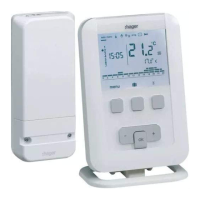
Description of Receiver’s LEDs
Pressing A ( T ) button will modify the current
mode.
ON Green fixed LED
Pressing push-button
A ( T )
OFF Red fixed LED
Pressing push-button A ( T )
Installer parameters
To access all of the parameters (from PA:1 to PA:12), press key 1 menu to place the cursor under
then give one long press (>5s) on
OK.
To only access parameters from (
PA:1 to PA:4), press key 1 menu to place the cursor under and
confirm using the
OK key.
PA:1 - Default duration of the temporary override
This parameter allows you to input a default, restart time delay. Possible delay times are the following:
1 hour, 2 hours, 3 hours, 4 hours, 5 hours and 12 hours. The restart delay is set to 1 hour by default.
•
PA:1 and flash. Press key 5 + or - to modify the restart delay.
Confirm using the OK key to pass to the next parameter.
PA:2 - Backlighting
Backlighting is activated (
ON) by default.
• Press key 5
+ or - to deactivate it (OFF).
Confirm using the OK key key to pass to the next parameter.
PA:3 - Temperature calibration
This parameter lets you adjust the value displayed by the thermostat if you measure a different
ambient temperature to that which the thermostat measures.
• Press key 5
+ or - to modify the temperature within a range of +/-3 °C.
Confirm using the OK key to pass to the next parameter.
PA:4 - 2nd Comfort temperature level
This parameter allows you to select one
or two Comfort temperature levels.
It is only applicable during programming of the free program (P4).
• Press key 5
+ or - to choose1 or 2 .
Confirm using the
OK key to pass to the next parameter.
Parameter
PA:4 is set to 1 single level of Comfort by default.
PA:5 - Heating/Air-con mode
This parameter allows you to put your installation into Heating mode (
H), Air conditioning mode (C)
or reversible Heating/Air-con mode (
HC) (the icon is displayed).
• Press key 5
+ or - to select H, C or HC.
Confirm using the
OK key to pass to the next parameter.
Parameter
PA:5 is set to heating H) by default.
In
HC mode, care should be taken to switch the HP suitably for the chosen thermostat mode.
PA:6 - Degumming the pump
This parameter allows you to activate/deactivate the automatic start-up of the pump at midnight
everyday, in order to avoid its jamming during the summer.
• Press key 5
+ or - to activate (ON) or desactivate (OFF).
Confirm using the
OK key to pass to the next parameter..
Parameter
PA:6 is set to OFF by default.
PA:7 - Type of heating regulation
This parameter lets you define the type of inertia of your heating installation.
• Press key 5
+ or - to select :
-
On/OFF= On or o (default setting). The dierential is less than °0.3C (factory setting).
-
FAS = PID regulation for installations with rapid inertia (radiator).
Minimum run time 1 minute (%10 of the cycle time).
-
SL0 = PID for installations with slow inertia (underfloor heating).
Minimum run time 2 minutes (%10 of the cycle time).
• Confirm using the
OK key to pass to the next parameter.
In On/O regulation, only the anticipation function is available, see
PA:9
In PID regulation, the optimisation and anticipation functions are available, see PA:9.
PA:8 - Type of regulation for air conditioning
As
PA:7 but FAS used for convector fan and SL0 for underfloor cooling.
PA:9 - Optimisation and anticipation
This parameter allows you to activate an optimisation or anticipation function which is deactivated
(
OFf) by default.
The optimisation function is only available with PID regulation, see
PA:7 or PA:8
The anticipation function is available with on/o and PID regulation.
Optimisation : the thermostat automatically estimates the time required
to reach the Comfort temperature and adjusts the switch-on time of the
heating so that the desired temperature is attained at the desired time.
A period of around 10 days is necessary to train the installation because
it depends on the type of inertia of your heating.
Note : only
P10 benefits from the optimisation function.
• Press key 5
+ to activate (AUT) the optimisation function.
Confirm using the
OK key to pass to the next parameter.
16 °C
18 °C
20 °C
7 h
x
16 °C
18 °C
20 °C
6 h
2H
H
(calcul automatique)
16 °C
18 °C
20 °C
7 h
x
H
(automatische
Berechnung)
FR
DE
16 °C
18 °C
20 °C
7 h
x
H
(automatic calculation)
GB
16 °C
18 °C
20 °C
7 h
x
H
(automatische
berekening)
NL
16 °C
18 °C
20 °C
7 h
x
H
(calcolo automatico)
16 °C
18 °C
20 °C
7 h
x
H
(cálculo automático)
IT
ES
16 °C
18 °C
20 °C
7 h
x
H
(αυτόματοσ
υπολογισμόσ)
GR
16 °C
18 °C
20 °C
7 h
x
H
(obliczenia
automatyczne)
PL
16 °C
18 °C
20 °C
7 h
x
H
(automaattinen
laskenta)
FI
In reversible heating/air-conditioning mode (select HC for parameter
PA:5); it is possible to select a dierent mode of regulation for each
system.
The heating may be configured as on/o and the air conditioning as
PID regulated. In this case, the optimisation function and program
P10
can only be applied during PID regulated air-conditioning.
Anticipation : this function allows the Comfort
or Comfort 2
temperature from the personalised program (
P4
) to be applied, in
advance, for a configurable period of 1, 2 or 3 hours.
Note: only
P4a benefits from the anticipation function.
• Press key 5
+ to select the duration (1H, 2H ou 3H) of anticipation
desired, (e.g. anticipation of 2 hours).
Confirm using the
OK key to pass to the next parameter.
16 °C
18 °C
20 °C
6 h
2H
H
(calcul automatique)
16 °C
18 °C
20 °C
7 h
x
H
(automatische
Berechnung)
FR
DE
16 °C
18 °C
20 °C
7 h
x
H
(automatic calculation)
GB
16 °C
18 °C
20 °C
7 h
x
H
(automatische
berekening)
NL
16 °C
18 °C
20 °C
7 h
x
H
(calcolo automatico)
16 °C
18 °C
20 °C
7 h
x
H
(cálculo automático)
IT
ES
16 °C
18 °C
20 °C
7 h
x
H
(αυτόματοσ
υπολογισμόσ)
GR
16 °C
18 °C
20 °C
7 h
x
H
(obliczenia
automatyczne)
PL
16 °C
18 °C
20 °C
7 h
x
H
(automaattinen
laskenta)
FI
…
→
3 6LE001012C


 To Next Page
 Loading...