-5-
Base Stand Assembly Instruction
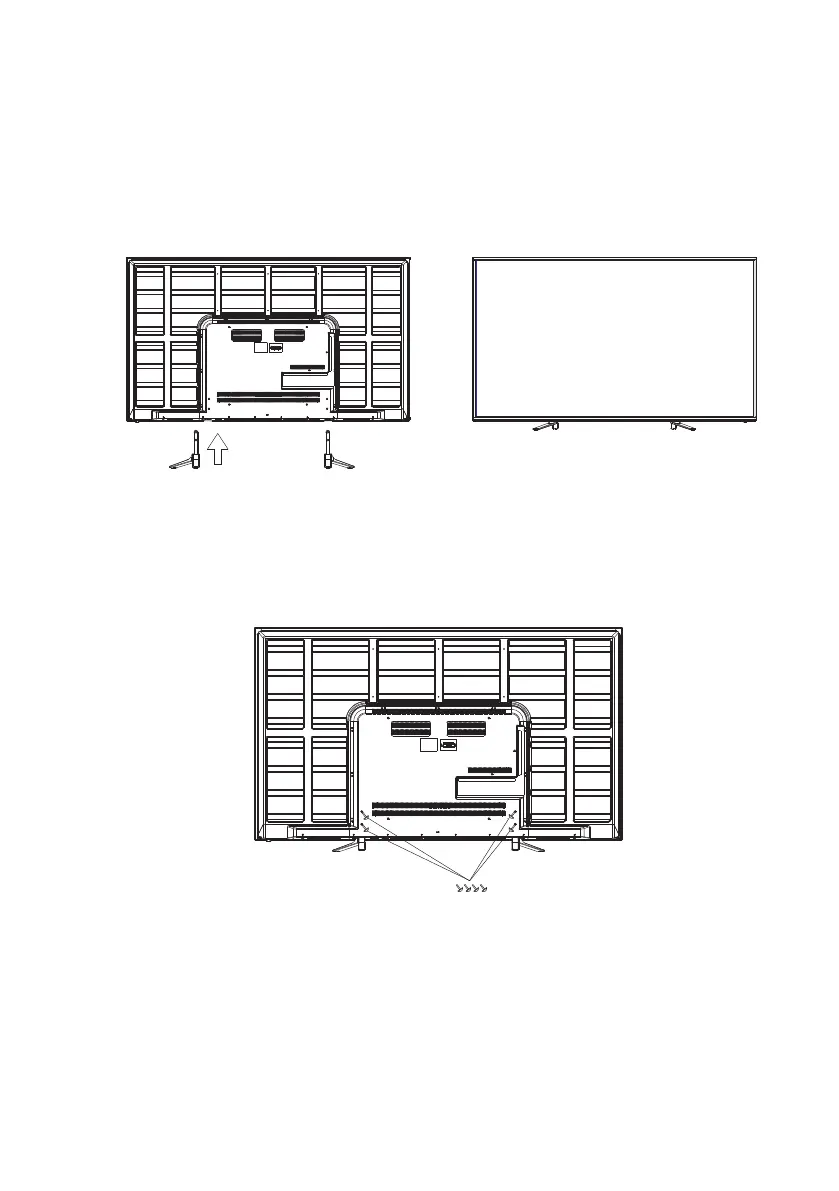
1. Place the TV with the display side down on a flat surface. Use a cloth to protect the display.
Note: This stand does not swivel. Do not attempt to rotate the TV.
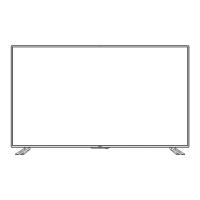
2. Attach the TV stand legs with the included M4 screws(4 pcs).
Insert the TV stand leg into the bottom of the TV cabinet– please ensure that the legs
of the TV stand are pointed outward with and with the longer leg pointed toward the
front of the TV. Please refer to the attached picture.
M4x PWM30 (4PCS)



 To Next Page