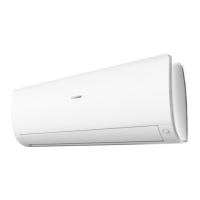
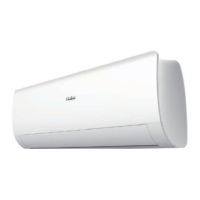
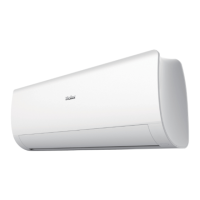
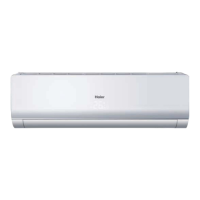
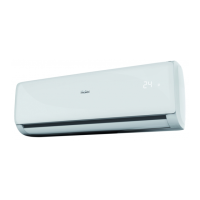
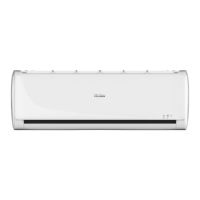
This document serves as an operation manual for Haier Split Type Room Air Conditioners, covering models such as AS20S2SF1FA-MW3, AS25S2SF1FA-MW3, AS35S2SF1FA-MW3, AS42S2SF1FA-MW3, AS50S2SF1FA-MW3, AS71S2SF1FA-MW3, AS20S2SF1FA-MB3, AS25S2SF1FA-MB3, AS35S2SF1FA-MB3, AS42S2SF1FA-MB3, AS50S2SF1FA-MB3, and AS71S2SF1FA-MB3. It provides essential information for safe and efficient use, installation, and maintenance of the appliance.
The air conditioner is designed for room cooling and heating, utilizing R32 refrigerant. It features a UV-C lamp for sterilization, which requires specific safety precautions during maintenance. The appliance is equipped with a remote controller for convenient operation and a display board on the indoor unit to show current settings and status.
Function Description
The air conditioner offers various operational modes and features to enhance user comfort and convenience:
- ON/OFF Button: Initiates or terminates the air conditioner's operation.
- Display of Each Function Status: Provides visual feedback on the active mode and settings.
- Operation Mode Display: Indicates the current operating mode (e.g., COOL, HEAT, DRY).
- WIFI and CLOCK Display: Shows Wi-Fi connectivity status and the current time.
- TEMP Display: Displays the set temperature.
- Humidity Display: Available on some models, shows the current humidity level.
- FAN SPEED Display: Indicates the selected fan speed.
- SWING Display: Controls the horizontal and vertical airflow direction.
- TIMER ON/OFF Display: Allows scheduling of the unit's power on or off times.
- ECOPILOT Button: Activates a power-saving function.
- DRY Button: Sets the unit to dehumidification mode.
- COOL Button: Sets the unit to cooling mode.
- TEMP Button: Adjusts the desired temperature setting.
- HEAT Button: Sets the unit to heating mode.
- QUIET Button: Engages a low-noise operation mode, automatically setting the fan speed to a low AUTO mode.
- TIMER Button: Used for setting timed operations.
- CLOCK Button: Sets the current time on the remote controller.
- 10 °C Button: A special heating function to maintain a minimum temperature of 10°C, useful for preventing freezing in unoccupied rooms.
- HEALTH Button: Activates the health airflow function, which aims to avoid strong airflow directly blowing onto occupants.
- SMART Button: Automatically adjusts operation based on indoor temperature and humidity for optimal comfort.
- SWING Up/Down Button: Controls the vertical movement of the air flaps.
- SWING Left/Right Button: Controls the horizontal movement of the air flaps.
- SLEEP Button: Activates a comfortable sleep mode, which adjusts temperature settings over time to promote restful sleep.
- HEALTH AIRFLOW Button: Works in conjunction with the HEALTH button to manage airflow for comfort.
- LIGHT Button: Controls the illumination of the indoor unit's LED display.
- CODE Button: Used for specific diagnostic or setting purposes.
- APPLY Button: Confirms settings made on the remote controller.
- °F/°C Button: Toggles between Fahrenheit and Celsius temperature displays.
- Wi-Fi Function: Enables remote control of the air conditioner via a smartphone app ("hOn" APP). Users can register, connect the unit, and manage operations through the app.
- ECOPILOT Operation (Human Sensing Function): This advanced feature detects human presence and movement. In "Follow" mode, it directs airflow towards occupants. In "Avoid" mode, it steers airflow away from occupants. It can also enter a power-saving mode if no presence is detected for an extended period and adjust frequency and fan speed based on movement intensity.
- Steri Clean Operation: A self-cleaning function that freezes the evaporator to remove dirt, followed by a 56°C high-temperature sterilization phase to kill bacteria and viruses. It concludes with rapid evaporator cooling to enhance sterilization performance. This function is typically accessed via the hOn APP.
- UV Sterilization Function: Utilizes a UV-C lamp to remove harmful microorganisms from the air, contributing to healthier indoor air quality.
Usage Features
The manual emphasizes several key aspects for optimal use:
- Remote Controller Usage: The remote controller has a signal transmission range of up to 7 meters without obstacles. It's important to replace batteries when the display becomes dim or unclear. If the remote controller malfunctions, removing and reinserting batteries can reset it.
- Clock Setting: Users can set the current time on the remote controller, which is crucial for timed operations.
- QUIET Operation: Ideal for periods requiring silence, such as rest or reading.
- COOL, HEAT, and DRY Operation: Standard modes for temperature and humidity control. In DRY mode, the unit runs intermittently at low speed if the room temperature is close to the set temperature. The remote controller memorizes the last operation status for convenience.
- FAN Operation: Allows users to select various fan speeds (AUTO, low, medium, high) to control airflow intensity.
- SWING Operation: Provides control over both vertical and horizontal airflow directions, allowing users to customize air distribution.
- TIMER Operation: Enables scheduling the air conditioner to turn on or off automatically at specified times, useful for pre-cooling/heating or energy saving.
- Comfortable SLEEP Mode: Automatically adjusts temperature settings during sleep to maintain comfort and save energy. The temperature changes gradually over several hours in both cooling/dry and heating modes.
- Power Failure Resume Function: The unit automatically restarts with previous settings after a power outage, with a 3-minute delay for compressor protection.
- SMART Operation: Simplifies operation by automatically selecting the appropriate mode (cooling, heating, dehumidifying, or blowing) based on indoor conditions.
- ON/OFF and Test Operation: In cases of a defective or lost remote controller, the unit can be operated via an emergency switch. Test operation is available for specific conditions, such as when the room temperature is below 16°C.
- Wi-Fi Connectivity: The "hOn" APP allows for advanced control and monitoring of the air conditioner from a smartphone, including activating the Steri Clean function.
Maintenance Features
Regular maintenance is crucial for the air conditioner's performance and longevity:
- Proper Room Temperature Setting: Maintaining an appropriate temperature helps in efficient operation.
- Avoiding Obstructions: Ensure that the air inlet and outlet are not blocked to allow for proper airflow.
- Effective Timer Use: Utilizing the timer function contributes to energy saving.
- Closing Doors and Windows: During operation, keeping doors and windows closed prevents energy loss.
- UV Sterilization Function: It is recommended to turn on the UV sterilization function for 1-2 hours daily. Users are warned not to look directly at or touch the UV lamp when it is on and to turn it off before opening the panel.
- Remote Controller Care: Clean the remote controller with a dry cloth; avoid using water, glass cleaner, or chemical cloths.
- Indoor Body Cleaning: Wipe the indoor unit with a soft, dry cloth. For stubborn stains, use a neutral detergent diluted with water, wringing the cloth thoroughly before wiping. Avoid hot water or harsh chemicals.
- Air Filter Cleaning:
- Partially raise the panel by pressing the "SMART" button for 5 seconds.
- Open the panel manually and support it.
- Remove the air filter.
- Clean the filter (recommended every two weeks).
- Fit the filter back.
- Remove the holder and close the panel by long-pressing the "SMART" button.
- Air Purifying Filter Replacement:
- Open the inlet grille by pressing the "SMART" button for 5 seconds.
- Detach the standard air filter by sliding the knob upward.
- Remove the old air purifying filter.
- Insert new air purifying filter appliances into the right and left filter frames, ensuring the correct orientation (white side of photocatalyst filter facing outside, black side facing the unit; green side of bacteria-killing filter facing outside, white side facing the unit).
- Attach the standard air filter.
- Close the inlet grille by long-pressing the "SMART" button.
- Photocatalyst Air Purifying Filter Solarization: This filter should be solarized every 6 months for optimal performance.
- Bacteria-Killing Medium Air Purifying Filter: This filter has a long lifespan but needs frequent dust removal using a vacuum cleaner or by lightly flapping it. Avoid prolonged direct sunlight when not in use to maintain its sterilization ability.
- Long-Term Storage: If the unit will not be used for an extended period, turn off the main power supply switch.
- Refrigerant Information: The manual provides details on the R32 refrigerant used, including its GWP value, and instructions for filling out the refrigerant charge label during installation and servicing.
- Disposal Requirements: Emphasizes proper disposal of the appliance and batteries in accordance with European directives, highlighting that dismantling and refrigerant treatment should be performed by qualified personnel.


 To Next Page
 General