14
OPERATING INSTRUCTIONS
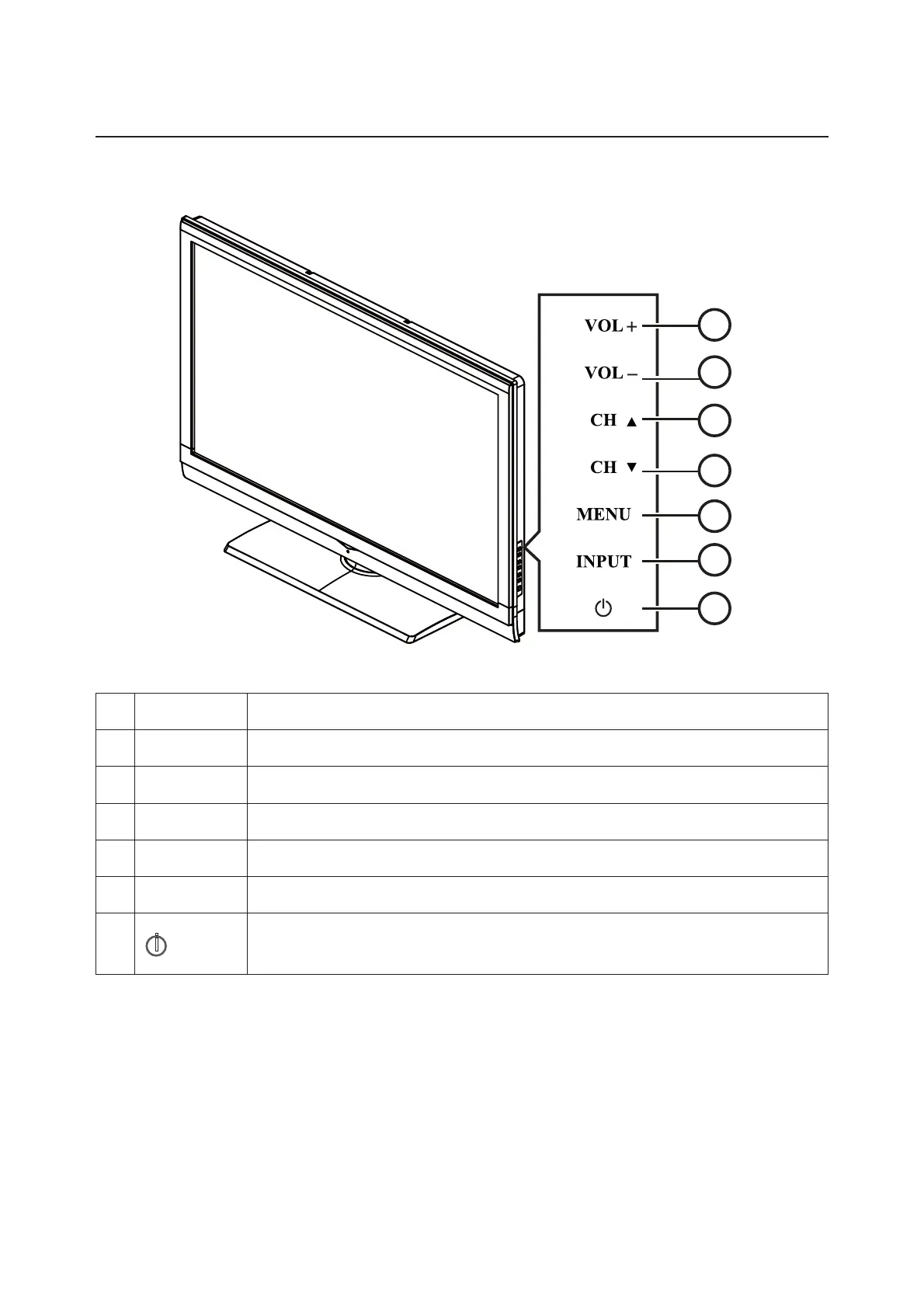
TO USE THE FRONT PANEL CONTROL
1
2
3
5
6
4
7
1 VOL + Press to increase the sound volume level.
2. VOL - Press to decrease the sound volume level.
3. CH
▲
Press to select the next higher program number.
4. CH
▼
Press to select the next lower program number.
5. MENU Press to open or exit the OSD (on-screen display) menu.
6. INPUT Press to select the input source.
7.
i
POWER
Press to turn on / off (standby) the TV set. (Press to turn on TV after the
power on status, LED had changed to Blue and stopped flashing.)



 To Next Page