10
For HL42XD2
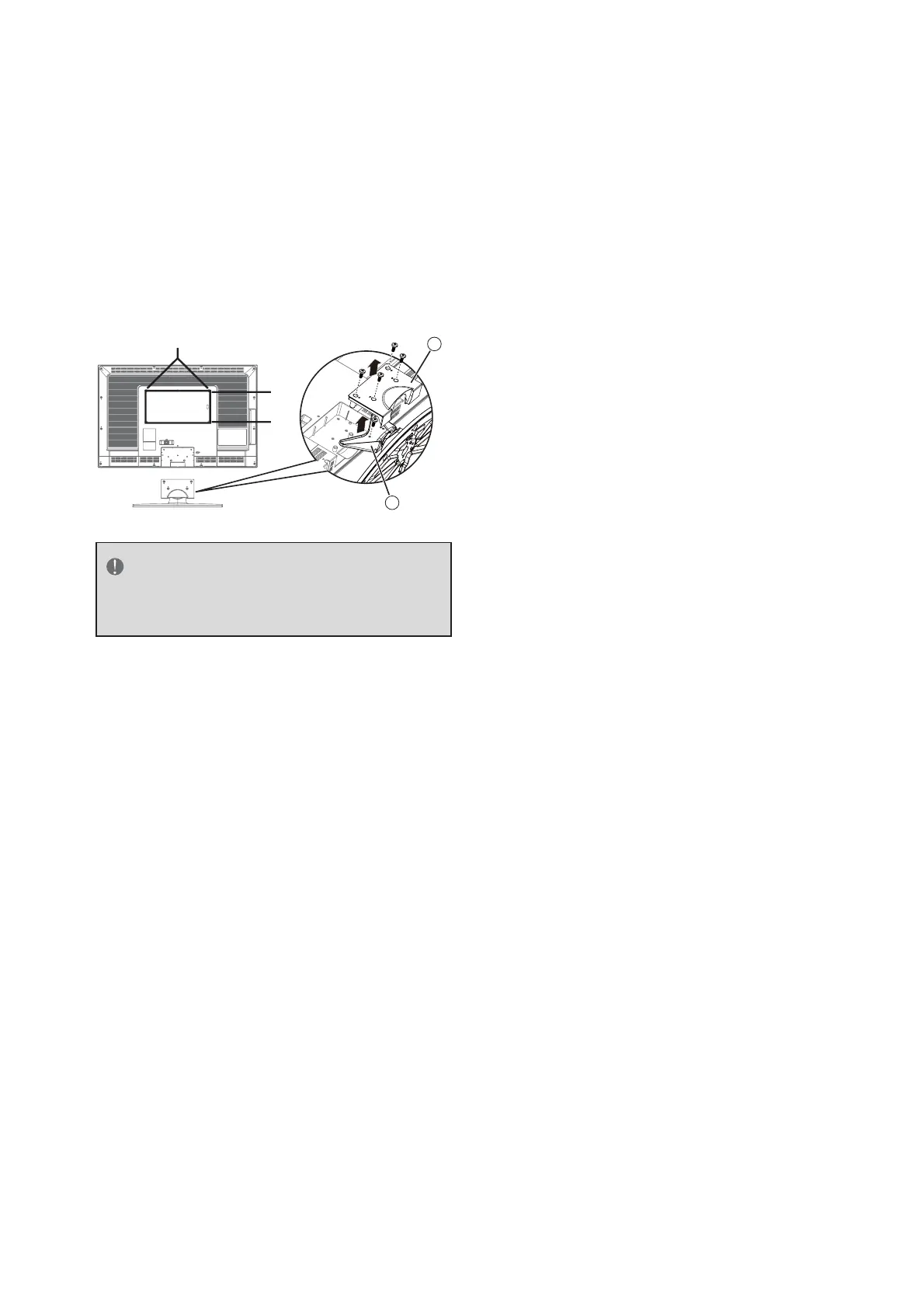
Loosen the screws on the back of the 1.
stand and remove the back cover of the
stand.
Remove the screw that secure the stand to 2.
your TV and remove the stand.
Secure the wall mount bracket to the 3.
back of your TV using four M6 screws, as
indicated in the illustration.
400 mm
200 mm
1
2
NOTE
The wall mount bracket and the
screws are not included.



 To Next Page