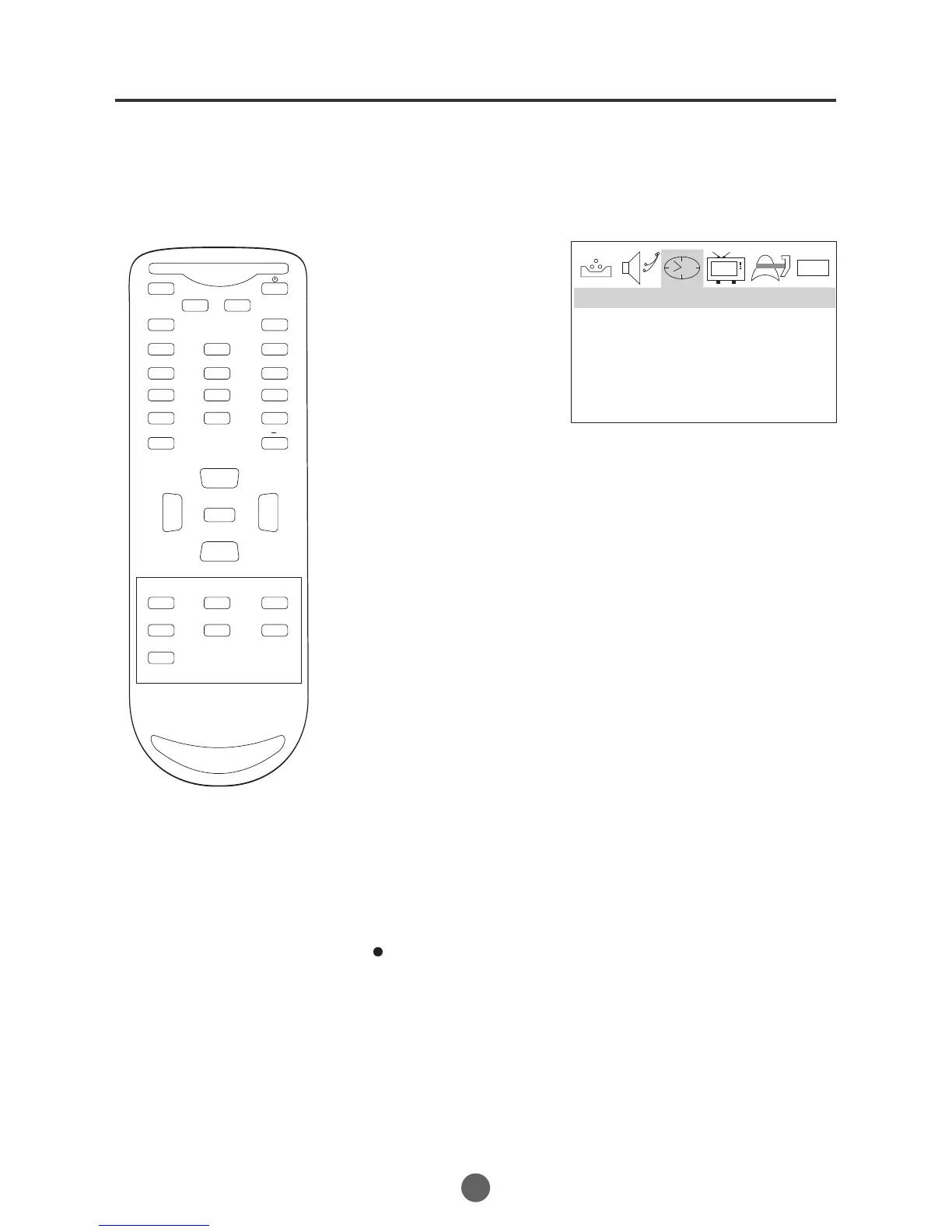
Manual time setting
You must set the time manually
for ON/OFF Timer.
After a power failure or disconnection of the power, the
time will get lost. In this case, reset the preset time.
NOTE:
EXAMPLE: Setting the time to "8:30 AM"
TO SET TIME
1 Press MENU. The main menu screen will appear.
2 Press VOL+/- button to
select TIME option,
then press CH- button
to enter the submenu.
3 Press CH+/- button to
select TIME, then press
CH+/- button to select
"--:--","AM";
press VOL+/- button to
set the value & AM &PM.
4 Press MENU until the MENU screen disappears.
21
0101
TIME --:-- AM
TIMER OFF --:-- AM
TIMER ON --:-- AM
TIME
MUTE
Q.VIEW INFO
INPUT TV/DTV
SAP P.MODE
OK
-
MENU
CH-
CH+
VOL
-
VOL
+
CC SLEEP FAV.LIST
GUIDE
ARC
CH.LIST
EXIT
123
456
789
0


 To Next Page