Configuración del idioma y de la pantalla azul
Puede elegir entre tres idiomas diferentes
(inglés, francés y español) para las
representaciones en pantalla.
CONFIGURACIÓN DEL IDIOMA
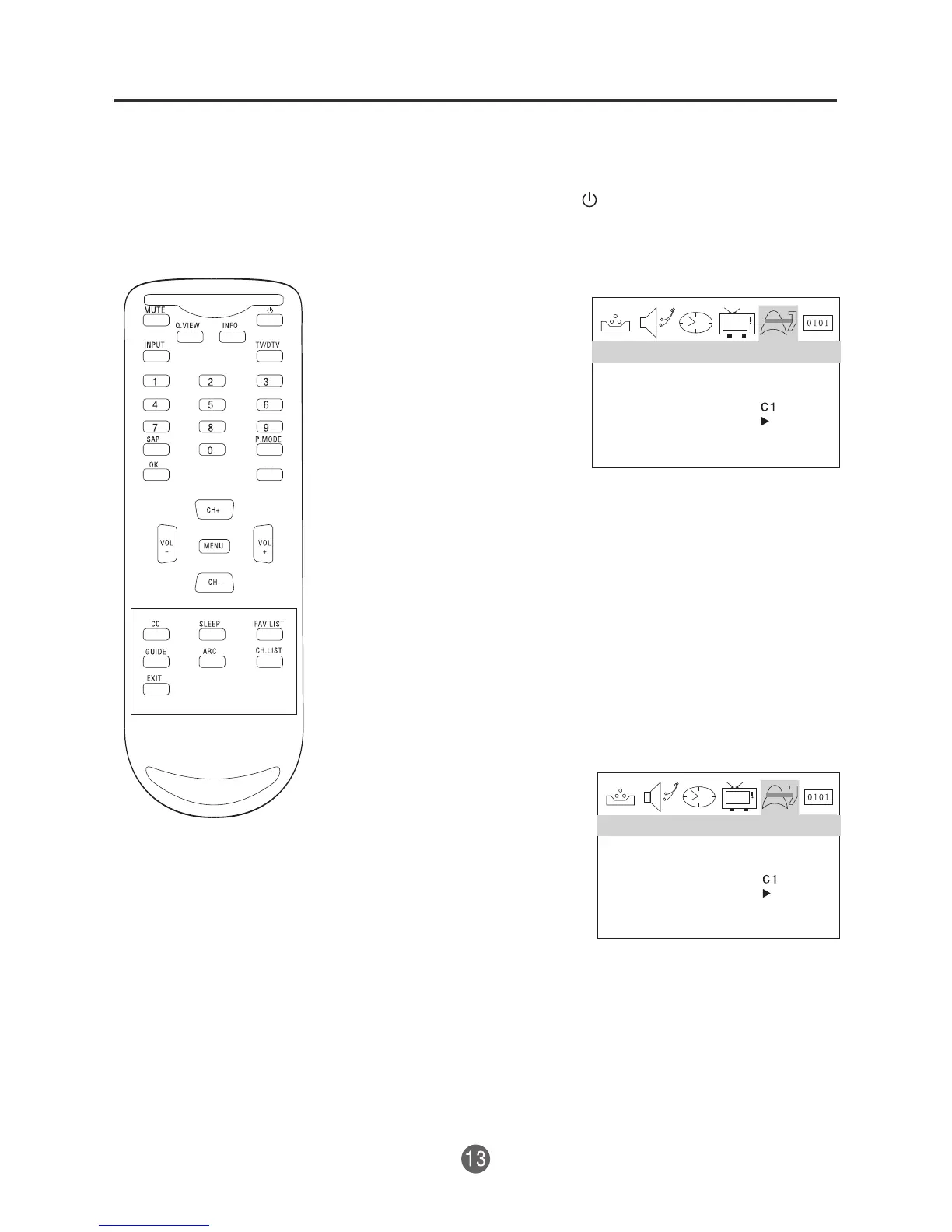
1 Presione POWER ( ) (Encendido) para
encender el televisor.
2 Presione MENU y
luego presione el
botón VOL+/- para
seleccionar el menú
Funciones, luego
presione el botón
CH- para entrar.
3 Presione el botón CH -para seleccionar la opción
IDIOMA, luego presione VOL+/- para seleccionar el
idioma deseado: Inglés, francés o español
4 Presione MENU hasta que el menú desaparezca.
CONFIGURACIÓN DE LA PANTALLA AZUL
1 Presione MENU y
luego presione el
botón VOL+/- para
seleccionar el menú
Funciones, luego
presione el botón
CH- para entrar.
2 Presione el botón CH+/- para seleccionar la opción
PANTALLA AZUL, luego presione VOL+/- para
seleccionar Encendido o Apagado.
3 Presione MENU hasta que el menú desaparezca.
FUNCIÓN
SPANISH
PANTALLA AZUL
NTSC TÍTULO
ENE.
SEGUR.DEL PADRES
FUNCIÓN
SPANISH
PANTALLA AZUL
NTSC TÍTULO
ENE
SEGUR.DEL PADRES
IDIOMA
IDIOMA


 To Next Page