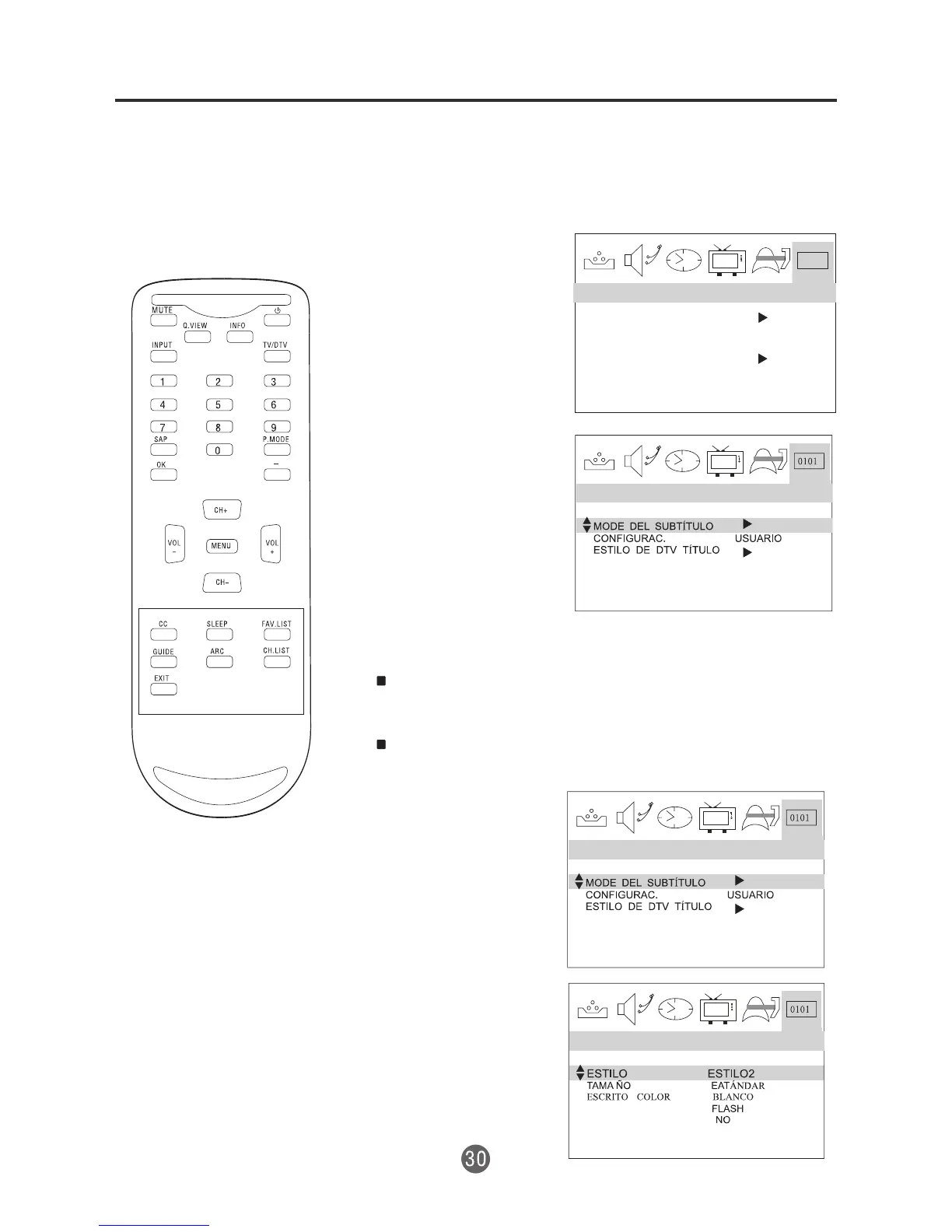
Menú de configuración de DTV
CONFIGURACIÓN DEL MODO DE USUARIO
CON SUBTÍTULOS OCULTOS (CC)
1 Presione MENU. Aparecerá la pantalla con el menú
principal.
2 Presione el botón
VOL+/- para
seleccionar
CONFIGURACIÓN de
DTV, luego presione
CH- para entrar al
submenú.
3 Presione el botón
CH+/- para
seleccionar DTV CC
(Subtítulos ocultos en
DTV).
4 Presione el botón
VOL+ y luego
presione el botón
CH+/- para
seleccionar
CONFIGURACIÓN
DEL USUARIO.
5 Presione el botón
VOL+/- para
configurar "EMISIÓN"
o "PERSONAL".
CONFIGURACIÓN DEL ESTILO DE SUBTITULADO
EN DTV
La función de estilo de subtitulado en DTV le permite
cambiar el tamaño del subtitulado y el estilo de
fuente.
Cuando la "CONFIGURACIÓN DEL USUARIO" se
fija como PERSONAL, puede configurar los
siguientes elementos.
1 Presione el botón
CH+/- para
seleccionar ESTILO
DE SUBTITULADO
EN DTV.
2 Presione el botón
VOL+ para entrar al
submenú.
3 Presione el botón
CH+/- para seleccionar
la opción deseada.
4 Presione el botón
VOL+/- para ajustar la
opción.
0101
HORARIO VERANO APAG
ZONA DE TIEMPO
ALASKA
DTV CC
ATSC PARENTAL LOCK
DTV SETUP
DISPOSICIÓN DTV
DISPOSICIÓN DTV
DISPOSICIÓN DTV
OPACID.TEX.
TIPO BORDE


 To Next Page