23
English
5. Open V-Chip: Set RRT5 rating for
parental controls.
6. Clear Open V-Chip Data: Clear
RRT5 rating data.
7. Block Unrated: Block the
programs that do not have any valid
rating flag.
8. Change Password: Enter the
new 4-digital password and confirm
it.
Video
Audio
TV
Setup
Parental
Open V-Chip
Off
Block Unrated
Clear Open V-chip Data
Canadian Ratings
Channel Block
U.S. Ratings
Change Password
Select
ENTER
Return
MENU
Exit
EXIT
Move
USB MULTIMEDIA MODE
Insert a USB storage device, and press
the USB button on the remote control.
MUSIC
Select
ENTER
None
EXIT
Move
PHOTO
Photo
Info.PlaylistStopNextPrev.
Pause
Rotate Music MuteVolumeRepeat All
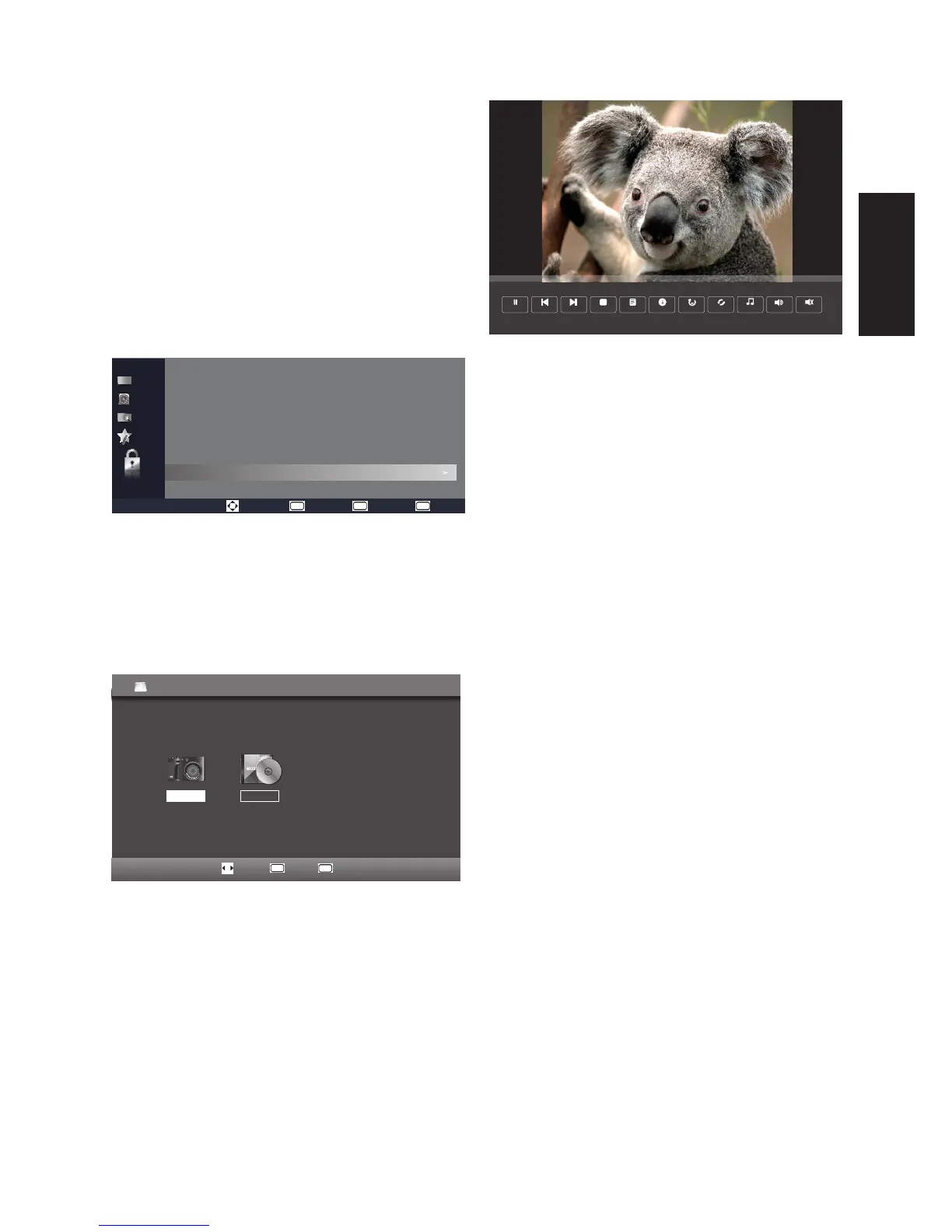
[Play/Pause] – Press ENTER or
PLAY/PAUSE to pause or play the
photo.
[Prev.] – Go to the previous
photo.
[Next] – Go to the next photo.
[Stop] – Stop the photo slideshow.
[Playlist] – Lists all photo files in
the current folder.
[Info.] – Display the photo
information: Resolution/Size/Date/
Time.
[Music] – Enable background
music during the photo slideshow.
MP3 files in the current folder will
be played sequentially.
[Volume] – This option will be
grayed out if there are no MP3 files
to play.
[Repeat All] – Select the repeat
mode as: Repeat None/Repeat 1/
Repeat All.
[Rotate] – Press ENTER to rotate
the picture.
[Mute] – Mute control. On/Off.



 To Next Page