11
MANU
TOP SET
TC LINK
RAMP RATE
Exit
TOP
--
º
F
/
S
TOP BTM
・
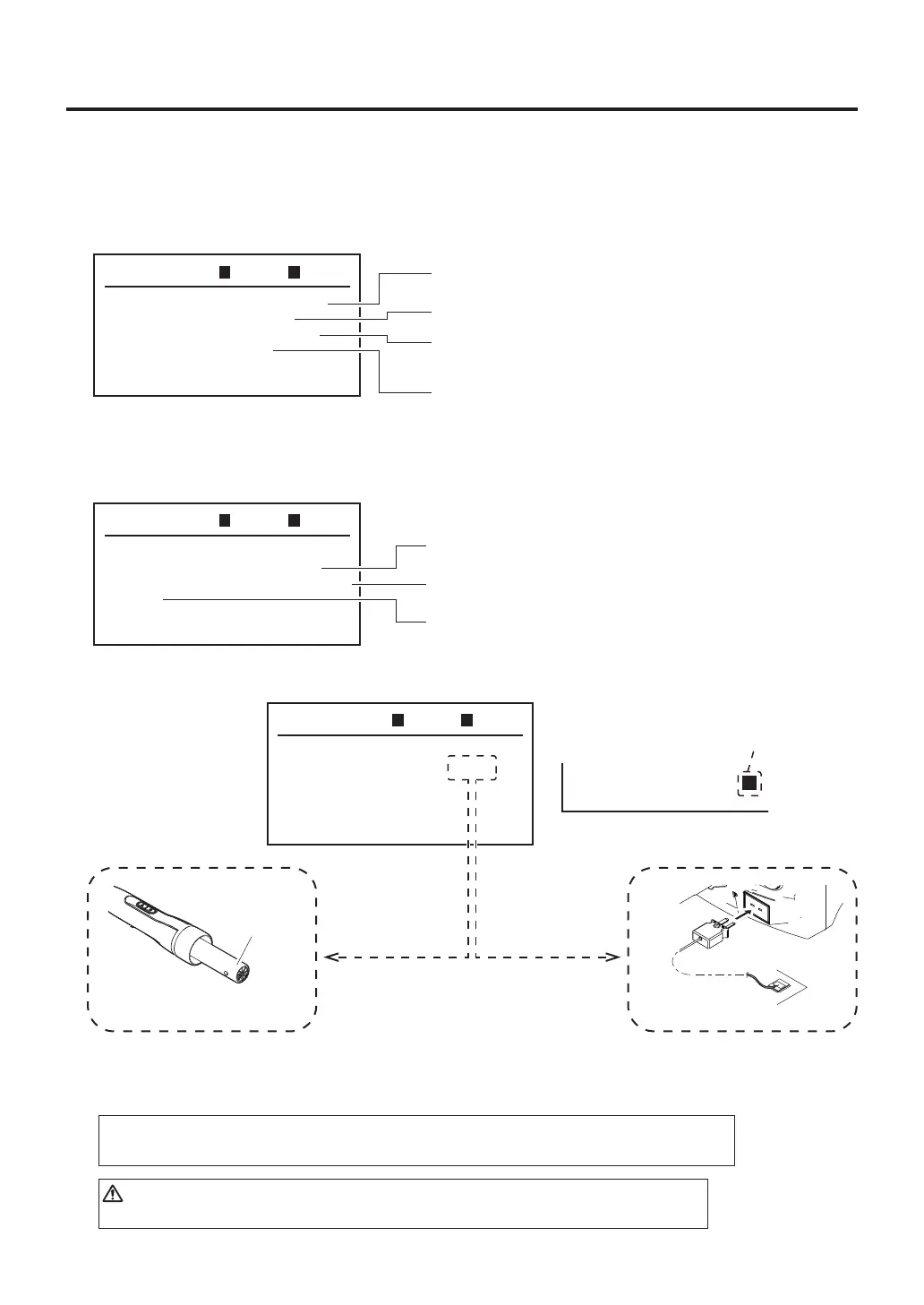
Sensor selection (Select TOP or PART)
・
RAMP RATE (rate of temperature rise) setting
The ramp rate of the startup temperature can be set to between 2℉ and 20℉ (per second).
②Varioussettingsofhotair(handpiece)heater
MANU
MODE CHANGE
TOP SET
USB MEMORY
Exit
TOP BTM
①
Changing modes (MANUAL or AUTO)
②
Various settings of hot air (handpiece) heater
To top screen
Saving profile stored in the station to a USB memory device.
Reading profile stored in a USB memory device into station.
(Not used in MANUAL mode.)
Select TOP. Select PART.
Circuit
boardside
Thermocouple
Performcontrolusing
thermocouplesensor.
MANU
TOP SET
TC LINK
RAMP RATE
Exit
TOP
00
º
F
/
S
TOP BTM
CAUTION
Restrictions created by various nozzles may reduce the rate of temperature rise.
In the menu screen, turning the operation knob left or right will move the cursor. If you move the cursor
to the desired item and press the center of the operation knob, you can perform the settings for each item.
1. Menu screen
①Changingmodes
Refer to the "
●
Mode selection
" in page 9.
Performcontrol
usinghandpiecesensor.
Sensor
(inside)
Note:
When "--" is set, the ramp rate is not controlled and normal electrical power is applied.
TC P
TC B
---
º
F
---
º
F
L
"L" will be displayed when
"PART" is selected.



 To Next Page