10
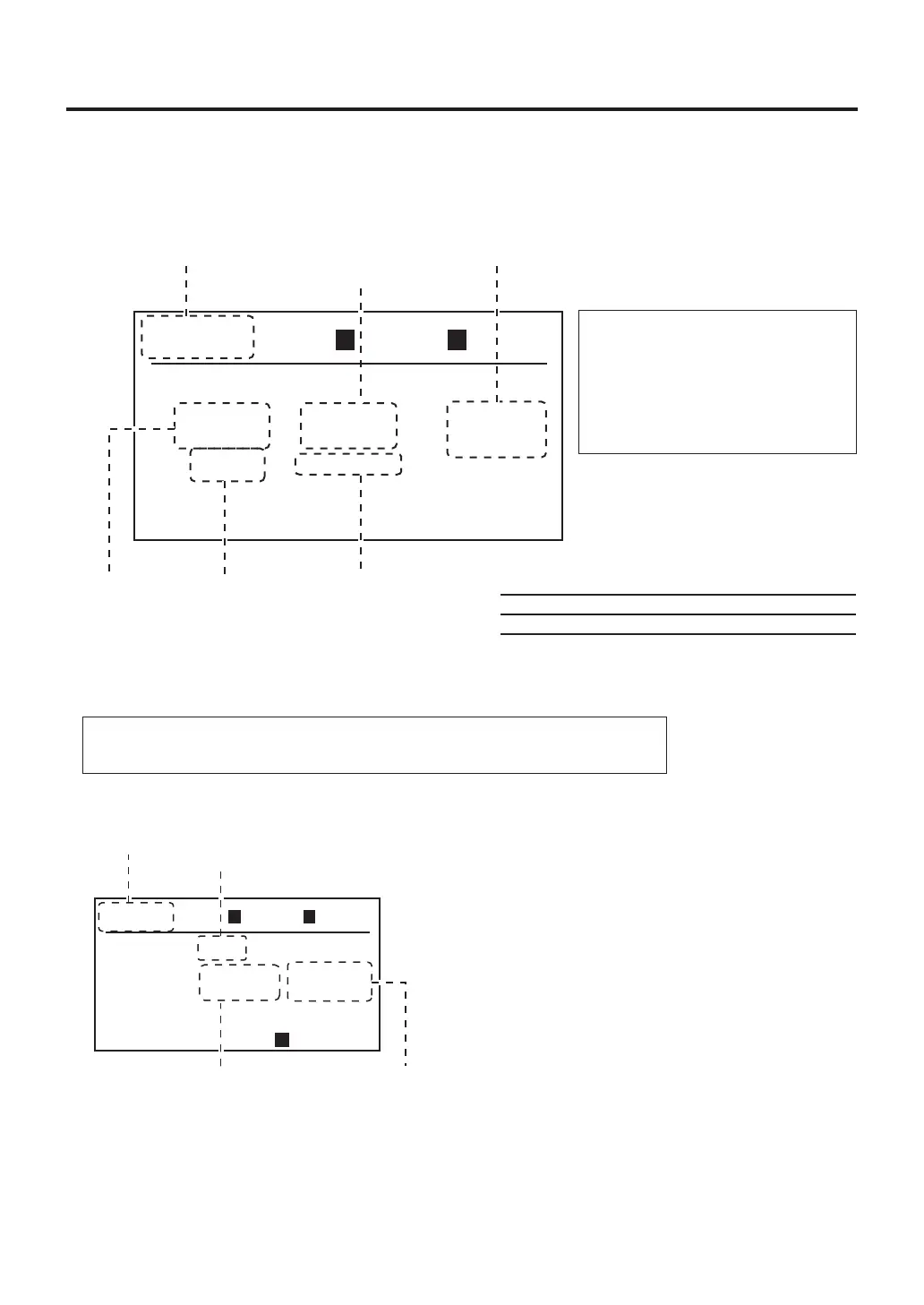
※In the top screen, tilting the control knob up or down switches between the handpiece
section and bottom heater section of the display screen.
Note:
Switchingcannotbeperformedwhilechangingasetting.
TC P
TC B
---
º
F
---
º
F
300
º
F
050
%
MANU
TOP
100
S
TIME
AIR
00
OPENED
TOP BTM
1.Menuscreen(P.11) 4.Timer
setting(P.12)
6.Airflowsetting(P.12)
2.Temperature
setting(P.12)
3.Offset
temperature
setting(P.12)
5.Timermode
selection(P.12)
MANU
TC
TC P
TC B
---
º
F
---
º
F
BTM
300
º
F
RAMP
--
º
F
/ S
L
*ThemodecanbesettoT/Cmodeinwhichthe
temperatureofthecircuitboardismeasuredusinga
thermocoupleorPOWERmodeinwhichoutputpower
iscontrolled.
**WhenPOWERmodeisselected,thesettingbecomes
theoutputpower.
***WhenT/Cmodeisselected,thestartupratecanbeset.
※WhenpressingtheSbutton(onthestation)onthedisplayscreenofthebottomheater,bottom
heaterworks/stop.(
refer to the
“
●
Connection method of the bottom heater”
in page 42.)
●
Initial Value
Air
50
%
Set Temp
600℉
Timer
- - -
RAMP
- -
Timer mode
Opened
TOP BTM
In the top screen, the cursor can be moved to the items for which settings can be changed by
turning the control knob to the left or right. The items which can be set are as follows:
B. MANUAL mode settings
Note:
Whenanitemisselected,ifno
controlisperformedfor
approximately3seconds,the
displaywillreturntothenormal
screen.
・Bottom heater display screen
Menuscreen
Mode
selection*
Temperaturesetting
(outputpowersetting**)
Startuprate
setting***



 To Next Page