13
TC P
TC B
---
º
F
---
º
F
200
º
F
AUTO
ZONE1
prof2
P12345600
OPENED
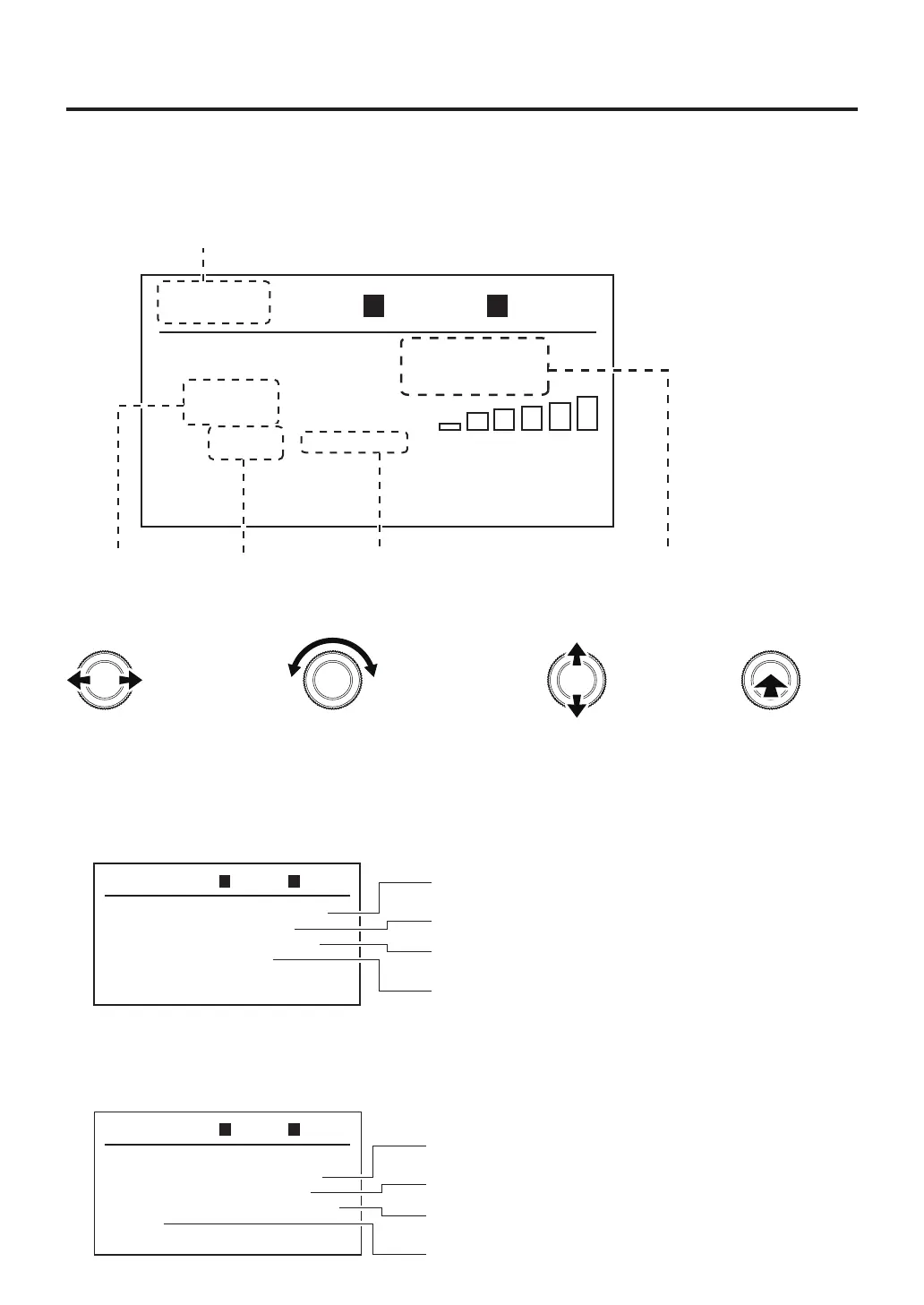
1.Menuscreen(P.13)
2.Profile
settings
(P.15)
3.ProfileNo.settings(P.18)
MANU
MODE CHANGE
TOP SET
USB MEMORY
Exit
TOP BTM
AUTO
TOP SET
TC LINK
COF Active
Start TMG
Exit
TOP
ON
Temp
TOP BTM
TOP BTM
4.Offsettemperature
setting(P.12)
5.Timermode
selection(P.12)
In the top screen, the cursor can be moved to the items for which settings can be changed by turning the
operation knob to the left or right. The items which can be set are as follows:
C. AUTO mode settings
Changes values and
the selected item
Selected item
Selected position
Enter
Set in the following operation
In the menu screen, turning the operation knob left or right will move the cursor. If you move the
cursor to the desired item and press the center of the operation knob, you can perform the settings
for each item.
1.Menuscreen
①Changingmodes(MANUALorAUTO)
②
Various settings of hot air (handpiece) heater
Totopscreen
③Forreading/savingofprofilesusingaUSBmemorydevice.
①
Changing modes
Refer to the "
●
Mode selection
" in page 9.
②
Various settings of hot air (handpiece) heater
Sensorselection(SelectTOPorPART)
"Changeonthefly"setting
Tomenuscreen
Thetimingofthehotairoperation



 To Next Page