14
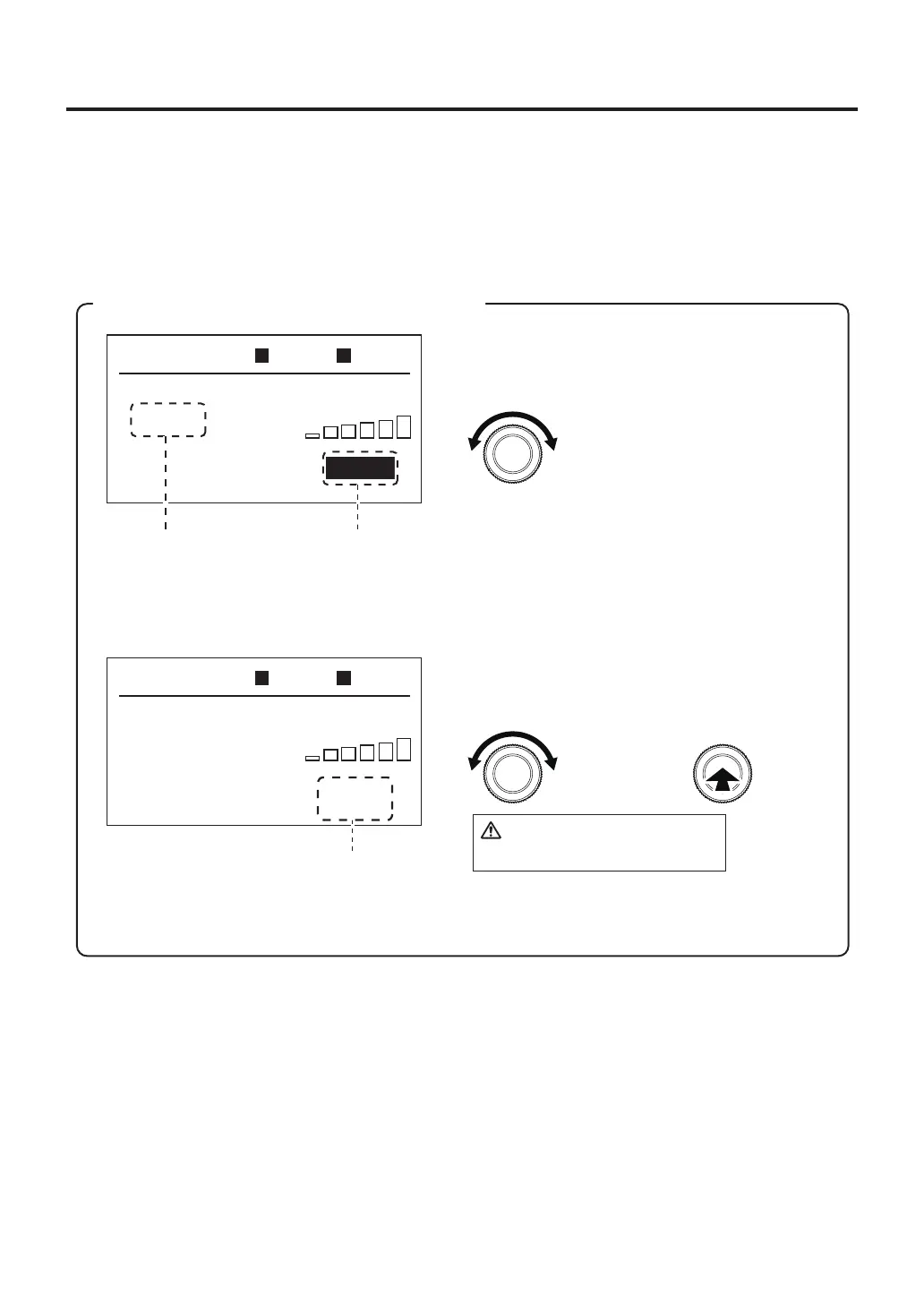
※"Change on the fly" allows settings for each zone to be made and saved.
For details, please refer to page 25.
・Sensorselection(SelectTOPorPART)
Refer to the "
Sensorselection
" in page 11.
・"Changeonthefly"setting
SelectONorOFFforthe"Changeonthefly"function.
※
Select ON for the "Change on the fly" function.
※ When you select the POWER mode in PRE ZONE SET (refer to page 16), this setting is disabled.
Operation examples, please refer to page 17.
・
Thetimingofthehotairoperation
Setthetimingfortheoperationofhotair.
Temp:Oncethebottomheaterreachesthesettemperaturehotairstart.
0sec:Bottomheaterandhotairwillstartatthesametime.
③Reading/savingofprofiletoUSBmemorydevice
SelectUSBMEMORYwhenreadingaprofilestoredintheUSBmemorydeviceorsavingaprofiletothe
USBmemorydevice.(ThisitemcannotbeselectedifthereisnoUSBmemorydevicepluggedin.)
C.O.F.
TC P
TC B
---
º
F
---
º
F
200
º
F
AUTO
ZONE1
prof2
P12345600
OPENED
TOP BTM
C.O.F.
Y/N
TC P
TC B
---
º
F
---
º
F
200
º
F
AUTO
ZONE1
prof2
P12345600
OPENED
TOP BTM
Enter
Duringoperation,youcanchangetheset
temperaturebyperformingthefollowingoperation.
The temperature range within which change can
be performed is ±45℉ from the initial
Changesvalues
After operation has been completed, whether or not to save the changed temperature setting
will be checked. Select Y to save the changed temperature setting or N to not save it.
Savetemperaturecheck
Setinthefollowingoperation
Select
CAUTION
Thecurrentprofileisoverwritten.
Changingvalue Displayedwhen
valueischanged.



 To Next Page