16
①RENAME (Input profile name.)
②TIMER MODE (Change of countdown method.)
Timer mode setting can be switched between the Opened timing and the Closed timing modes.
③COMMENT (Input comment.)
Up to 10 characters can be input for the profile name. The characters that can be input are
ASCII characters (without “.” ). If you select the " " all following characters will disappear.
Up to 100 characters can be input for the profile name. The characters that can be input are
ASCII characters (without “.” ). If you select the " " all following characters will disappear.
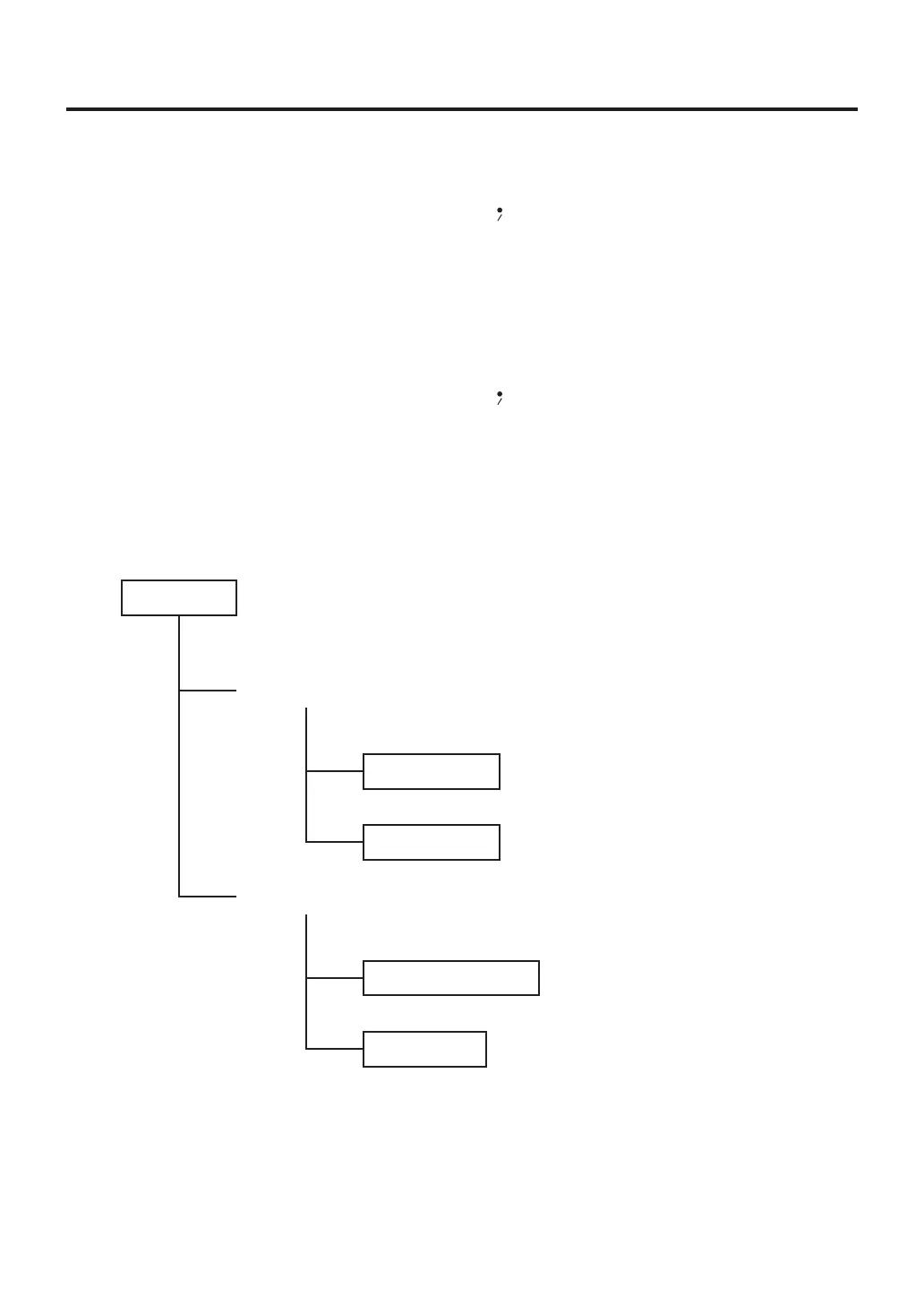
④PRE ZONE SET (Setting bottom heater settings.)
The various settings of the bottom heater can be performed.
First, select whether the bottom heater function will be ON or OFF.
When ON is selected, the following settings can be performed.
・WhenONisselected:
OPEMODE
WhenPOWERmodeisselected:
※1
POWERsetting
Select POWER mode or T/C mode.
Output power setting
(
001 to 100
%)
Time to transition to the next zone
(
001
〜
999s
)
TIMERsetting
WhenT/Cmodeisselected:
RAMPRATEsetting
Temperature rise rate setting
("--"
※2
, 02 to 20℉/s)
Heating temperature setting (120 to 480℉)
TEMPsetting
※1WhenselectingthePOWERmode,thesettingoftheSTARTTMG(refertopage14)isdisabled.
※2
When "--" is set, the ramp rate is not controlled and normal electrical power is applied.
WhenselectingtheAUTOmode,bottomheaterwilloperateuntiltheprofileiscompleted.



 To Next Page