TC P
TC B
---
º
F
---
º
F
100
º
C
AUTO
ZONE1
prof2
P12345600
OPENED
TOP BTM
P
20
● Preparing to use the PC software
The HAKKO FR-811 PC Software was created using Visual Studio 2013 C++. If the Visual
Studio 2013 C++ runtime is not installed on the computer, the software will not run properly.
Install the runtime according to the procedure below.
1. Run "vcredist_x86.exe" on the included CD.
2. Put a check in the checkbox and click "Install".
3. Wait until the installation is complete.
1. Ensure that the device is connected with the PC using a USB cable, and turn the power switch ON
of HAKKO FR-811.
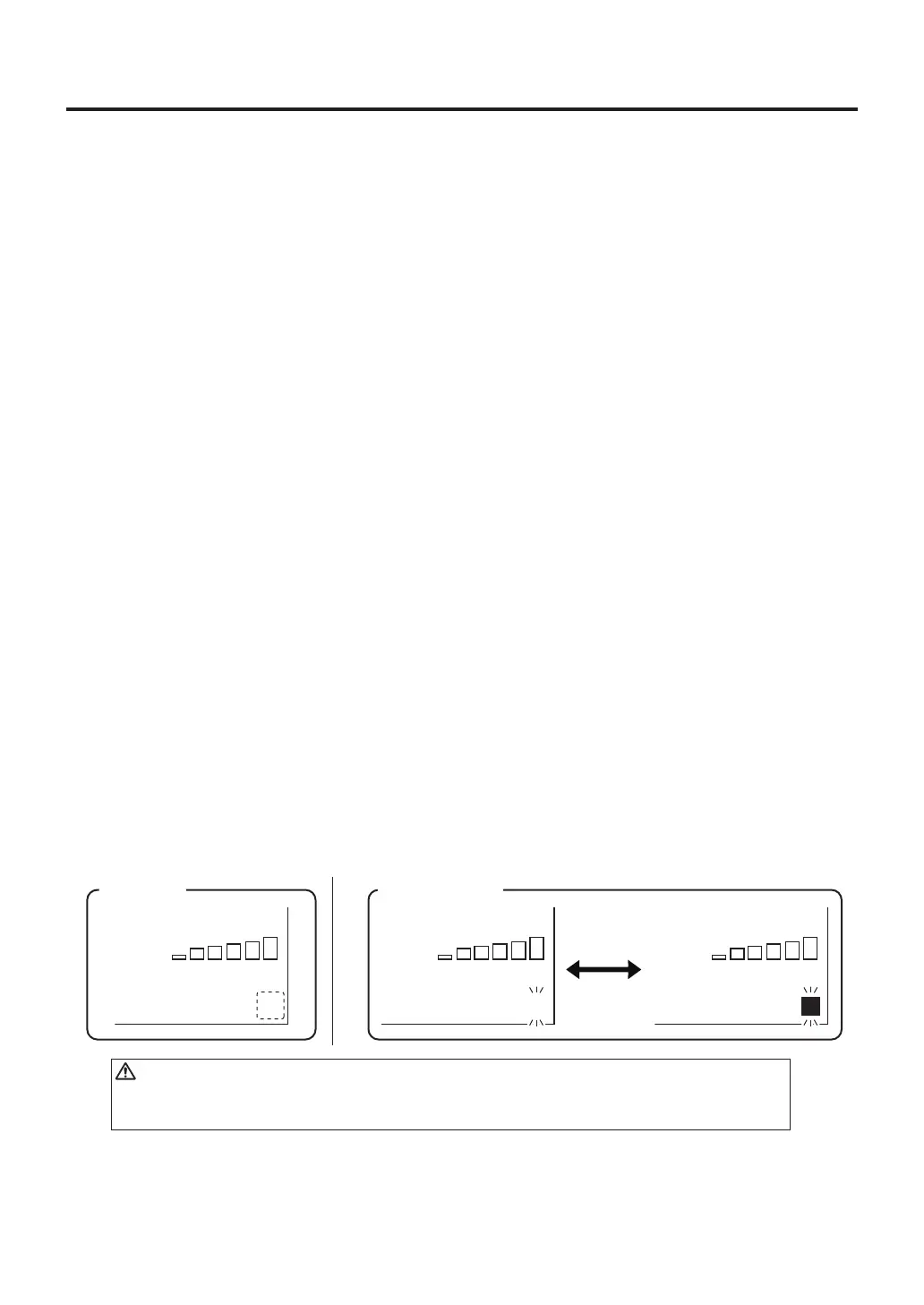
2. "P" is displayed on the monitor the lower right corner of the HAKKO FR-811.
3. Double click the software “FR811_PCSoftware.exe” and start it.
● Using the PC Software
Copy the HAKKO FR-811 PC Software file "FR811_PCSoftware.exe" to any folder on your
computer. When FR811_PCSoftware is run for the first time, a "Files" folder will be created
in the same folder as the software. FR811_PCSoftware will store graph data, etc. in the "Files"
folder. PCSoftware can be used according to the following procedure.
CAUTION
Whenthe"P"doesnotappear,itisnotconnectedproperly,ordriversoftwaremight
nothavebeeninstalledcorrectly.
※Installer of Microsoft Visual studio 2013 C ++ included in the supplied CD-ROM will be displayed
in English. If you want to other language, select the language in the following website, please
download the file.
• Visual C++ Redistributable Packages for Visual Studio 2013
Microsoft web site:http://www.microsoft.com/
After downloading the file, run "vcredist_x86.exe".
Connecting
TC P
TC B
---
º
F
---
º
F
100
º
C
AUTO
ZONE1
prof2
P12345600
OPENED
TOP BTM
P
TC P
TC B
---
º
F
---
º
F
100
º
C
AUTO
ZONE1
prof2
P12345600
OPENED
TOP BTM
P
Communicating
Bedisplayed
alternately.
表示



 To Next Page