33
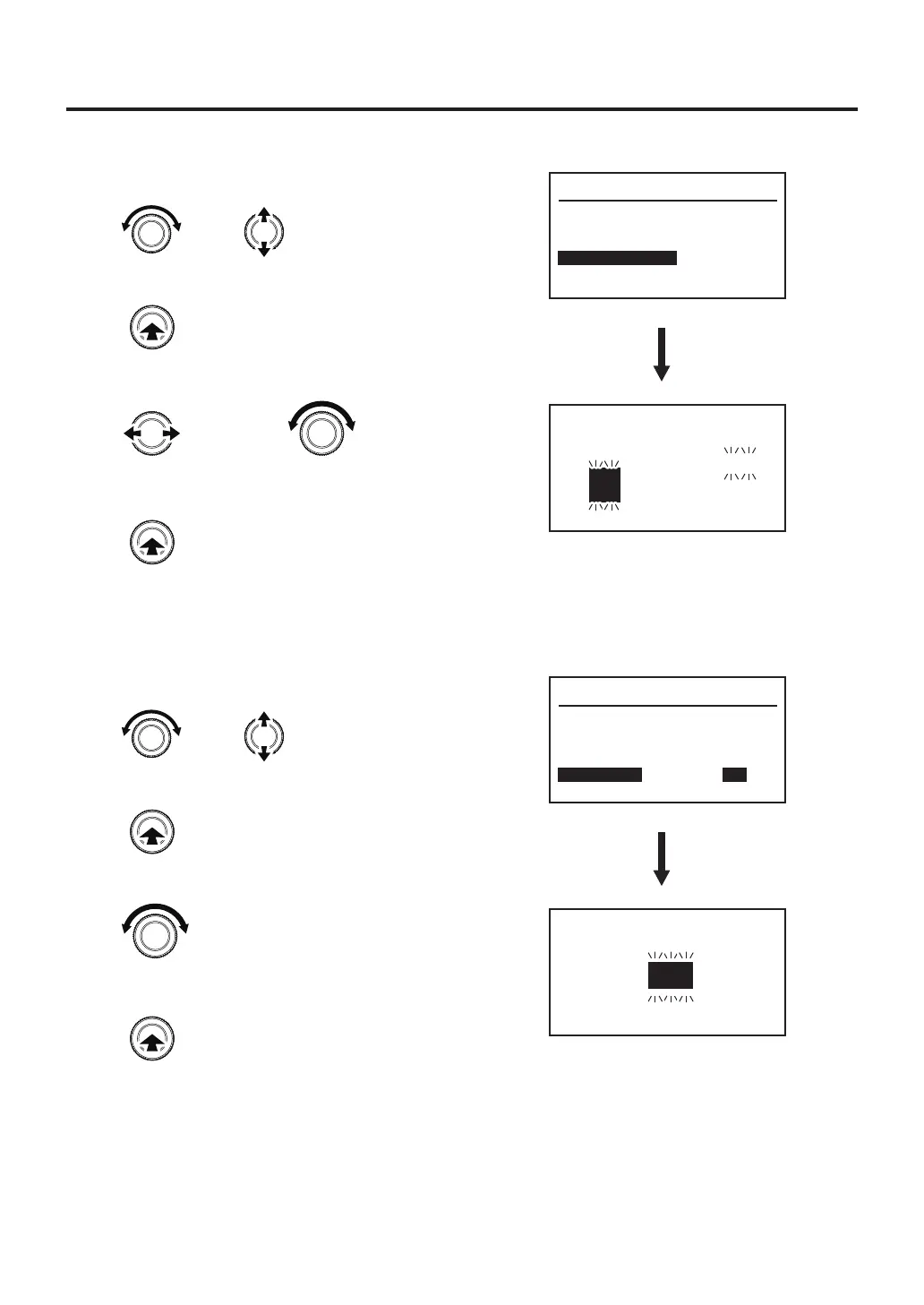
●Date&Time
1. Turn the control knob, select “Date & Time”.
2. After selecting, press the center of the control knob.
3.
Setting of the date & time.
4. After setting, press the center of the control knob.
System Parameter
TC B Alert
Lock Mode
Password
Date & Time
Contrast
Initial Reset
---
ON
05
Set
Date and Time
2016/01/01/00:00
Set the date
and time
Changes the
selected item
●Contrast
1. Turn the control knob, select “Contrast”.
2. After selecting, press the center of the control knob.
3. Adjust contrast.
4. After setting, press the center of the control knob.
System Parameter
TC B Alert
Lock Mode
Password
Date & Time
Contrast
Initial Reset
---
ON
05
Adjust contrast
LCD Contrast
05
or
Changes the selected item
Enter
or
Changes the selected item
Enter
Enter
Enter



 To Next Page