HALNy HL-4GQV Quick Installation Guide
4
2.2 Front, rear and side Panel
The description of the front, rear and side panel of the GPON ONU as follows.
2.2.1 Front Panel
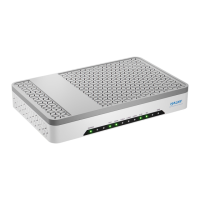
Fig. 1 - Front Panel
The power works normally.
Powered off or the power supply is abnormal.
Refer to Table 2: “PON LED Status Instruction”
Refer to Table 2: “PON LED Status Instruction”
Got WAN IP Address Successfully
Data is being transmitted
Device in bridged mode or no IP
The connection of Ethernet interface is normal.
Data is being transmitted through the Ethernet interface.
The connection of the Ethernet interface fails to establish.
The connection of Ethernet interface is normal.
Data is being transmitted through the Ethernet interface.
The connection of the Ethernet interface fails to establish.
The connection of Ethernet interface is normal.
Data is being transmitted through the Ethernet interface.
The connection of the Ethernet interface fails to establish.
Voip account is registered
Port deactivated or Voip account is unregistered
Not activated/not triggered
Table 1. ONU LED Indication Table


 To Next Page