9
ADDING MORE DEVICES
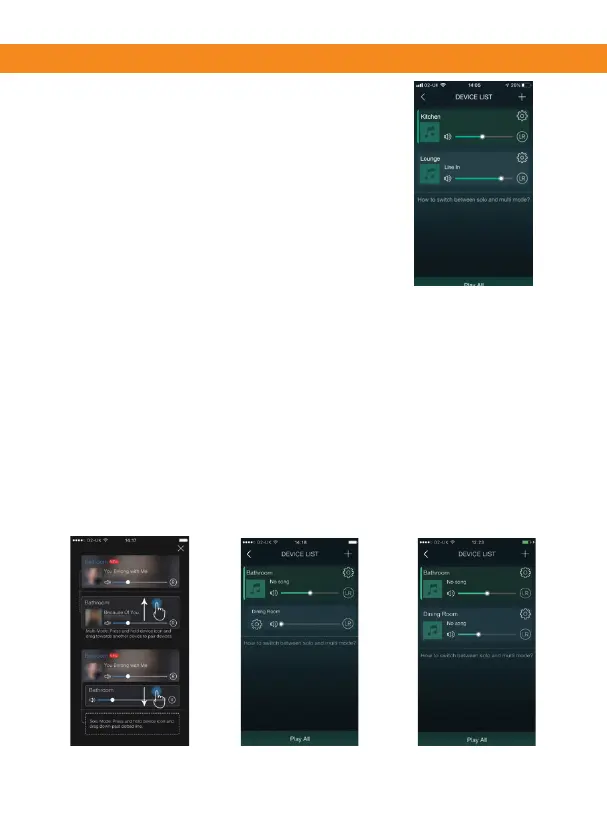
1. Select the + icon on the top right
2 Follow the steps 3-9 above on pages 6&7.
3. Your second device is now added.
Mul-room playing
1. Click and drag any device bar into another device bar, this creates
a group which all the speakers will play the same music.
(This can take up-to 30 seconds to join the group, a message
will appear on the screen saying “mul-room mode successful”).
2. You are now playing in mul-room mode.
Click and drag any device out of its group, this will then un-group
the device.
3. You are now playing individually again.
(A message will now appear telling you
“Single room mode successful”).
1 2
3


 To Next Page