8
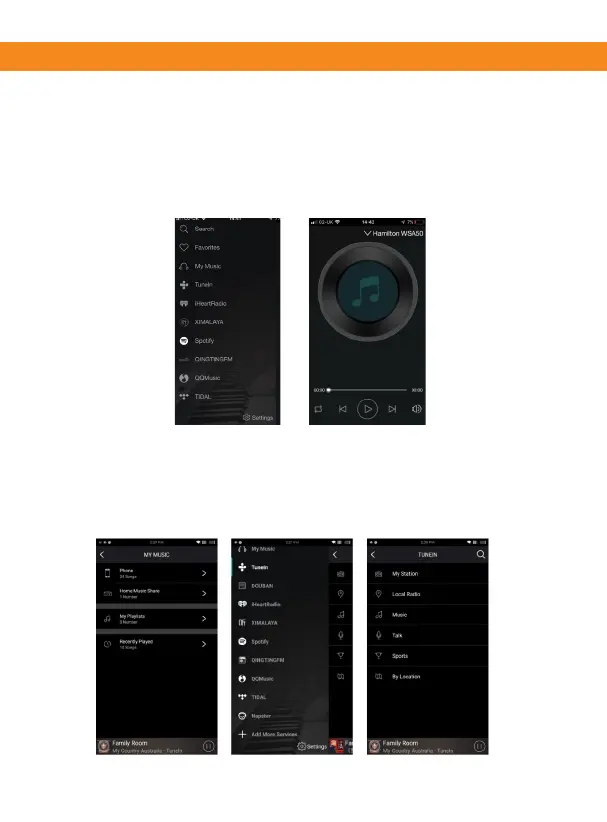
Your device list will show your Hamilton WSA50.
(1) Press on the device/zone to select your music source.
(Note: You will skip the now playing page as no source has
been selected (2) and take you straight to the music source
page.
2
1
PLAYBACK
These screens let you access your available music, whether it
is stored on your network or connected to your hardware, so
there are mulple ways to play your music.
Streaming Opons


 To Next Page